The Open-Source CRM for Hair Salons: Keep Every Client Coming Back
A ready-to-customize hairdresser software template: bookings, color formulas, reminders and rebooking. Start from a working app, adapt it to your salon. Free, no booking commission, no per-chair fees.
- 1,400+ stars on GitHub
- MIT licence
- By Marmelab, the team behind react-admin (25k+ stars)
Why Choose Atomic CRM for Your Hair Salon?
Booking marketplaces charge salons up to 30% on new clients and keep the client relationship for themselves. Atomic CRM is an open-source template you own: start from working hairdresser software, and shape it to the way your salon works — with our team or your own developer.
No Commission, No Lock-In
Your clients book on your own page. Open source, hosted on your own servers or by us, and no fee on the clients you already have.
Fewer No-Shows
Automatic reminders the day before and two hours before, with one-tap confirm or cancel, and a cancellation policy your front desk can enforce.
Formulas That Never Get Lost
Color formulas, processing times and products are saved for every visit, so they no longer live in a notebook or leave with a stylist.
Built for the Chair
A mobile mode with large type, the last formula and allergies first, and before/after photos taken right from the phone.
Clients Who Come Back
Rebooking suggested at checkout and recalls when a client's usual cycle has passed. Retention becomes routine.
Your Salon at a Glance
Today's appointments, free slots, takings, occupancy, no-show and rebooking rates on one screen.
Everything Your Hair Salon Needs, From Booking to Rebooking
The template ships with a complete salon workflow: the agenda, the client file, the front desk and the follow-up. Every screen can be adapted to the way your salon works during a Setup Week.
Multi-Stylist Agenda
See the whole team's day in one view, with one column per stylist. Services are made of work and processing time, so a stylist can start the next client while a color processes. Drag to move or resize an appointment. Absences and off-hours are greyed out, and a week view shows each stylist's schedule.
Book in Three Clicks
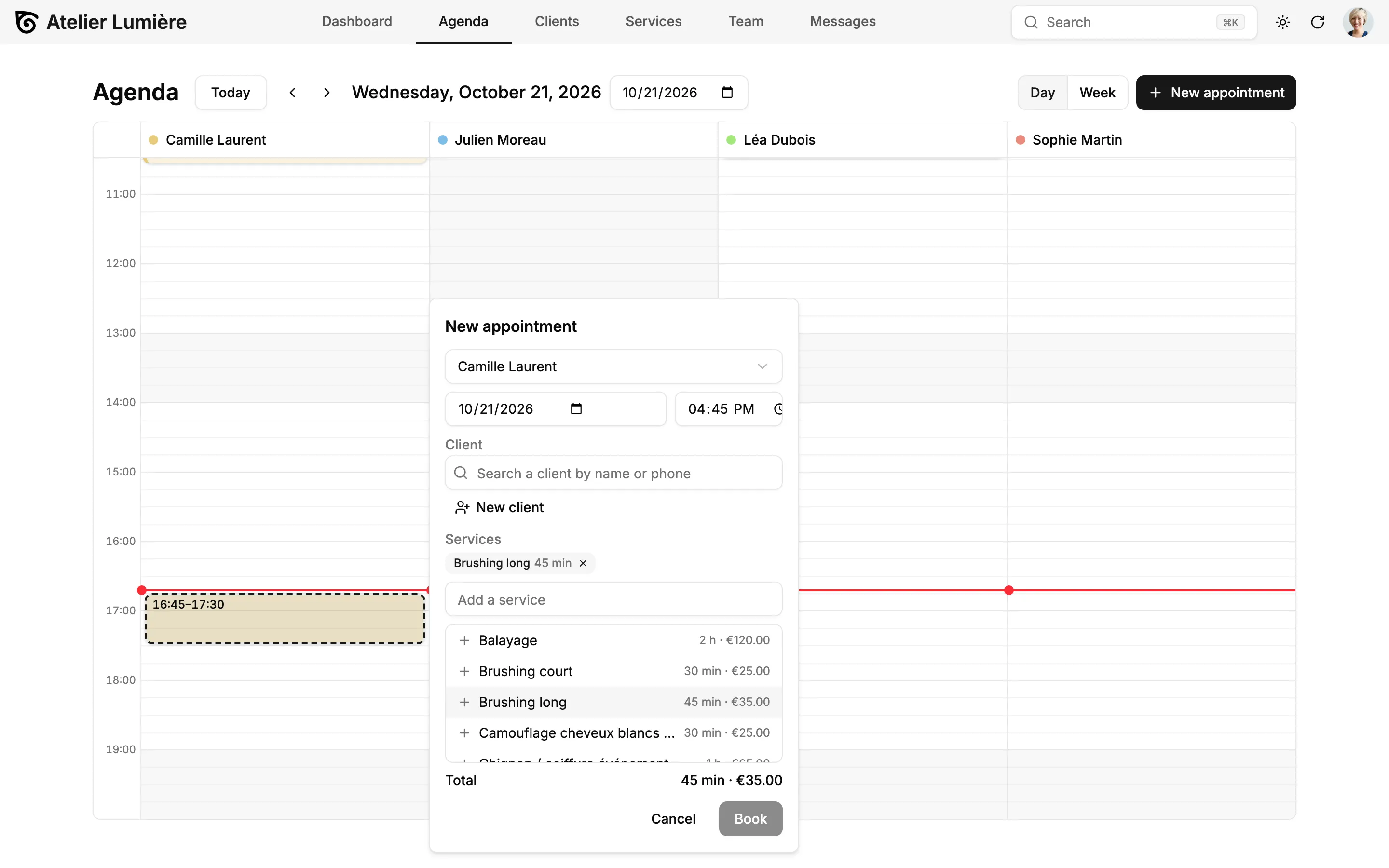
Click a free slot, find the client by name or phone (or create one on the spot), and add one or more services. Conflicts with other bookings are flagged before you save.
A Technical File for Every Client
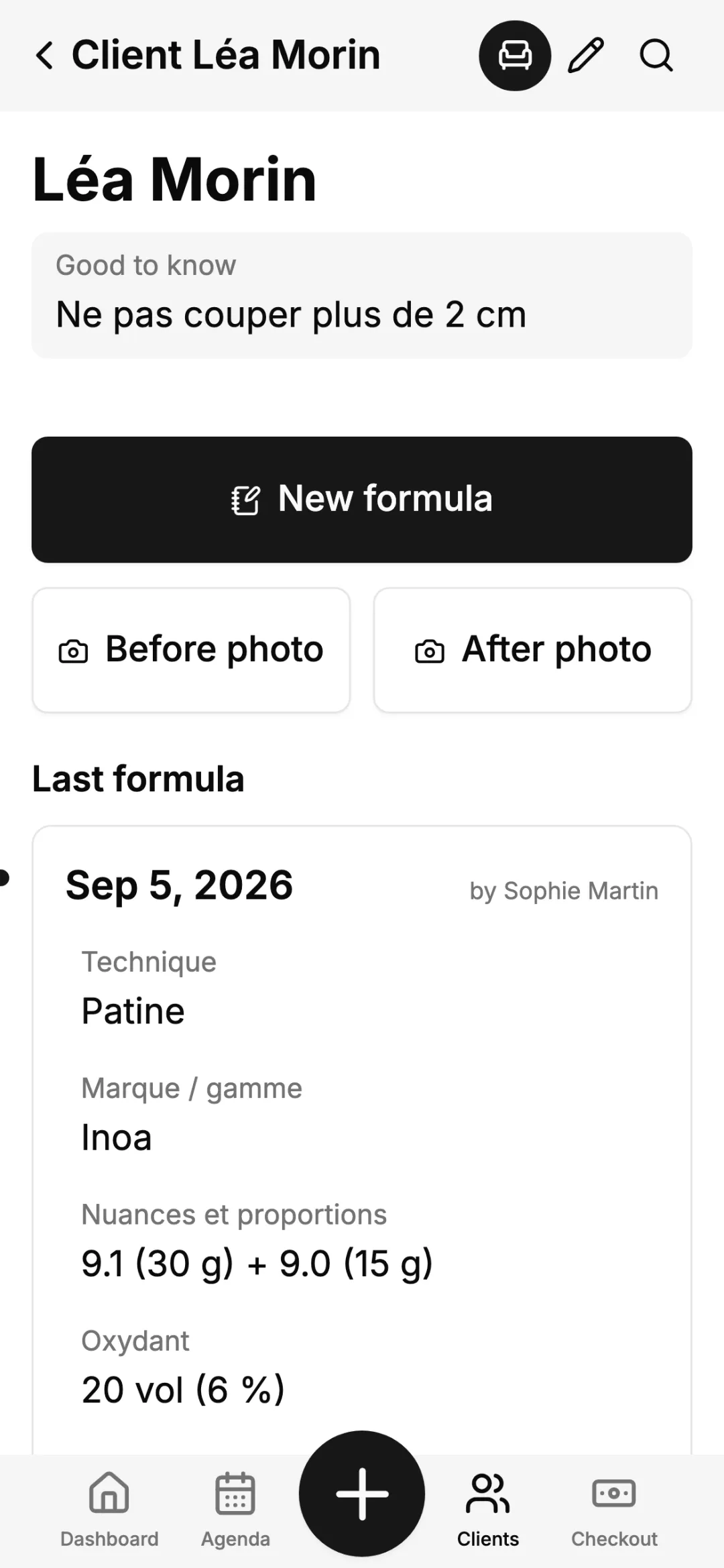
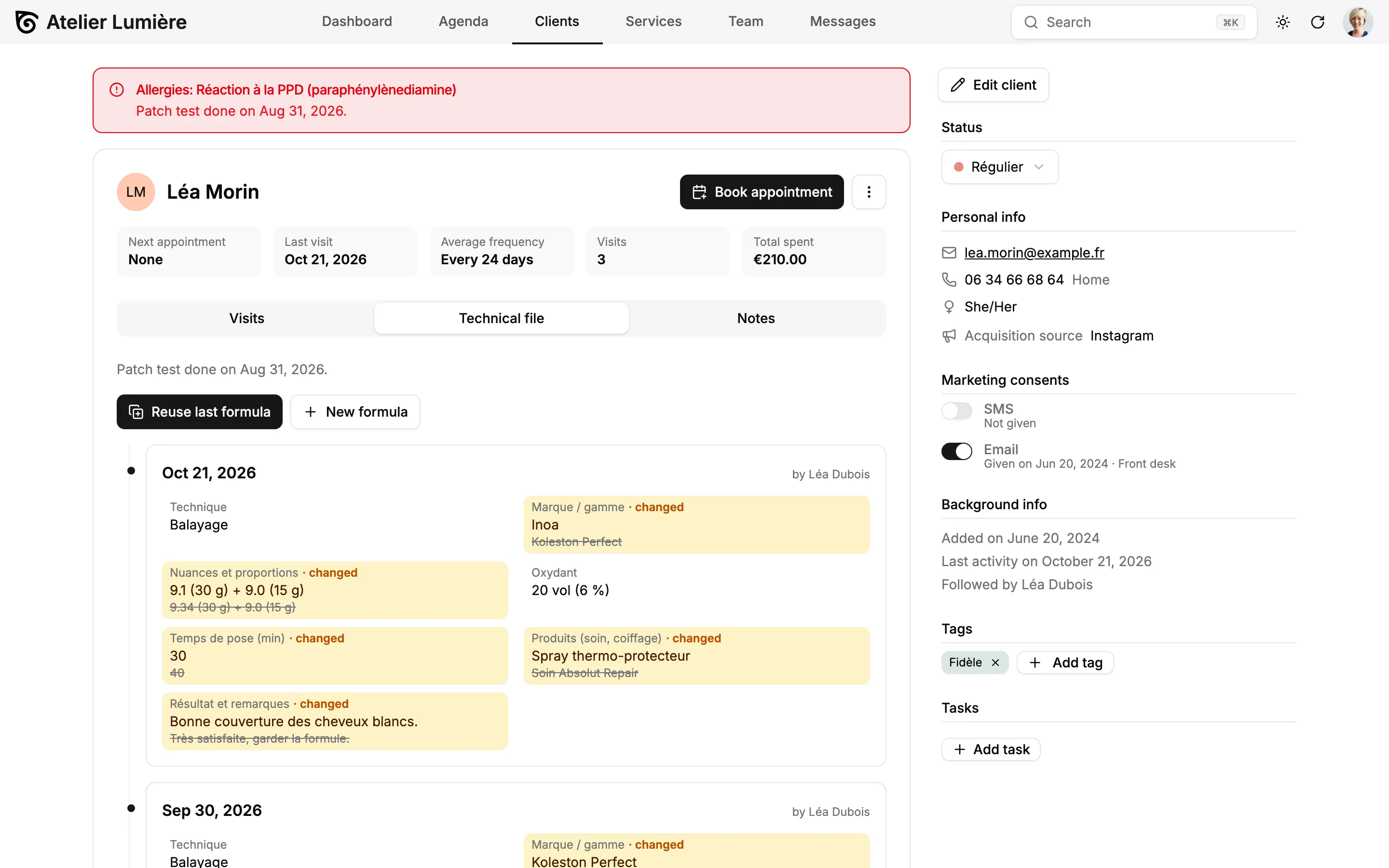
Each visit records a structured formula: technique, brand, shades and proportions, developer, processing time, products. Changes from the previous visit are highlighted, and "Reuse last formula" pre-fills the next one. Allergies and patch tests stay in a red banner at the top of the file, visible to stylists and managers only.
Online Booking on Your Own Page
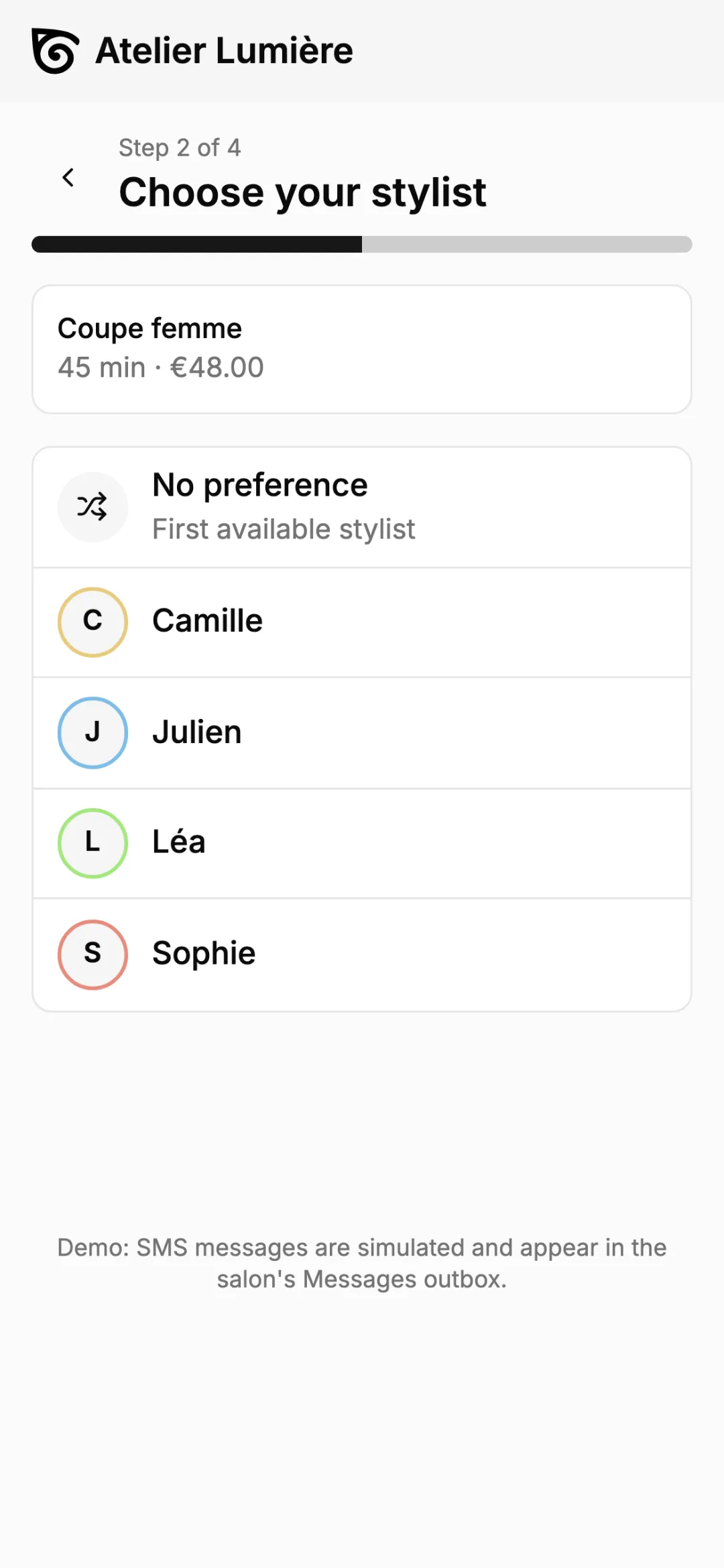
Clients book in four mobile-friendly steps: services, stylist or "no preference", time slot, then name and phone with a verification code. No account to create, and the cancellation policy is shown before they confirm. Share it with a link or a QR code on Instagram, Google or the shop window.
Reminders and Messages
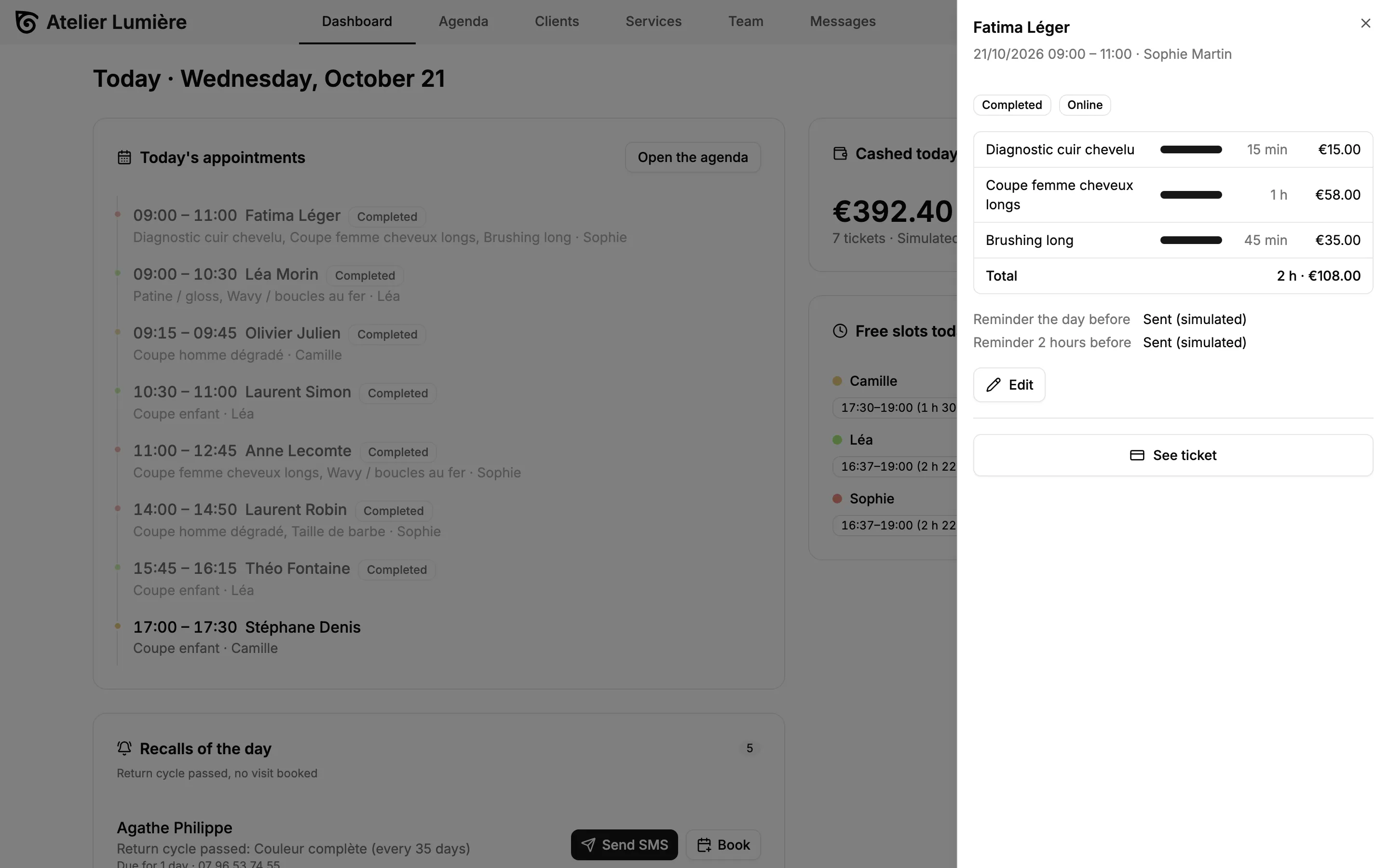
Reminders the day before and two hours before, review requests after the visit, recalls and birthday messages are generated from editable templates. The confirmation status appears on each appointment. In the demo, every message lands in an outbox so you can see what would be sent.
Today's Dashboard
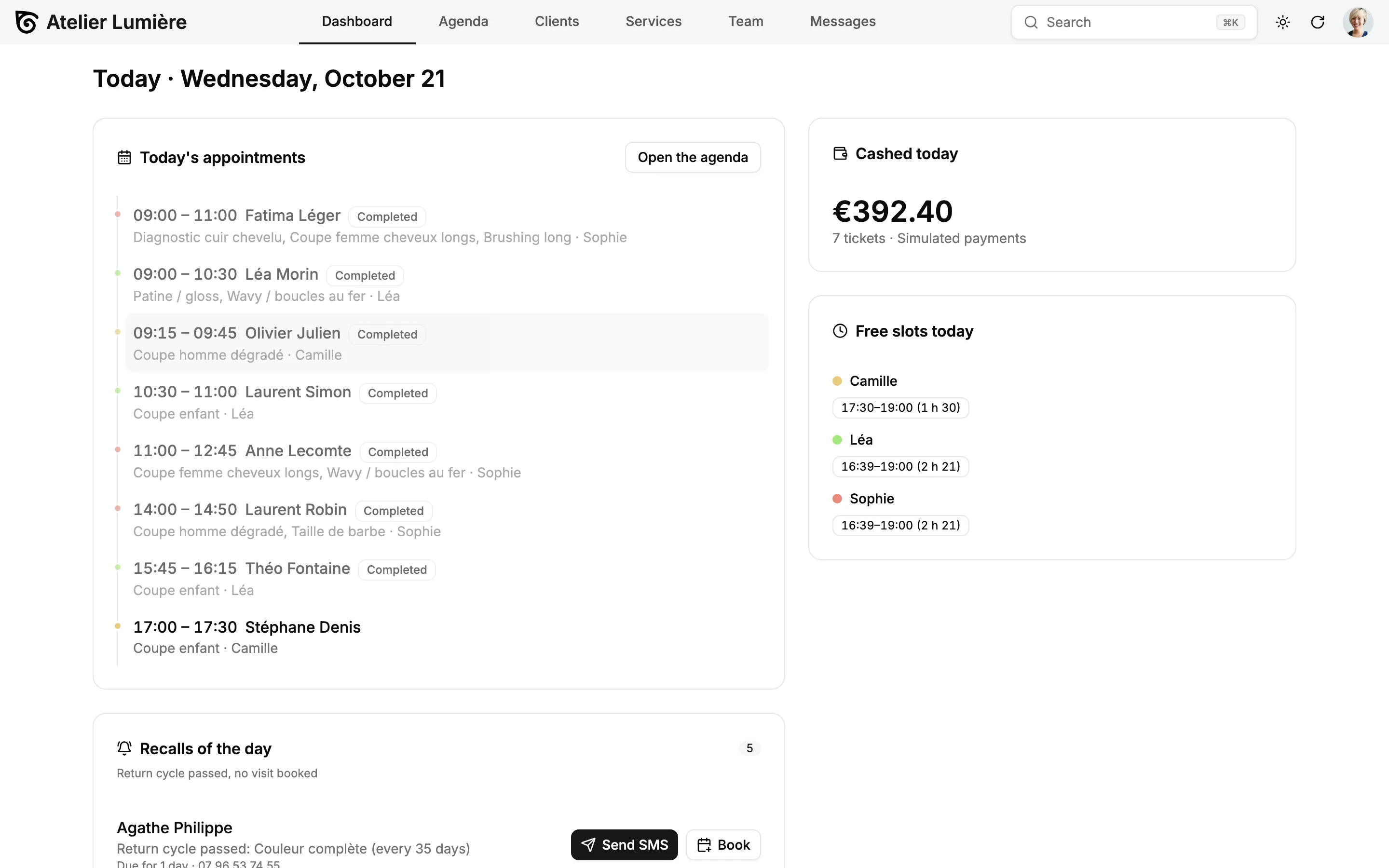
Start the day with today's appointments, free slots per stylist, takings so far, and the clients due for a recall, each with one-click SMS or booking. Weekly indicators compare revenue, occupancy, no-show and rebooking rates with the previous week.
Services and Team
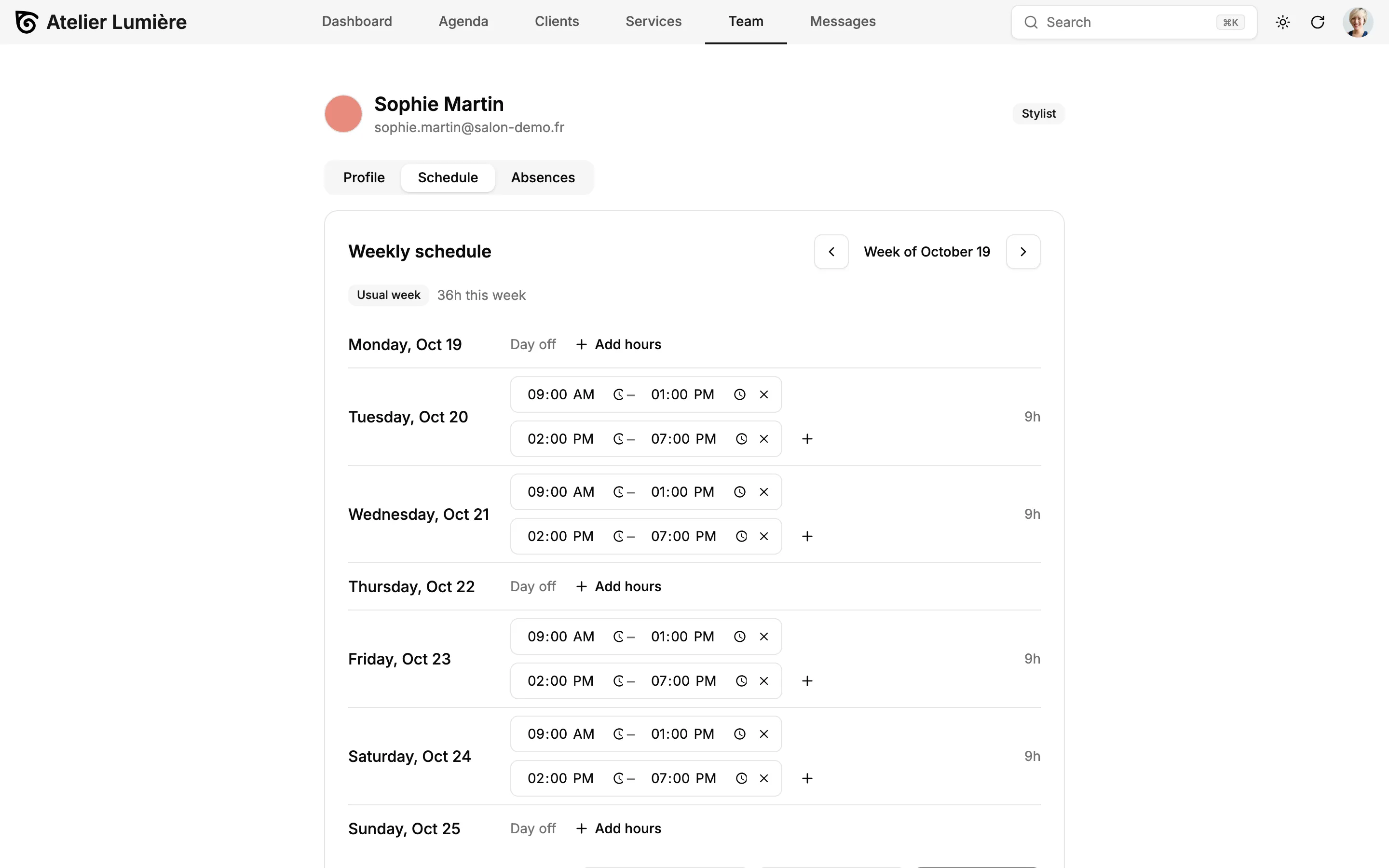
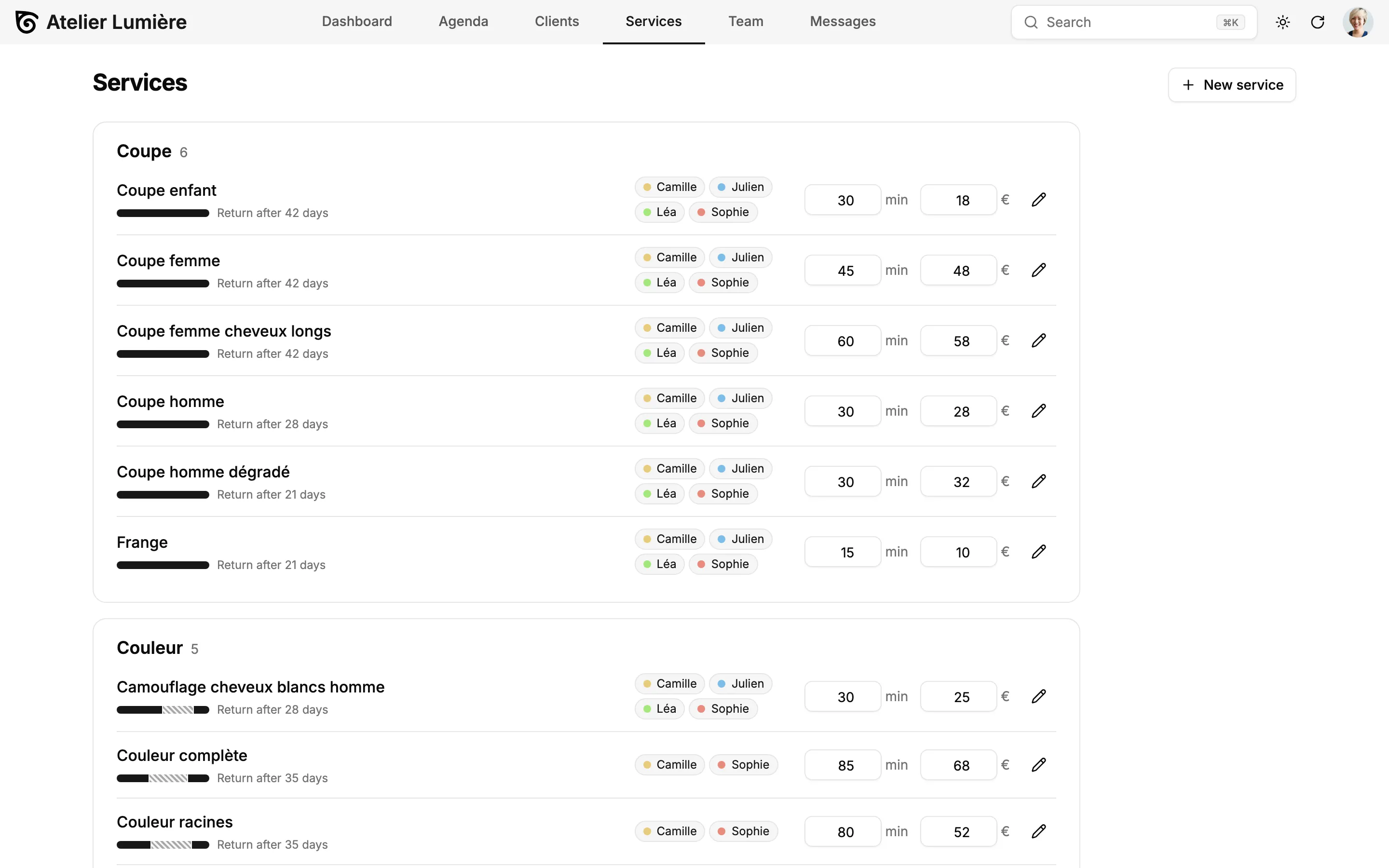
Build the service catalog with durations, prices, processing segments, eligible stylists and return cycles. Manage each team member's weekly schedule, absences and role (front desk, stylist, manager) from tabs on their profile.
What You Can Add to Your Hairdresser Software
Atomic CRM is not a locked-down product: your salon can extend it freely, with your own developer or with our team.
Deposits and No-Show Protection
Card imprint or deposit for long services or unreliable clients, with a reliability score per client.
Waitlist
Offer freed-up slots automatically to clients who asked to be notified.
Gift Cards, Packages and Loyalty Points
Prepaid bundles (e.g. 10 blow-dries), balances visible at checkout.
Commissions
Rules per service category, product sales and tiers, with a monthly statement per stylist.
Retail and Stock
Product catalog, stock alerts, color consumption per service and supplier orders.
Multi-Location
Shared client base, consolidated reporting, stylists working across salons.
More Booking Channels
Reserve with Google, WhatsApp booking, or a phone assistant using the built-in MCP server.
Real Payments and Certified Checkout
Connect a payment terminal and a certified POS provider where required (for example NF525 in France).
Not Just Hair Salons
Hair-specific knowledge (formula fields, service categories, return cycles, message templates) lives in one swappable configuration pack. The rest is a generic core for any appointment-based business: barbers, beauty and nail salons, spas, physiotherapists, pet groomers or tattoo studios.


From the Demo to Your Salon
Your salon can go from the demo to its own CRM in four steps, with our team or with your own developer.
- 1
Explore the Demo
Book appointments, fill in a color formula, check out a client and send recalls in a fictional Paris salon. This is the template you'll start from — nothing to install.
Open the demo - 2
Scope Your Salon
We map how your salon works (services, team, booking rules, messages) and adapt the CRM to its specifics before going live.
Book a Setup Week - 3
Bring Your Clients
The onboarding wizard imports your client list from a CSV file, with presets for Planity and Treatwell exports, and merges duplicates.
Import guide - 4
Go Live
Share your booking link and QR code on Instagram, Google and the shop window, then invite the front desk, stylists and managers.
Deployment guide
Hair Salon CRM Pricing
Free Forever, or Set Up by Experts
Use Atomic CRM for free, or let us set it up on your cloud or infrastructure.
Open-Source
The full power of Atomic CRM, self-managed on your own infrastructure.
Free
- Unlimited users, data & storage
- Host on Supabase or your own infrastructure
- SAML 2.0 single sign-on
- Email integration
- API access
- Community support on GitHub
Setup Week
Done for you
In one week, the team behind Atomic CRM designs, configures, and deploys it for your business, on your cloud or your infrastructure.
Custom quoteOne-time fee
What's included
- ScopingWe map your sales process, team, and needs.
- SpecificationsWe turn your requirements into a tailored configuration.
- Set-up & deploymentWe deploy your CRM on your own infrastructure, or host it for you.
No subscription. No per-seat pricing. No vendor lock-in.
Just a customized open-source CRM that you own, set up by CRM experts.
Hair Salon CRM: Frequently Asked Questions
What is hairdresser software, and why choose an open-source one?
Hairdresser software, also called salon management software or a hair salon CRM, brings together the agenda, client files with their color formulas, online booking, reminders and checkout. Many salon software vendors charge a monthly fee per stylist or a commission on online bookings. Open-source hairdresser software like Atomic CRM is yours: no commission, no per-chair fee, and code you can adapt to the way your salon works.
Is Atomic CRM really free for a hair salon?
The code is open source under the MIT licence: no commission on bookings, no fee per chair or per stylist, and no paid module. You pay for what you choose to run it with: hosting, SMS credits from your provider, and the time to set it up, by your own developer or during a Setup Week with our team. If you'd rather not deal with servers, we can also host it for you, with your data in Europe or the US.
Can I use it in my salon today?
The demo shows the complete workflow, but it runs in your browser with sample data. To use it with your real clients, it needs to be connected to a database and adapted to your salon (services, team, booking rules, messages). That is what we do during a Setup Week.
Can I import my clients from Planity or Treatwell?
Yes. The onboarding wizard reads a CSV file of clients, recognizes Planity and Treatwell exports automatically, lets you adjust the column mapping, and merges duplicates. Any other software that exports a CSV file works with the generic preset.
Do my clients need an account to book online?
No. They pick services, a stylist or no preference and a time slot, then confirm with their name and phone number and a verification code. The cancellation policy is shown before they confirm, and reminders link to a page where they can confirm or cancel.
Does it replace my cash register?
Not on its own. Checkout handles services, products, discounts, tips and split payments, but in countries that require a certified cash register (NF525 in France), you must connect a certified POS provider. Connecting a payment terminal is also an extension to build.
How does it handle GDPR and client allergies?
Each client records SMS and e-mail consents with their date and origin, and you can export or anonymize a client's data in one click. Allergies and patch tests appear in a red banner on the client file, visible to stylists and managers only, not to the front desk.
Does it work for a salon with several locations?
The demo manages one salon with its team, schedules, absences and roles (front desk, stylist, manager). A shared client base across several salons, with consolidated reporting and stylists moving between locations, is an extension you can build on the same data model.
See the Hairdresser Software in Action
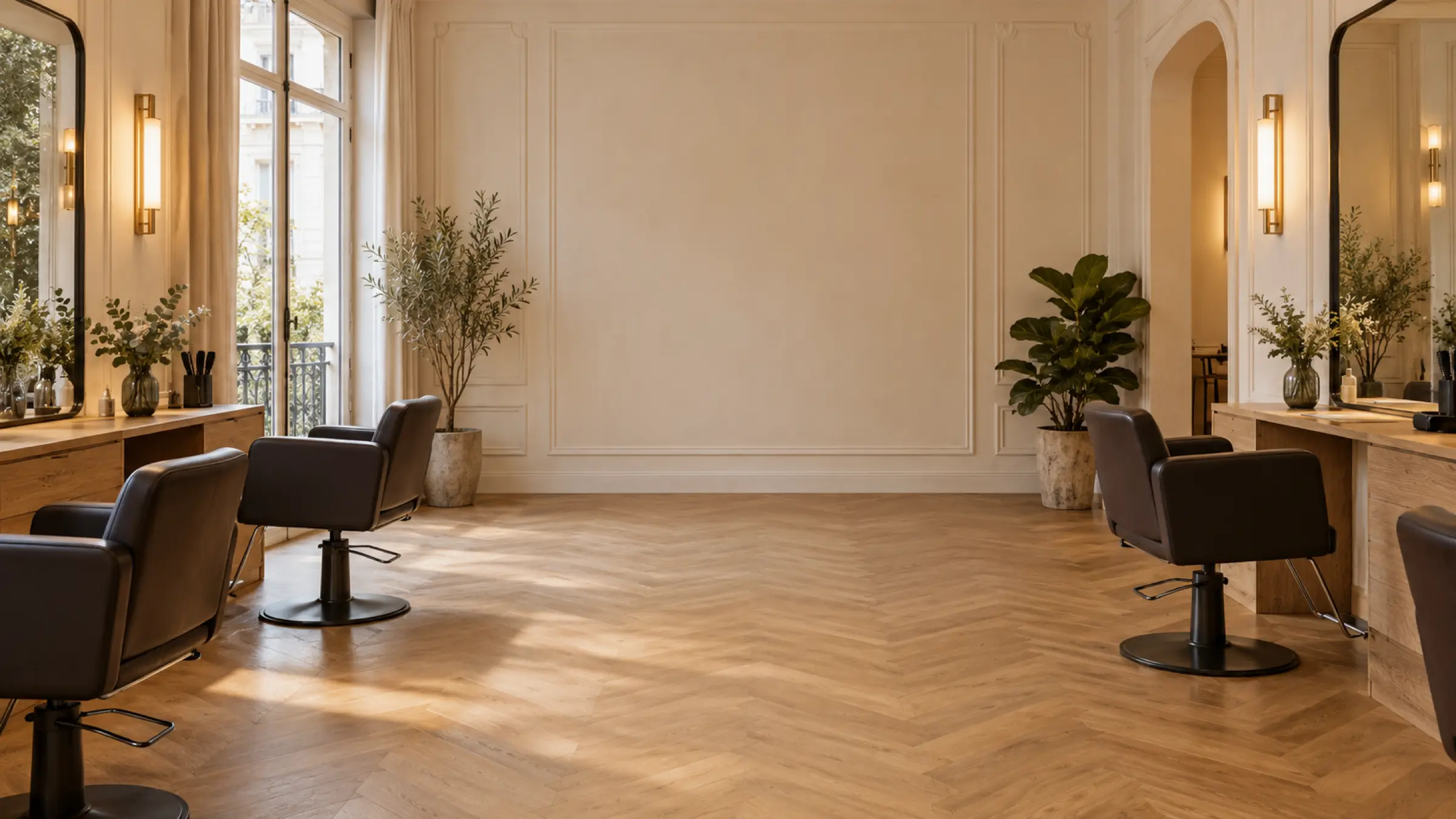
Explore a fictional Paris salon with 5 stylists, 150 clients and a full agenda, right in your browser. The data resets on every reload. Ready to make it yours? We adapt it to your salon in a Setup Week.