

Importing and Exporting Data
Whether you are starting to use Atomic CRM, or want to migrate from another CRM, you can import your contacts, companies, tasks, notes, tags and deals in a few clicks. You can also export your contacts and companies in CSV format, and your contacts as vCard files.
Import Data From CSV
Section titled “Import Data From CSV”Atomic CRM imports contacts, companies and deals from CSV files. Two buttons open the same import dialog:
- Import data, on the initial user onboarding page, lets you choose the resource to import into.
- Import CSV, on the contacts, companies and deals pages, imports into that resource directly.
For each resource, the dialog offers a sample CSV file to download, showing the expected columns. Columns the CRM does not know are ignored, and columns you omit are left empty.
The import runs in the background: the dialog closes as soon as it starts, and a progress snackbar reports how many records have landed, so you can keep using the CRM while it runs. Stop it from that snackbar at any time.
Contacts
Section titled “Contacts”first_name,last_name,gender,title,background,first_seen,last_seen,has_newsletter,status,tags,linkedin_url,company,email_work,email_home,email_other,phone_work,phone_home,phone_otherJohn,Doe,male,Sales Executive,,2024-07-01T00:00:00+00:00,2024-07-01T11:54:49.95+00:00,false,in-contract,"influencer, developer",https://www.linkedin.com/in/johndoe,Acme,john@doe.example,john.doe@gmail.com,jdoe@caramail.com,659-980-2015,740.645.3807,(446) 758-2122Jane,Doe,female,Designer,,2024-07-01T00:00:00+00:00,2024-07-01T11:54:49.95+00:00,false,in-contract,"UI, design",https://www.linkedin.com/in/janedoe,Acme,,,jane@doe.example,659-980-2020,740.647.3802,When importing contacts, companies and tags will be automatically matched if they exist on the system, or imported otherwise.
Companies
Section titled “Companies”name,sector,size,linkedin_url,website,phone_number,address,zipcode,city,state_abbr,country,description,revenue,tax_identifierAcme,Information Technology,50,https://www.linkedin.com/company/acme,https://acme.example,555-0100,1 Main Street,10001,New York,NY,USA,Long-time partner on print projects,5M,US-123456789Globex,Industrials,250,,https://globex.example,555-0111,42 Industrial Road,60601,Chicago,IL,USA,,20M,The name column is required. sector is matched against the company sectors configured in your CRM, either by stored value or by the label displayed in the app; a sector matching none of them is left empty.
name,company,categories,stage,amount,expected_closing_date,descriptionNew website,Acme,"Website design, UI Design",Opportunity,12000,2026-09-30,Redesign of the public websitePrint campaign,Globex,Print project,Proposal Sent,4500,2026-10-15,The name column is required. The company column holds a company name: an existing company is reused, an unknown one is created. categories and stage are matched against the deal categories and stages configured in your CRM, by stored value or displayed label. A deal can have several categories: separate them with commas (quote the cell) or semicolons; unrecognized ones are skipped. Since a deal always belongs to a stage, an empty or unrecognized stage falls back to the first stage of your pipeline.
Export Contacts To CSV
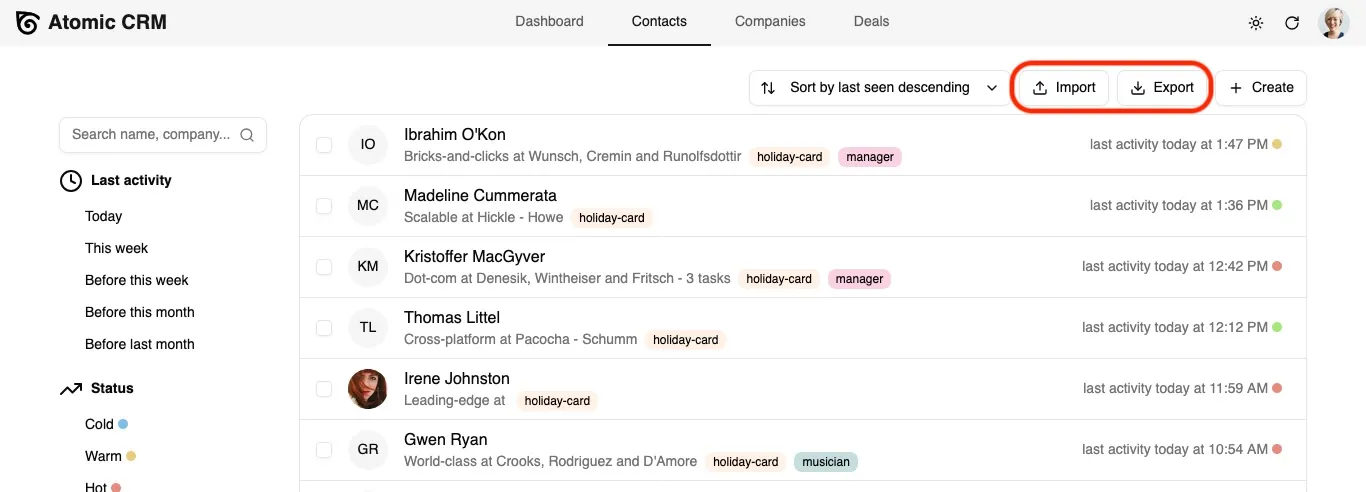
Section titled “Export Contacts To CSV”In the contacts and companies pages, an export button allows to download the list of contacts or companies in CSV format.
Export Contacts To vCard
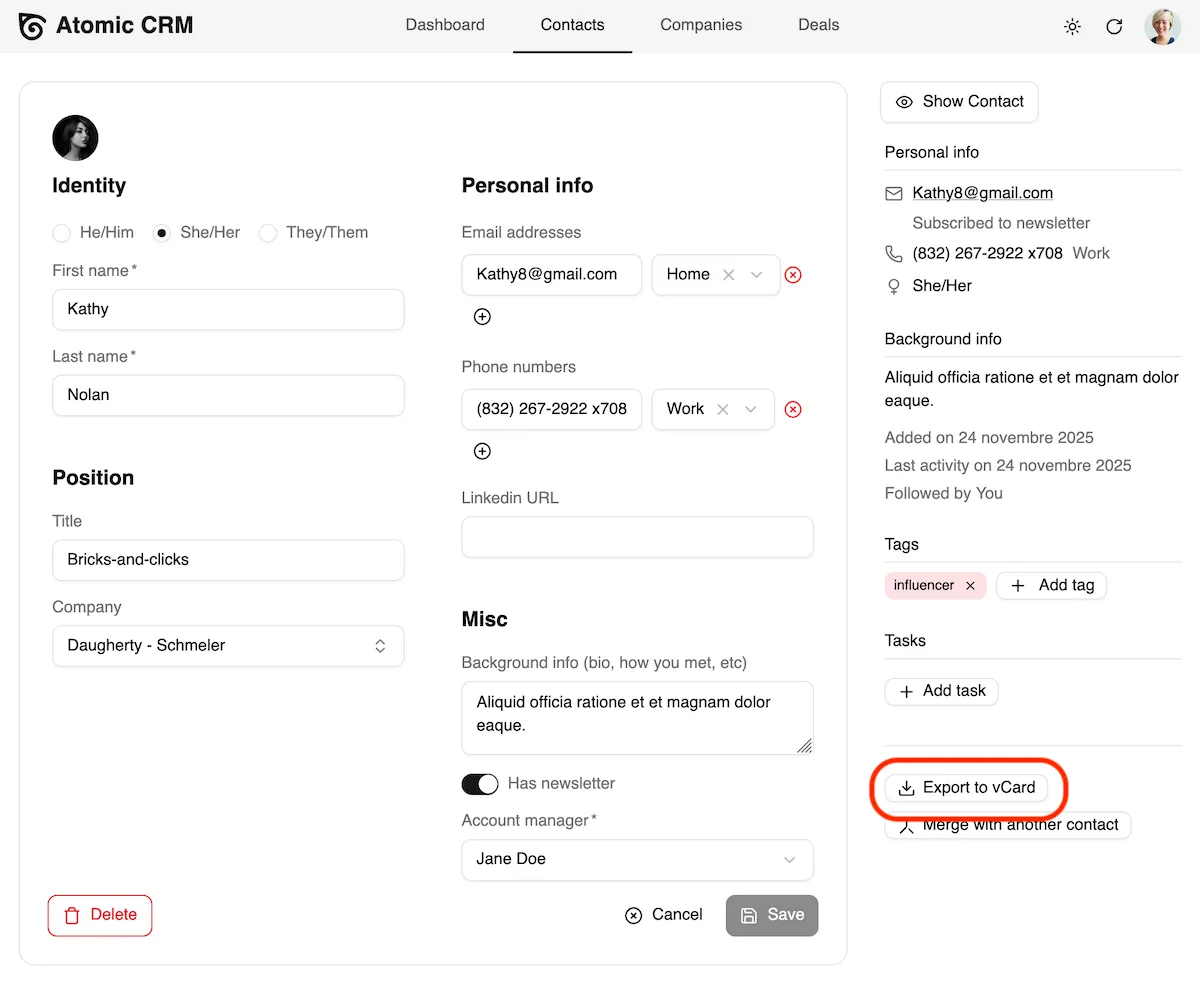
Section titled “Export Contacts To vCard”You can also export a single contact as a vCard file from the aside panel in the Contact Edit page.
Migrating From Another CRM
Section titled “Migrating From Another CRM”Atomic CRM allows to import contacts, companies, tasks, notes, tags and deals from a single JSON file. You can create this JSON file from the export of your previous CRM. The expected format of the JSON file looks like the following:
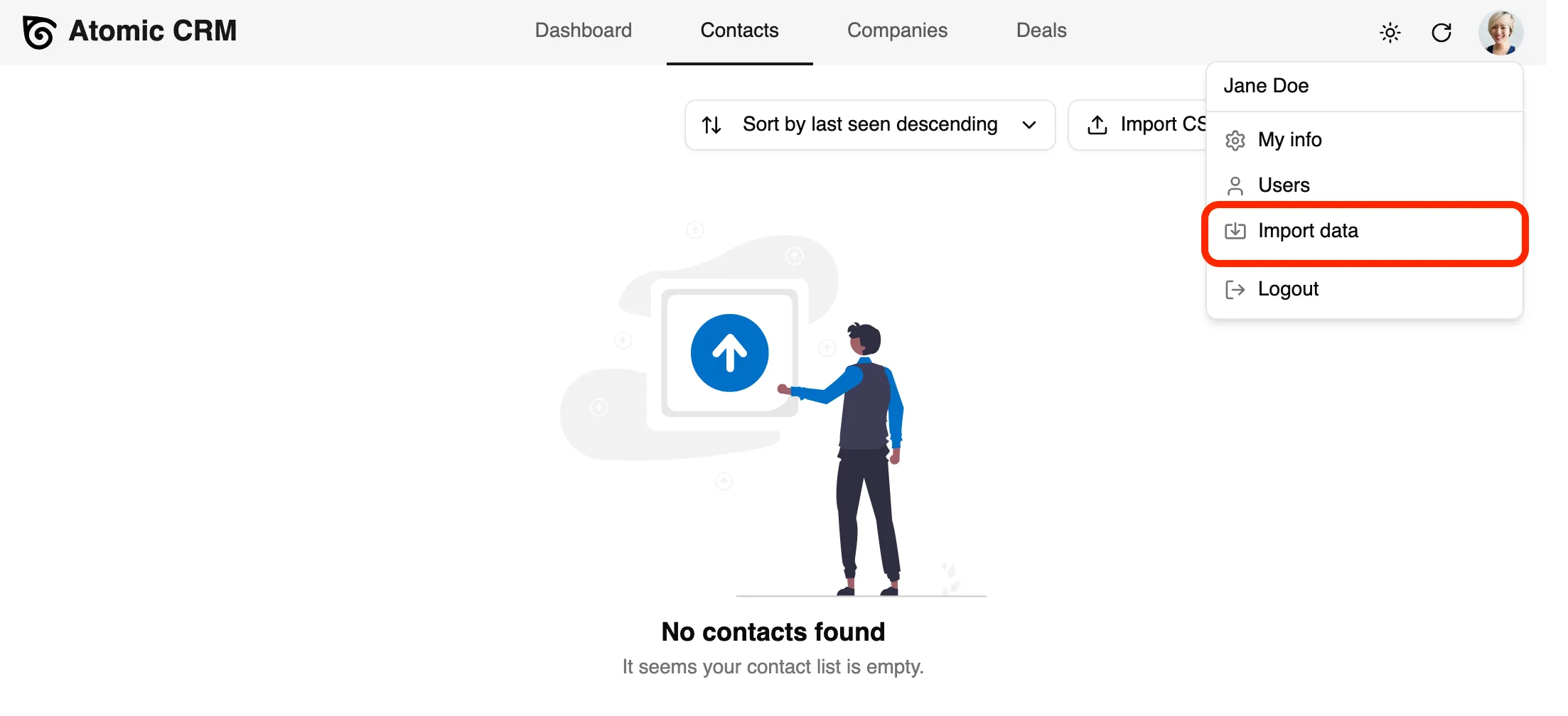
{ "sales": [ { "id": 123, "first_name": "Barney", "last_name": "Calhoun", "email": "barney.calhoun@blackmesa.com" } ], "companies": [ { "id": 234, "name": "Black Mesa Research Facility", "sector": "industrials", "size": 250, "website": "https://blackmesa.com", "linkedin_url": "https://linkedin.com/company/black-mesa", "phone_number": "+1-505-555-0001", "revenue": "$500M", "tax_identifier": "12-3456789" }, { "id": 345, "name": "Aperture Science", "description": "We do what we must because we can", "city": "Cleveland", "country": "USA", "address": "Deep underground facility", "zipcode": "99999", "state_abbr": "OH", "sector": "industrials", "size": 500, "linkedin_url": "https://linkedin.com/company/aperture-science", "website": "https://aperturescience.com", "phone_number": "+1-216-555-0100", "revenue": "$2B", "tax_identifier": "98-7654321", "context_links": [ "https://aperturescience.com/research", "https://aperturescience.com/portal-technology" ], "sales_id": 123 } ], "contacts": [ { "id": 456, "first_name": "Gordon", "last_name": "Freeman", "gender": "male", "has_newsletter": false }, { "id": 567, "first_name": "Cave", "last_name": "Johnson", "title": "CEO & Founder", "company_id": 345, "background": "Visionary entrepreneur. Believes in the power of science. May or may not have turned himself into a computer.", "linkedin_url": "https://linkedin.com/in/cavejohnson", "gender": "male", "has_newsletter": true, "sales_id": 123, "emails": [ { "email": "cave.johnson@aperturescience.com", "type": "Work" } ], "phones": [ { "number": "15551234567", "type": "Work" } ], "tags": ["VIP", "Science"] } ], "notes": [ { "contact_id": 456, "sales_id": 123, "text": "Still refuses to speak. Communication continues to be challenging.", "date": "2025-11-13T08:16:10Z" }, { "contact_id": 567, "sales_id": 123, "text": "Discussed new testing initiative involving portals.\n\nCave mentioned something about combustible lemons. Need to follow up on R&D budget.", "date": "2025-02-14T09:20:21Z", "attachments": [ { "url": "https://aperturescience.com/files/combustible-lemons-proposal.pdf", "name": "combustible-lemons-proposal.pdf" } ] } ], "tasks": [ { "contact_id": 456, "sales_id": 123, "text": "Send crowbar maintenance kit" }, { "contact_id": 567, "sales_id": 123, "text": "Schedule moon rock conversion demo", "due_date": "2025-03-26T16:15:00Z", "done_date": "2025-04-01T09:00:00" } ]}To display the import page, click on the User menu in the top right corner, and click on “Import from JSON”.
A form displays to upload a JSON file. You can download a sample JSON file to see the expected format.
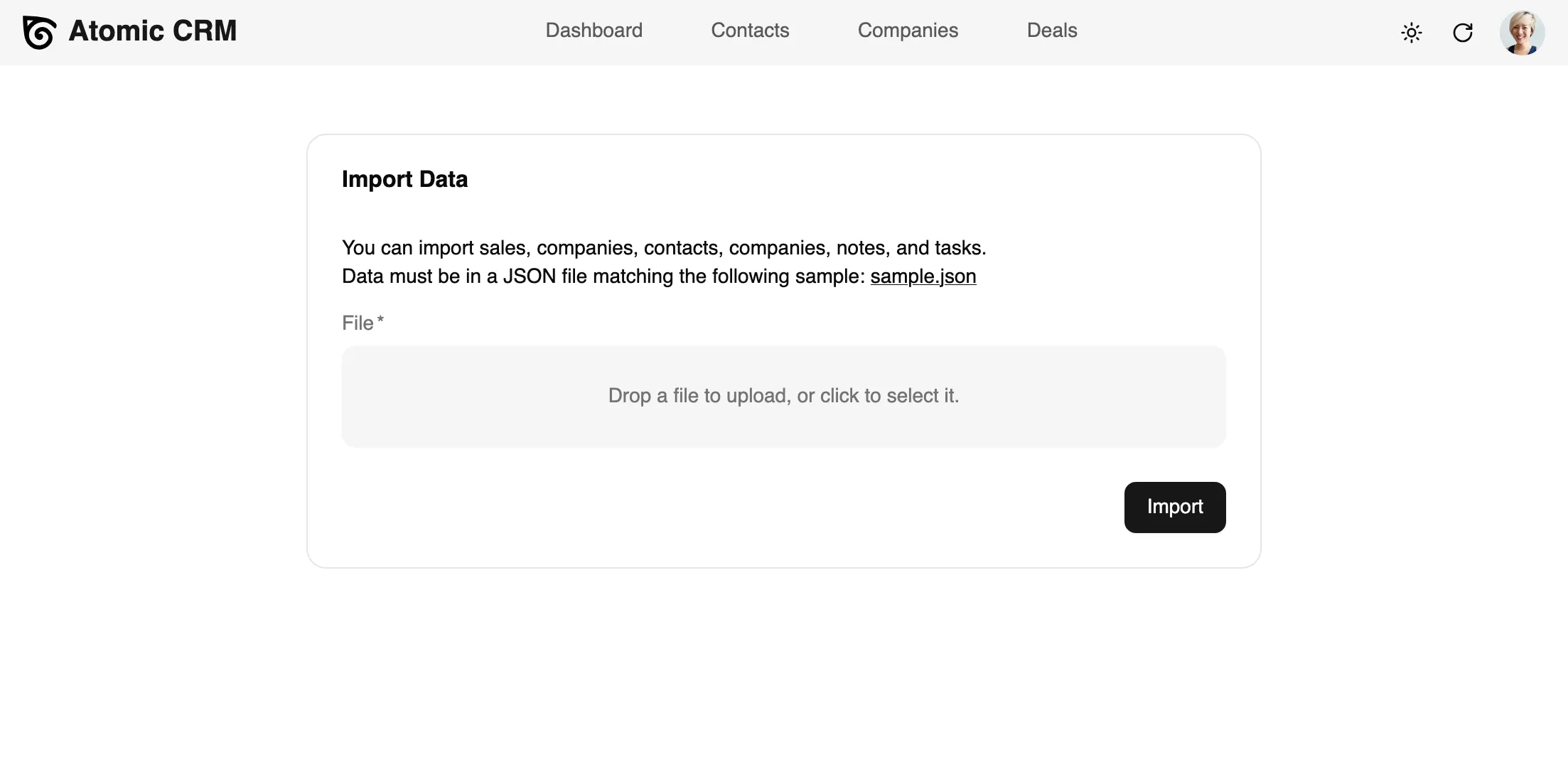
Once you launch the import, the page will show the progress of the import, and display any error if the import fails.
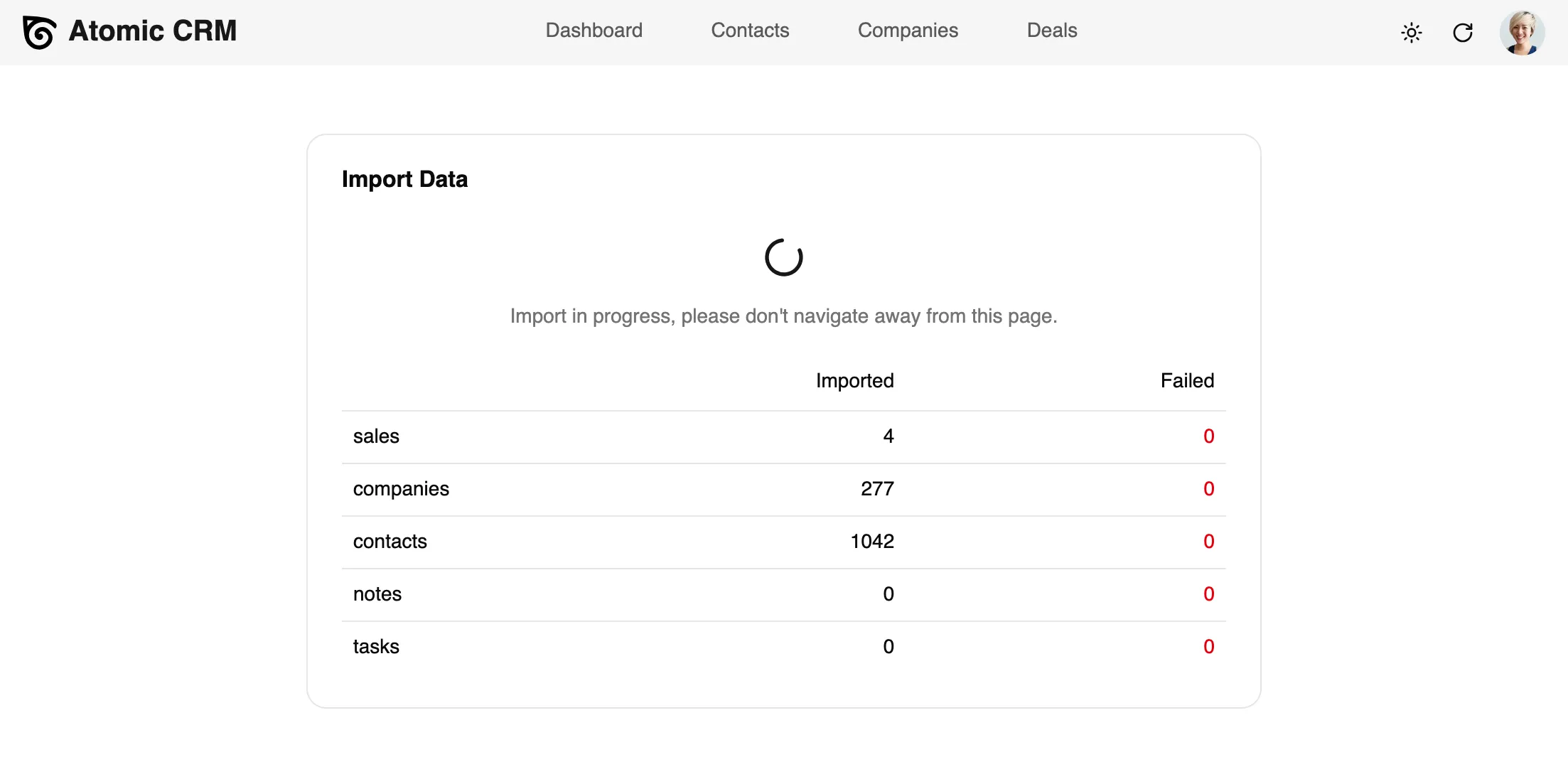
This migration tool will allow you to easily migrate from your previous CRM to Atomic CRM, and start using it in a few clicks.