Agent Harness
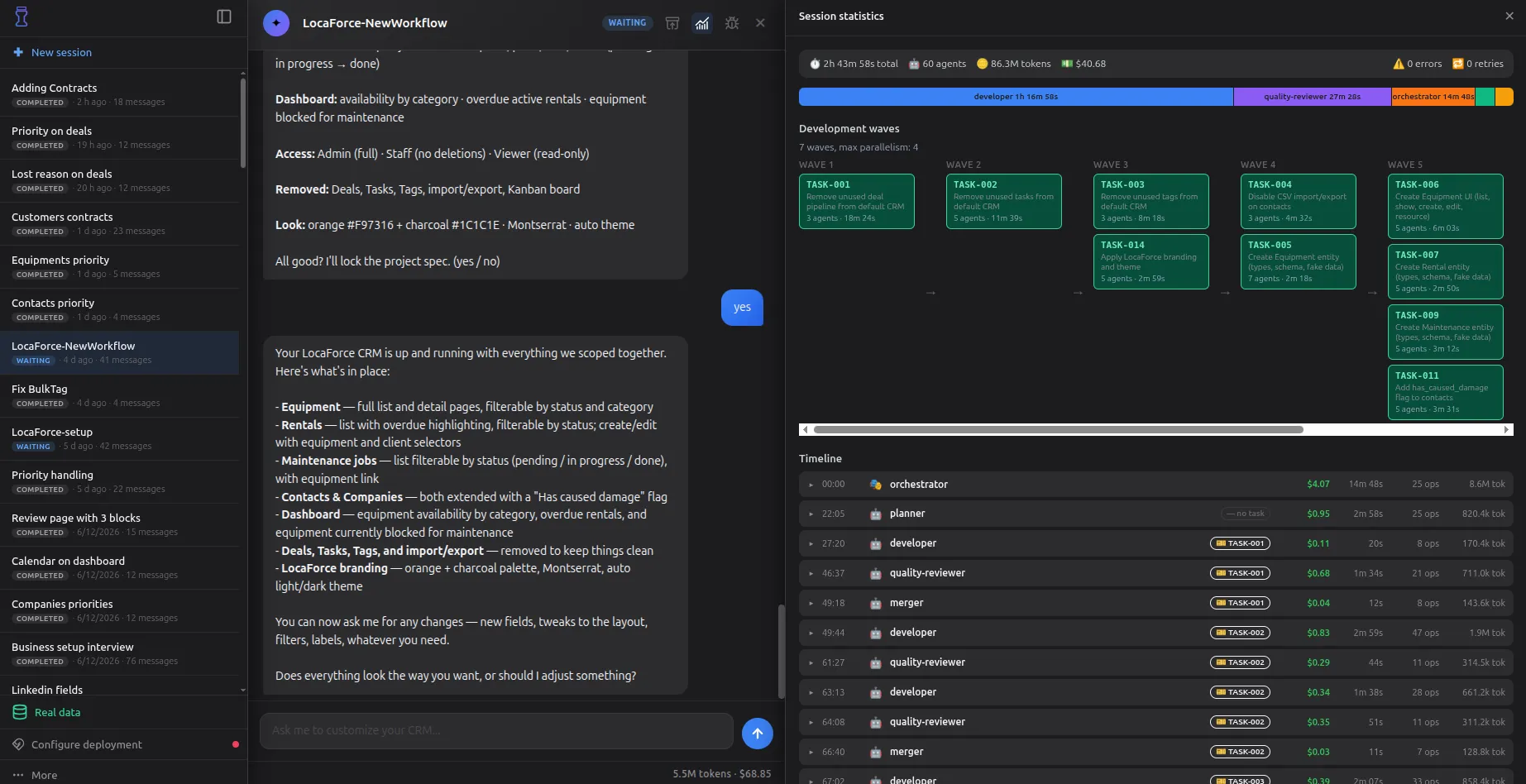
Atomic CRM ships an agent harness: a team of specialized Claude Code agents (planner, developer, reviewer, documenter) that turns a plain-English feature request into committed code through a deterministic pipeline. The agents share the same coding guidelines as the Atomic CRM core team, and add tools that cut token usage and speed up development.
Prerequisites
Section titled “Prerequisites”- The Claude Code CLI installed and authenticated (an Anthropic API key or a Claude subscription).
- Project dependencies installed (
make install). - For full-stack runs only: a local Supabase instance up (
make start-supabase).
Start a Claude Code session as usual and ask for a new feature:
Create a new field for lost deal reasons.
# or
Build a CRM for my company Acme, a recruiting agency.
The harness starts immediately: Claude Code coordinates a team of specialized agents, depending on the complexity of the task. As the harness requires many permissions, you should turn on automatic permission mode to skip them.
Inspecting a Change
Section titled “Inspecting a Change”To see exactly what a harness session produced, use the diff command from within the session:
/harness-diffIt shows the net set of changes the session built, isolated from any other work on your branch. If you run it from a fresh session and several harness sessions exist, it lists them so you can pick the one to inspect.
Reverting a Change
Section titled “Reverting a Change”Because the merge is automatic, the harness may make a change you’re not happy with. You can use the following command to revert the current session:
/harness-revertThis undoes everything the session merged into your branch and cleans up its temporary branches and worktrees. By default it targets the current session; if you run it from a fresh session and several previous runs exist, it lists them and asks which to revert.
Disabling the Harness
Section titled “Disabling the Harness”Claude Code may use the harness even though you didn’t ask for it. If you don’t want to use it, you can opt out in your request. For instance:
Create a new field for lost deal reasons #no-harness
## or
Create a new field for lost deal reasons without the agent team
## or
Create a new field for lost deal reasons, skipping the agent team
The main thread then implements the change itself, no specialized agents. Add “no-harness for this session” to keep it off for the whole session.
Monitoring a Session
Section titled “Monitoring a Session”The harness writes a detailed trace of every agent, hook, and ticket. Three commands let you follow it:
make watch # live monitor of the most recent sessionmake monitor # one-shot summary of the most recent sessionmake monitor SESSION=<id> # summary of a specific sessionmake sessions # list known sessions, newest firstmake watch re-renders a live view of the active agents, hook activity, and ticket statuses, useful to keep open in a second terminal while a COMPLEX session runs. make monitor prints the same information as a single snapshot.
CRM Builder: A Visual, Ready-Made Environment
Section titled “CRM Builder: A Visual, Ready-Made Environment”CRM Builder wraps the same harness in a containerized, browser-based environment, with no local setup. It adds:
- A containerized environment so you can run the harness without security concerns.
- A pre-installed toolchain, no need to set up Claude Code, Node, or Supabase yourself.
- A live preview of the CRM, updated as the harness applies your changes.
- A session dashboard to follow each run’s agents and progress.
- Demo and full-stack mode switching from the UI.