
Claude Code Tips I Wish I’d Had From Day One

We’ve been using Claude Code daily at marmelab for months now, from client projects to our own open-source frameworks like Atomic CRM and react-admin. At first, it felt more like babysitting an over-eager intern. Today, however, it’s more like pair programming with a senior dev on steroids (not that I personally know any senior devs on steroids, but you get the point ;) ). What’s the difference? It’s almost entirely about how you use it.
As with any tool, there’s a learning curve with Claude Code. A lot of the things that really make a difference are small workflow habits that you only discover after gaining enough practical experience. This article summarises the lessons we’ve gathered over months of daily use, and basically sums up everything we wish we’d known on day one.
The Workflow that Actually Works
After a lot of trial and error, here’s the workflow that has made us genuinely productive. Taken on its own, none of this is revolutionary, but it is precisely this combination that takes your experience with Claude to a whole new level.
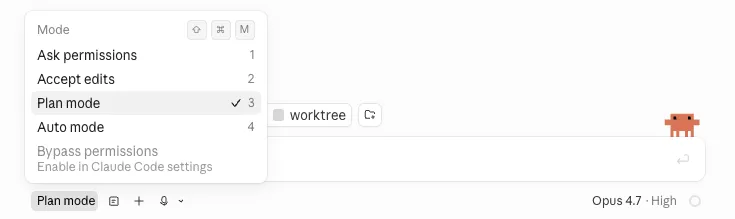
- Use plan mode for anything complex. Before Claude writes a single line of code, let it lay out its approach. It forces end-to-end thinking and lets you catch wrong assumptions before implementation begins. Correcting a plan is far easier than unwinding a half-finished feature.
- Only ask for the first step. If you say “implement the whole feature,” Claude will go off the rails. Instead, ask for step one, review it, and only then ask for step two. Tedious? Yes. Worth it? Absolutely. It keeps the work reviewable and keeps Claude on track.
- Use
/rewindand/clearwhen Claude goes in the wrong direction. Although it’s tempting to continue a conversation by prompting the agent to fix its mistake, it keeps the wrong response in the context, which pollutes the next attempts. Instead, use/rewind(or ESC ESC) to go back to the last good state, or/clearto start fresh. These are the two commands we use the most. - Use the preview. What a lot of people don’t realize is that the preview (or the Chrome extension in the CLI) isn’t just for you. It also allows Claude to test its own changes from the user’s perspective and catch errors before you even have to report them. Claude will then fix the errors it has found, which means the preview makes Claude more autonomous.
- Don’t fix bugs yourself. When Claude introduces a bug and fails to detect it, it’s tempting to quickly patch it yourself. But don’t do it: Claude probably missed some important controls or guidelines. So ask Claude to investigate the bug, update the project docs explaining what went wrong, and finally fix the bug. Even though it has no memory between sessions, the docs persist. So next time, Claude reads them, avoids the mistake, and won’t produce the same bug twice.
- Run
/simplifyand/reviewbefore doing a human review. Use/simplifyto get rid of the over-engineering Claude tends to add (extra abstractions, unnecessary generics, speculative error handling). Use/reviewto let Claude catch its own issues, then ask it to fix them. By the time you review it, the code is cleaner and your review is faster. - Do a retro at the end of each session. We regularly ask Claude “What did you learn during this session?” and save the output. The hard part is to add each learning to the right place: general project concepts go in
CLAUDE.md, good practices and coding conventions go in rules, technical abilities in Skill files, project details in Markdown docs, and architectural choices in ADRs. And don’t forget to interlink them so Claude can find the right instructions next time. This is a great way to build institutional knowledge (things like “the deals table in Atomic CRM uses soft deletes” or “react-admin’s useListContext must be called inside a ListBase.”).
Best Practices
Beyond the workflow itself, the following practices have a significant impact on Claude’s performance.
- Use
@to reference files directly in your prompts. By using@path/to/file.ts, Claude will load the referenced file directly into context. Otherwise, Claude will have to look for the file and read it in chunks, which is slower. - Use
!to execute shell commands. If you need to launch tests or typecheck, it’s faster to type the CLI command than to ask Claude to do it. - Keep
CLAUDE.mdunder 200 lines. YourCLAUDE.mdshould contain business context and domain knowledge Claude doesn’t have (e.g. your data model, naming conventions, internal rules). Make it short and focused. - Create an
AGENTS.mdfile.AGENTS.mdis the emerging community standard read by Copilot, Codex, and other coding agents, but Claude specifically readsCLAUDE.md. The clean solution is to put the real content inAGENTS.md(so it’s portable across agents) and have a shortCLAUDE.mdthat simply imports it with@AGENTS.md. - Create skills for repetitive workflows. If you find yourself giving Claude the same instructions more than once, create a skill for it. This way you can invoke the skill instead of repeating yourself. The next logical step is to teach Claude to use the skill on its own, which you can do by crafting a precise description for that skill.
Finally, the /security command, which does a security review, should be launched every once in a while. But we don’t count on it to catch all vulnerabilities: it is still our job to guarantee the security of our code.
Give Your Claude Code Superpowers
Out of the box, Claude is already very good. With the right plugins and tools, it becomes great.
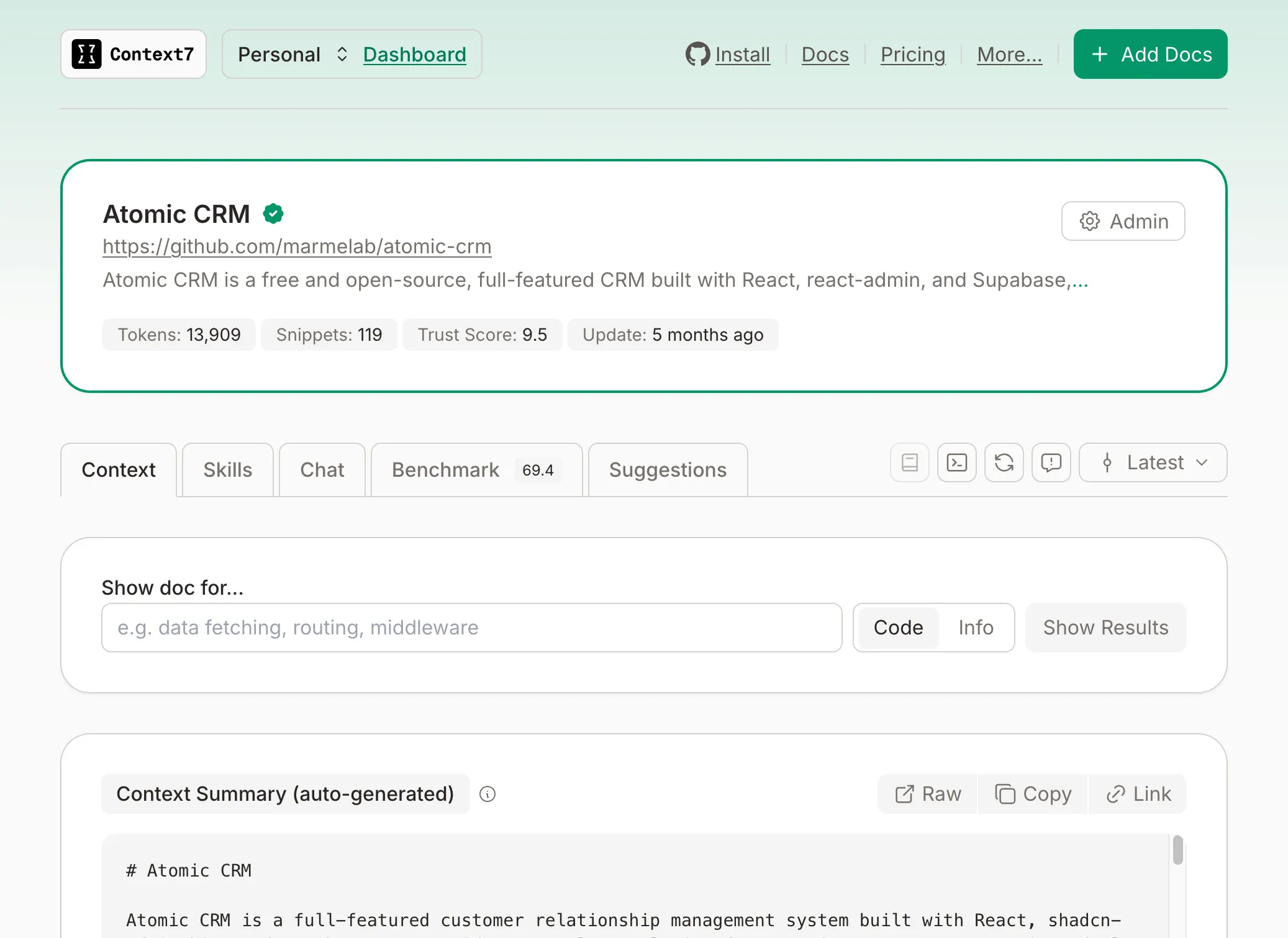
- Use the Context7 plugin instead of letting Claude search online docs. Otherwise, Claude has to fetch, parse, and figure out what’s relevant. Context7 indexes library documentation at a precise version and serves Claude exactly the page it needs. Since we work a lot with Atomic CRM and react-admin, having their docs one tool call away means Claude stops hallucinating API signatures from two major versions ago.
- Use the
superpowersskills. From test-driven development to subagent-driven-development, these skills implement best practices and workflows that you can invoke with a simple command. - Install
gh(the GitHub CLI). This lets Claude interact with GitHub directly, e.g. open pull requests, comment on issues, read CI logs, the works. This makes my workflow a lot smoother. - Use
rtkto reduce the number of tokens used by Claude. This is a CLI tool that filters and compresses command output before it reaches the LLM context. - Use the Snyk MCP Server to let Claude check for code security and dependency vulnerabilities.
More generally, don’t hesitate to browse MCP or skill repositories to find tools that fit your needs. The agent ecosystem is evolving fast, and new tools are popping up every week. Our repository of choice is Tessl.io, which provides skills evaluated on real coding problems.
Best To Be Avoided (Learned This the Hard Way)
Not every available feature is a good idea. We’ve tried a few things that looked promising at first, but quickly turned into quite the mess in practice.
Be careful not to add too many tools. Each tool adds complexity and context to manage, so only add the ones that really make a difference for your workflow. A handful of well-chosen tools is much more effective than a dozen half-used ones.
Don’t use Opus with 1M context by default. After about 400k tokens, the agent becomes less relevant, so the extra context only makes sense for very specific tasks. The default context size is enough for 95% of the work I do.
Be aware of the cost of running too many things in parallel. For instance, the /batch command, which lets you run a batch of instructions in one go, optimizes the wrong thing. By the time something breaks, you’ve lost the granularity to know which step caused it.
And our team is ambivalent about worktrees. For some it’s a good way to run several Claude sessions in parallel, but it can be too much to track. The risk is to become overwhelmed by constant context-switching between three conversations, three diff states, and three sets of pending decisions. The throughput may look great on paper; the quality doesn’t.
Addy Osmani put it best:
“The human bottleneck was a feature, not a bug. At human pace, errors compound slowly and pain forces early correction. With an army of agents, small mistakes compound at a rate that outruns your ability to catch them.”
Conclusion
After months of daily use, our relationship with Claude Code has gone from “impressive demo” to “indispensable tool”, but only because we learned the proper way of using it.
The pattern is consistent: the more structure you give, the better the output. Plan before coding, review step by step, connect the right tools, and resist the urge to let the agent run unsupervised.
Claude doesn’t replace the developer; it amplifies what you already know, like the domain and architectural knowledge. And honestly? That’s what makes it so powerful.
Beyond the workflow covered in this article, another way to boost your coding agent’s productivity is adapting the code itself. This is what we call improving Agent Experience. Check out our article on Agent Experience for more.
Authors
Marketing Manager, Caroline works to increase the visibility of Marmelab and the products we publish, especially react-admin and Atomic CRM. She has many talents: avoid challenging her at foosball!