
Building Your Own AI Platform for Vibe-Coded Apps

At Marmelab, colleagues who are not developers build internal apps with Claude Code. None of the existing AI platforms that we reviewed let them put these apps online on our own infrastructure, under IT’s control. So we built our own AI platform.
It runs on a single VM that can host 40 to 60 apps. App builders create, deploy, debug and share their apps by talking to Claude Code, while IT sees and controls every app. Under the hood, it reuses most of Supabase and adds what self-hosted Supabase lacks: multi-tenancy, frontend hosting and governance. The code is public, MIT-licensed, and available on GitHub: marmelab/platform.
This article follows a builder, two users and an admin through the platform, then explains what turned out harder than expected, and what it costs.
Requirements
As a reminder, the previous article listed six things a company needs to host vibe-coded apps. Seen from the platform side, they translate into:
- Every app gets its own backend, ready to use: a Postgres database, user accounts that can sign in with the company SSO, emails sent on the app’s behalf, logs, and server-side functions.
- Every app gets its frontend served, since AI tools mostly produce single-page apps.
- The builder’s AI tool can deploy on its own: a CLI, an API or an MCP server lets the agent or app builder put the app online with the builder’s identity, without anyone opening an infrastructure console.
- IT sees and controls everything: which apps exist, who owns them, what they cost, and how to stop them.
- Apps are cheap to host: a team quickly runs dozens of them, because each employee who starts builds several.
- Data stays where the company decides: in its own cloud or data center, or at least in a known region, with no single-vendor lock-in.
Personas
We’ve designed the platform for three personas:
- App builders (like Dana) are employees who build internal apps with an AI agent, without necessarily writing code. They create, deploy, debug and share their apps by talking to their agent, manage the people who use them, and inspect their data in a web interface. They only see the apps they own or co-maintain. An app can have several builders: the owner decides who joins as a collaborator.
- App users (like Léa and Omar) use the deployed apps, each on its own address. They sign up or get invited by email, or sign in with their company account. Each app has its own user accounts, so being a user of one app gives no access to another.
- Platform admins (usually IT) keep an eye on everything. They create builder accounts, maintain the deployment pipeline and the security checks it runs, and see every app: who owns it, what it costs, when it was last deployed. They can stop a misbehaving app, restore a backup, take over the apps of someone who left the company, and clean up the apps nobody uses anymore.
After a look at the architecture, the rest of this article follows each of them through a typical journey.
Architecture
Key design choices
- Self-hosted: a Docker Compose stack on a single VM, in the company’s cloud or data center, for 40 to 60 apps.
- Claude Code as the coding agent: A custom chatbot allowing non-developers to build an app will always be more expensive and lag behind Claude Code in terms of UX. So app builders rely on Claude Code (with a company-enforced build skill) to build their apps.
- Local stack: App builders and their agents can run their apps locally using Docker Compose. This allows for rapid development and testing.
- No UI for deployment: App builders also use Claude Code to deploy their apps to the platform, through an MCP server and skills distributed as a Claude Code plugin.
- GitHub as the normal path: every app is meant to live in a company repository, with GitHub Actions performing the deployments, so IT can review changes and run its own controls. Builders can still deploy straight from their computer, for instance before the repository is set up, but the platform flags these deployments for IT.
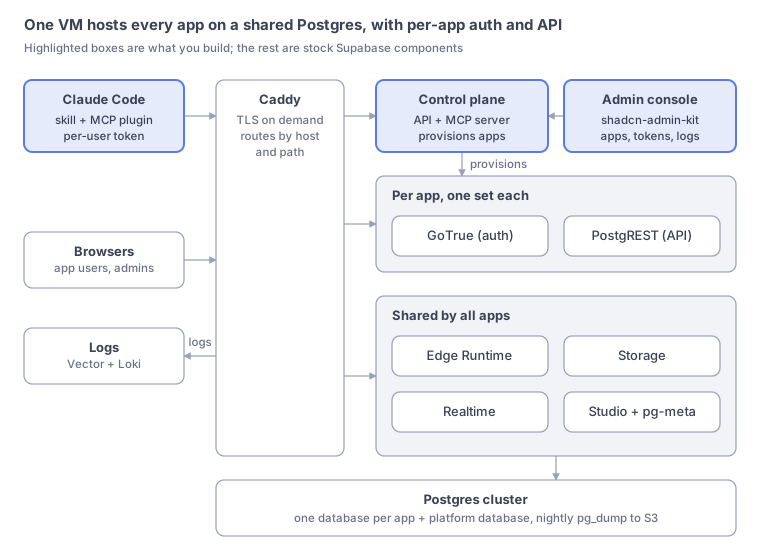
- Shared Postgres, one database per app, created from a template in seconds. Auth and REST services run per app; Storage, Realtime and Edge Functions run once, in multi-tenant mode.
- Static frontend hosting: the platform serves each app’s single-page app on its own subdomain. Every deployment is a new version, so a rollback is instant.
- Same-origin API: each app’s Supabase API is served on the app’s own subdomain, so supabase-js works unchanged and there is no CORS to manage.
- Security guardrails: a linter checks every database migration and blocks tables without row-level security.
- Company SSO for the platform and, optionally, for each app’s users.
- A shared Supabase Studio, based on a multi-project fork, where each builder only sees their own apps.
- An admin console for IT: users, apps, deployments and rollback, logs, backups, audit log.
Supabase as the foundation
The core component of our custom AI platform is Supabase, an open-source backend-as-a-service that provides Postgres databases, authentication, storage, realtime capabilities, and serverless functions, all accessible through a unified API.
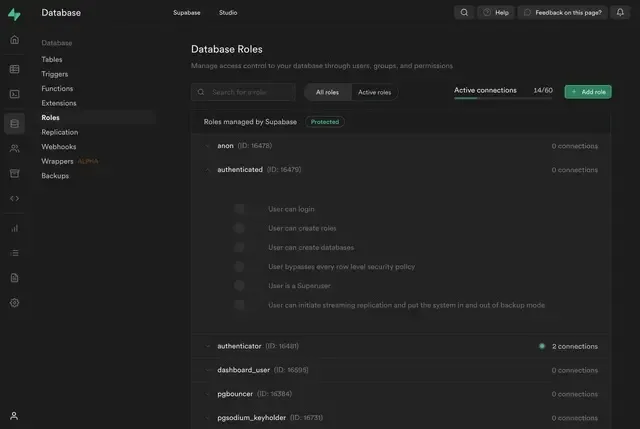
Many of the Supabase components can be reused as is. However, self-hosted Supabase has a key limitation in comparison with the requirements: it runs a single project per instance, which makes it challenging to manage multiple apps with isolated data and authentication while sharing other resources efficiently. It also misses the ability to host static frontends directly, which is a common requirement for vibe-coded apps.
Architecture overview
We designed the architecture so that every request enters through a reverse proxy. Each app gets its own lightweight auth and API containers; storage, realtime, functions and the admin studio are shared; all data sits in one Postgres cluster, one database per app.
Building and Deploying an App
An invitation to the platform
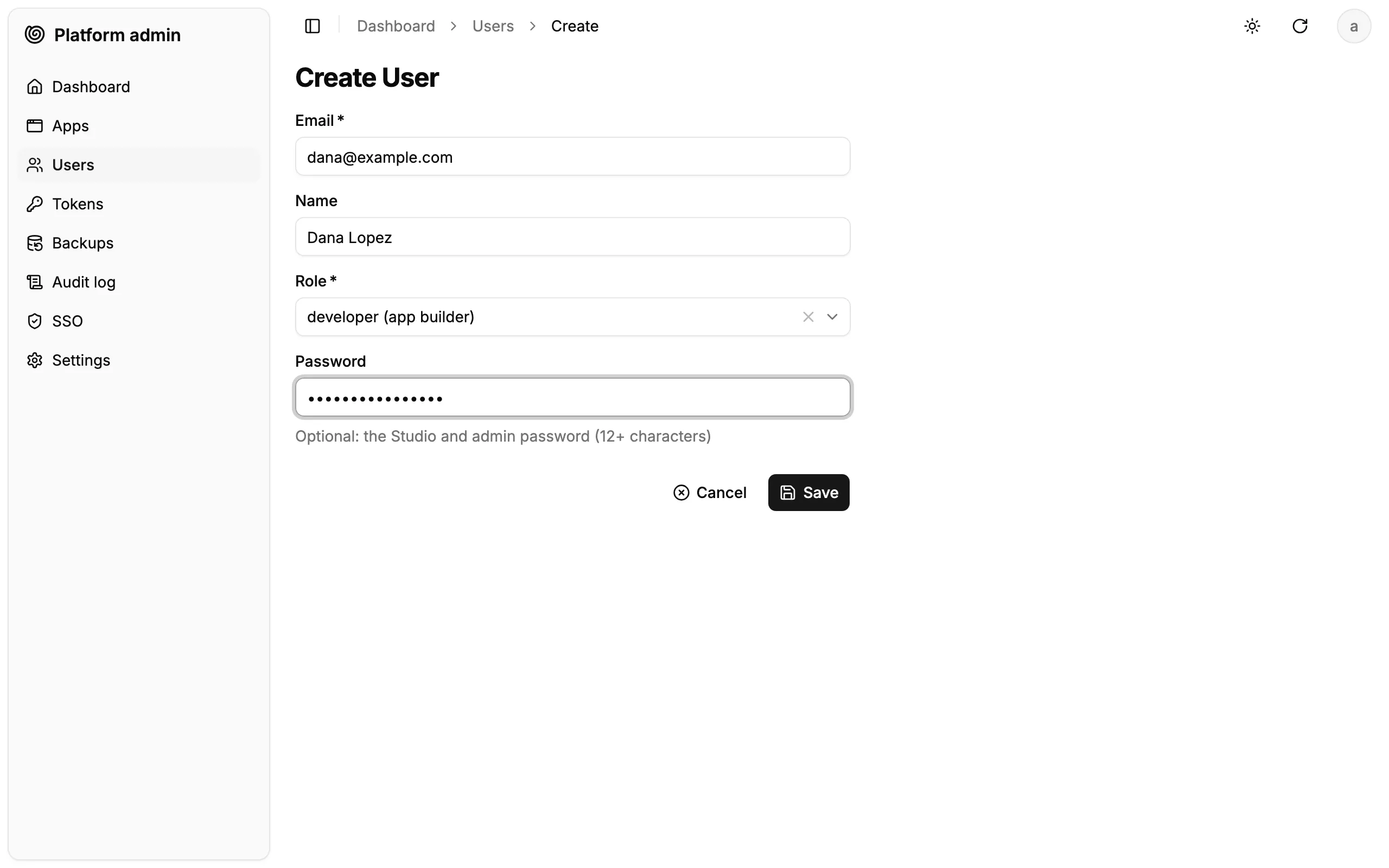
The admin creates Dana’s account in the admin console. That is the admin’s only step.
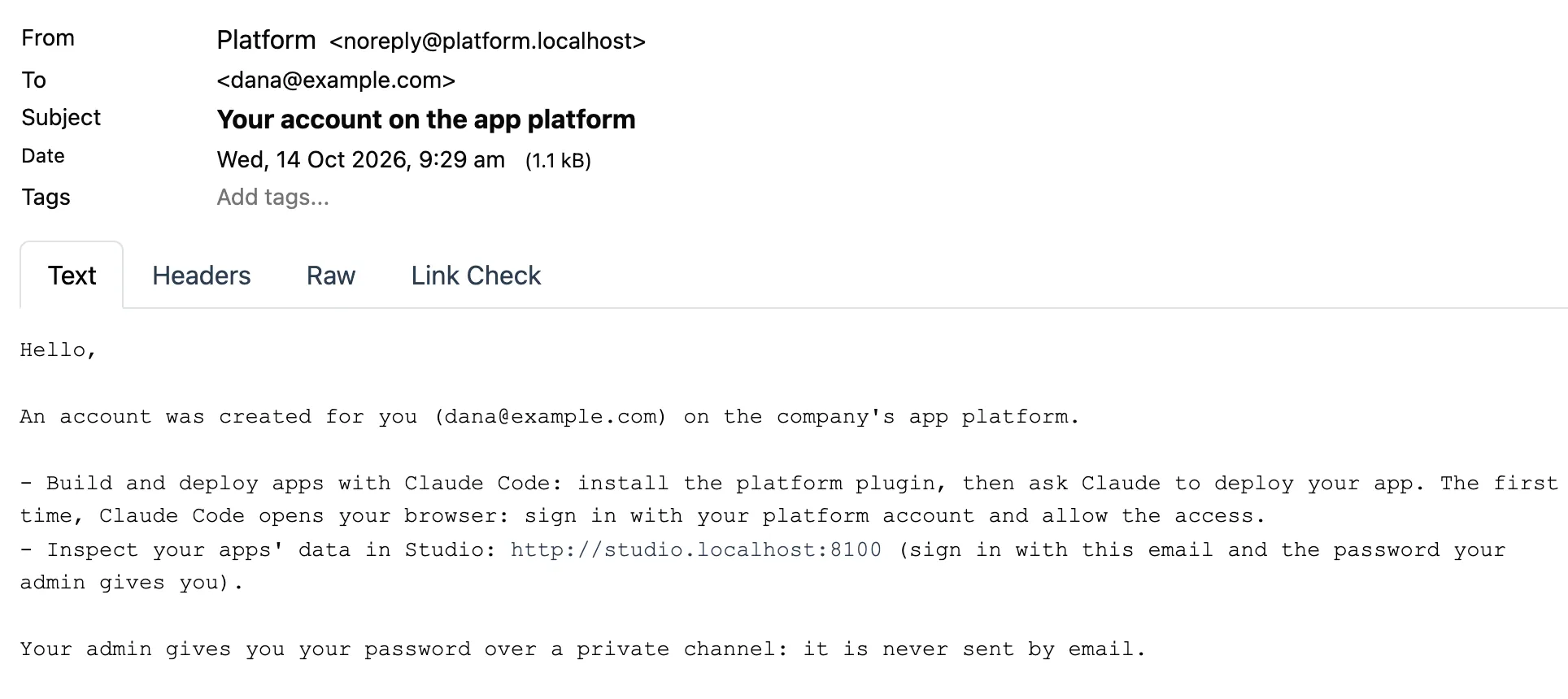
Dana receives a welcome email. It explains the two tools Dana will use: Claude Code to build and deploy, and Studio to look at the apps’ data. The password comes through a private channel, never by email (with the company SSO, there is no password at all).
Dana installs the company’s Claude Code plugin. It holds the skills (build, deploy) and the connection to the platform:
claude plugin marketplace add git@github.com:acme/platform.gitclaude plugin install platform@platform-local“Build me a notes app for my team”
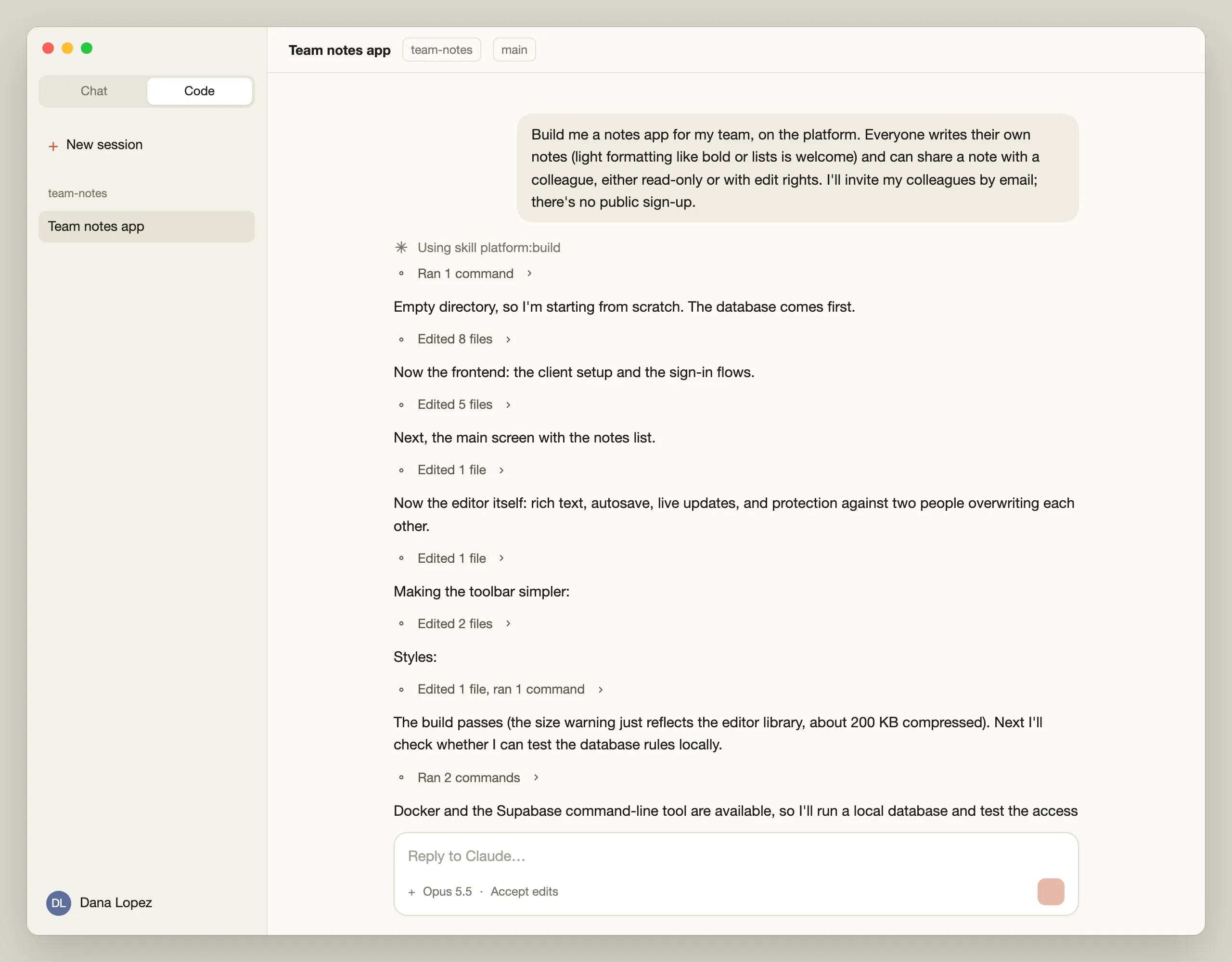
Dana is not a developer, and does not need to be. The build skill is written for people who describe what they need in their own words and judge the result by trying it. It holds every technical decision on Claude’s side: the target architecture (a React single-page app, a Postgres database whose access rules are enforced by the database itself, no server to maintain), the security rules, the conventions the platform expects. It also sets how Claude talks: no framework names, no “migrations” or “row-level security”, no commands to run, no files to edit. Claude talks about what the app does and who sees what, and only asks a question when the answer changes what users see.
So Dana describes the app in plain words. Claude writes the database first, then the screens, and checks that everything compiles, with a one-line status in plain English at each step.
Trying it before anyone else
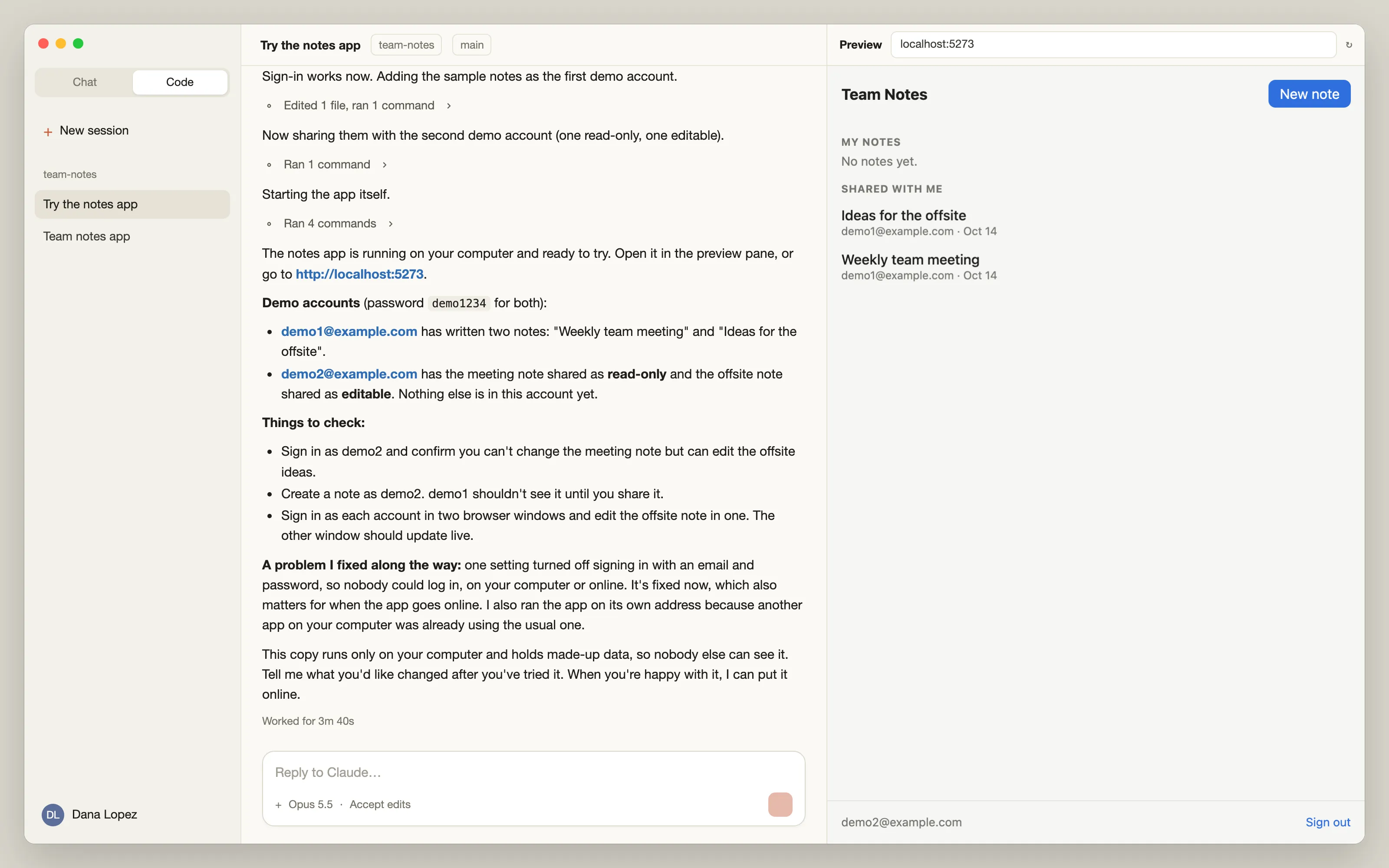
Before putting the app online, Dana asks to try it. Claude starts a private copy of the app on Dana’s computer, with its own database, two demo accounts and a few sample notes, then shows it in the preview pane of the Claude desktop app. On the way, Claude finds and fixes a setting that would have blocked every sign-in. Dana only sees the result: the app, the demo accounts, and a short list of things worth checking.
“Yes, put it online”
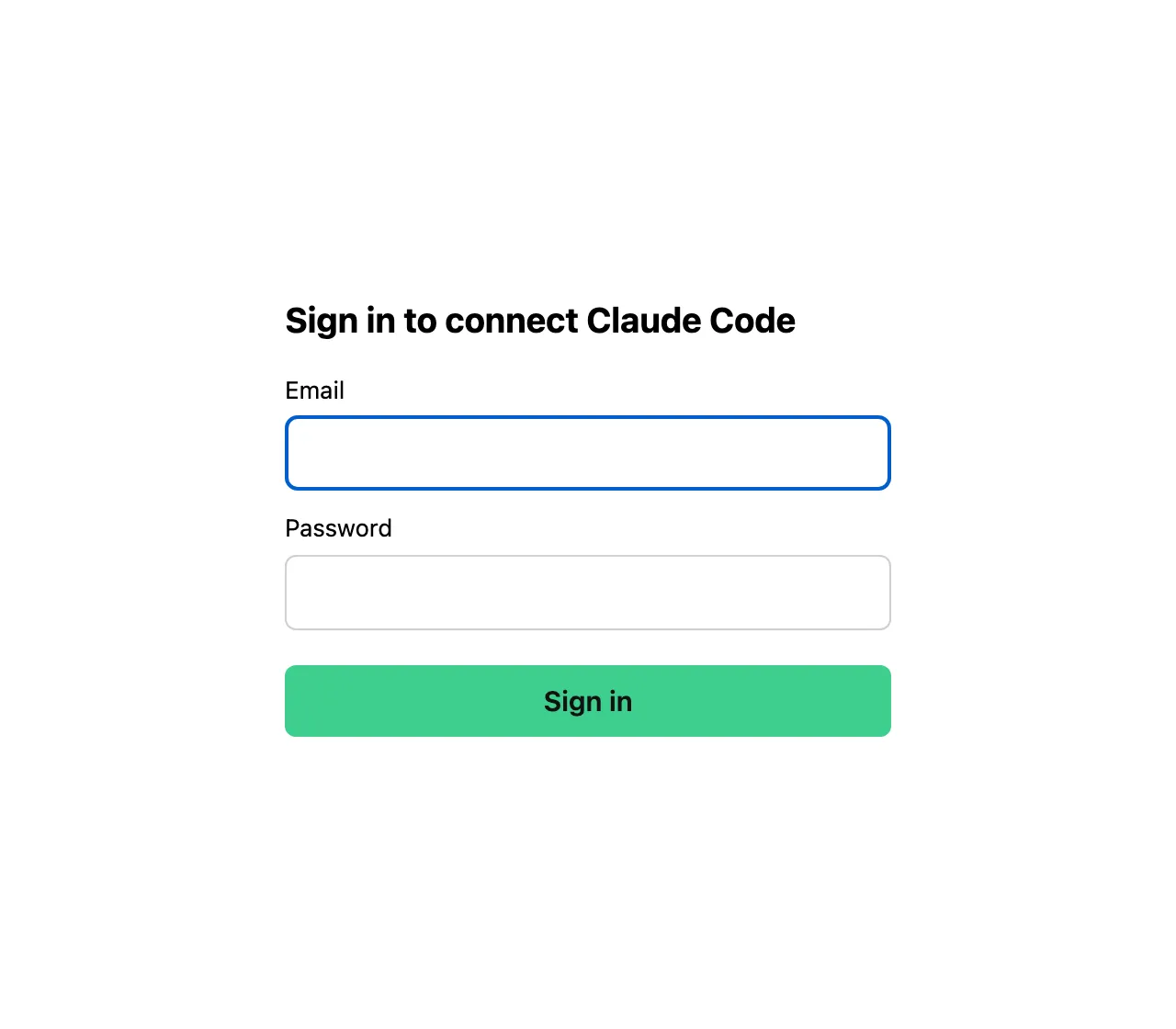
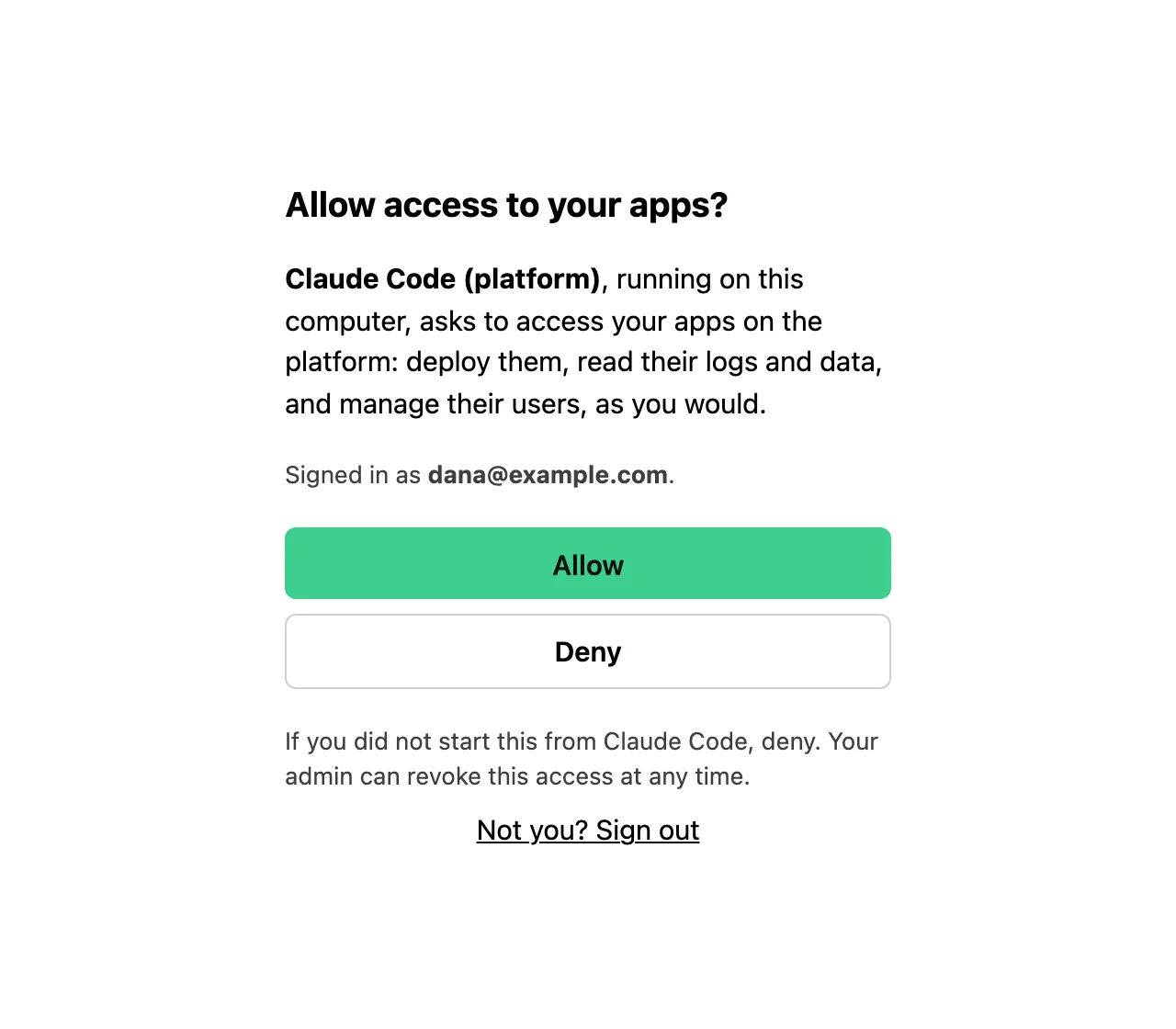
Dana asks Claude to put the app online. Claude reaches the platform. If it’s the first time, the browser opens on the platform’s sign-in page, then asks Dana to allow Claude Code to act on their apps. Dana never handles a token.
| Sign in | Consent |
|---|---|
 |  |
Claude uses the deploy skill to create the app on the platform, turn off public sign-up, apply the database changes, publish the frontend and smoke-test it. Before handing over, Claude runs a test scenario on the live database to check the access rules, then cleans up after itself. It finishes with the app’s URL.
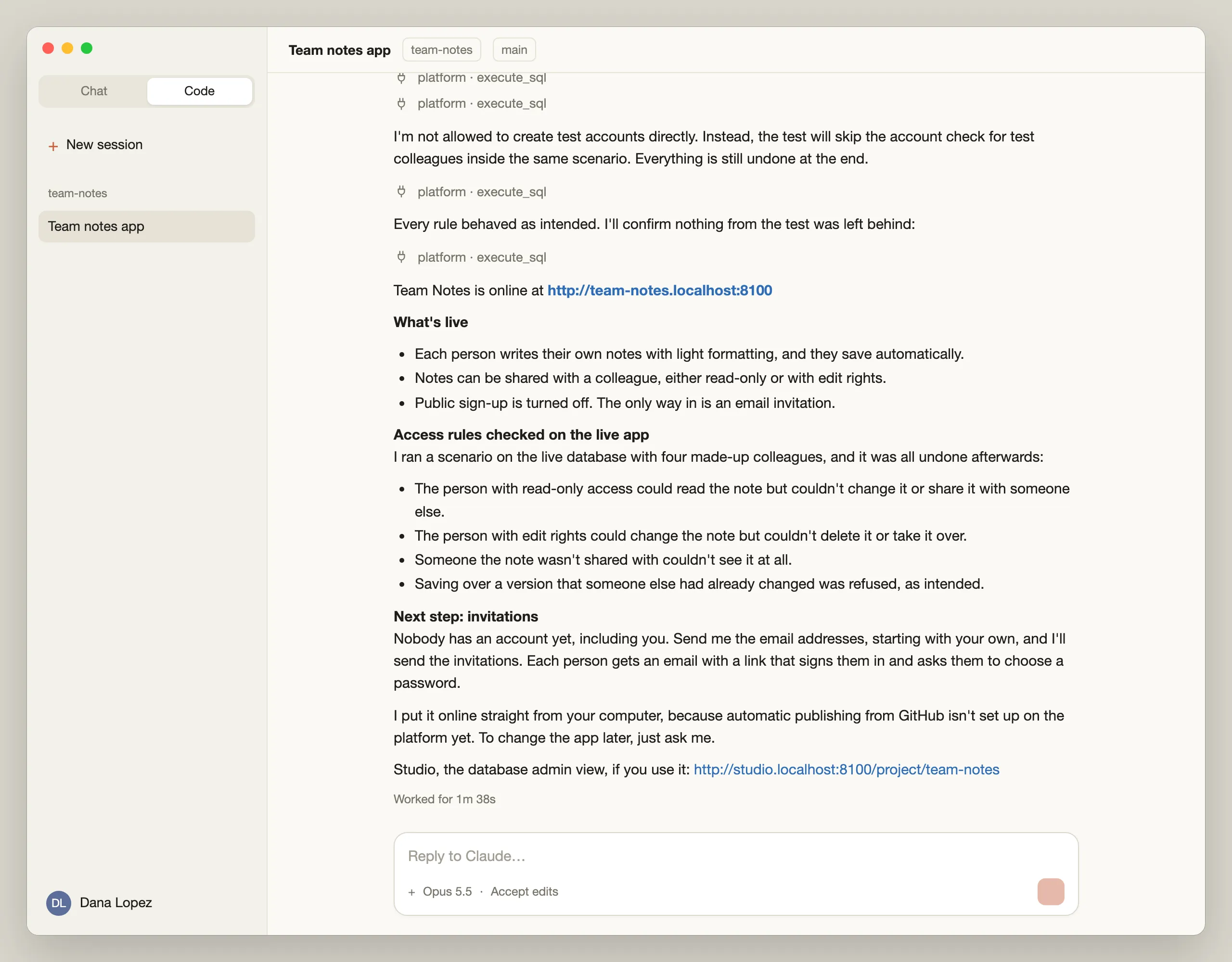
Since the app has no GitHub repository yet, Claude deploys it straight from Dana’s computer, and says so. The platform accepts it but flags the app as “deployed outside CI” for IT. Once the repository exists, the CI pipeline set up by the build skill (security checks, linting, deployment) takes over, and GitHub Actions performs the deployments.
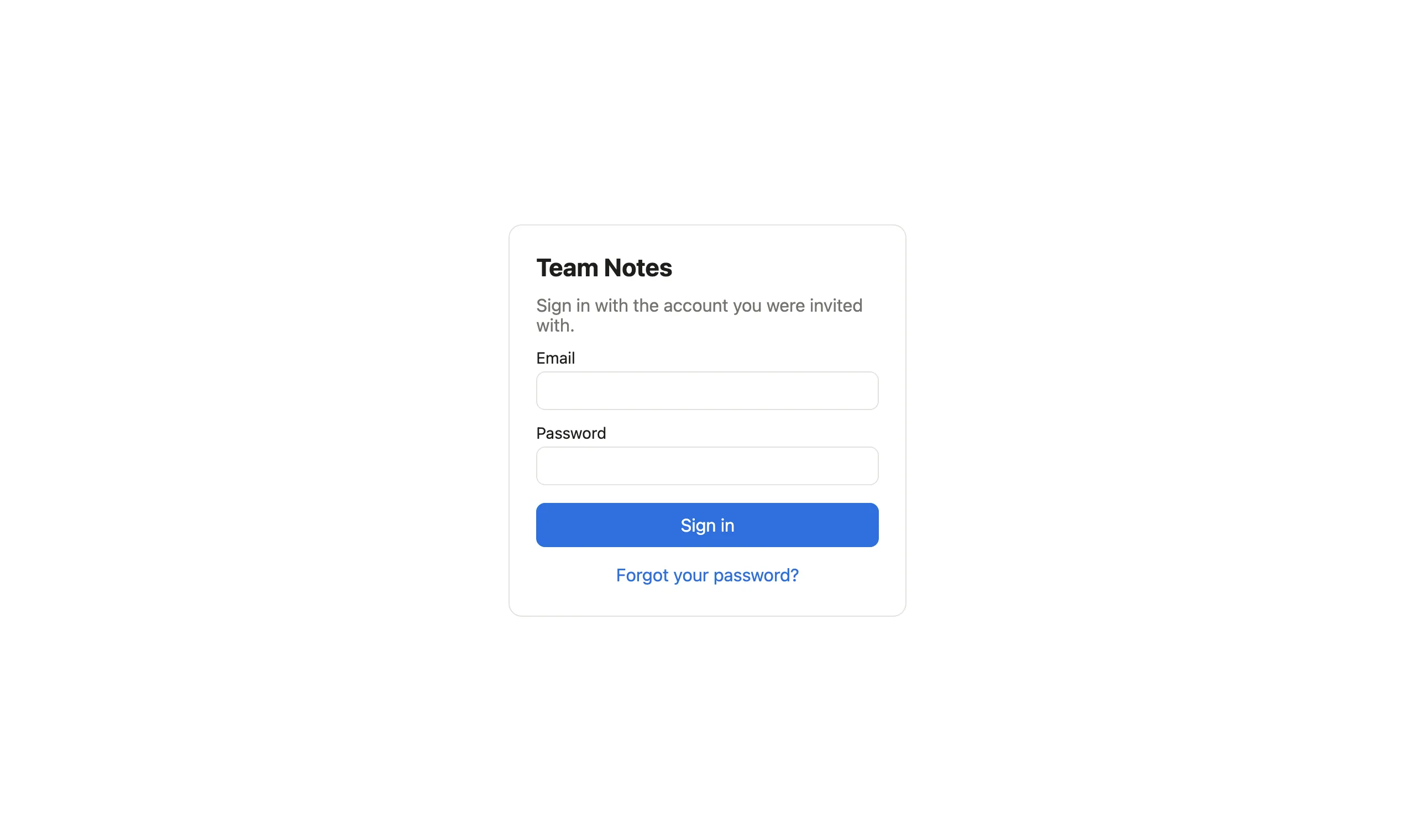
The app, called Team Notes, is now online at its own address.
Inviting and Working With End Users
User management through the agent
Dana gives Claude the email addresses of Léa and Omar. Claude sends the invitations through the platform.
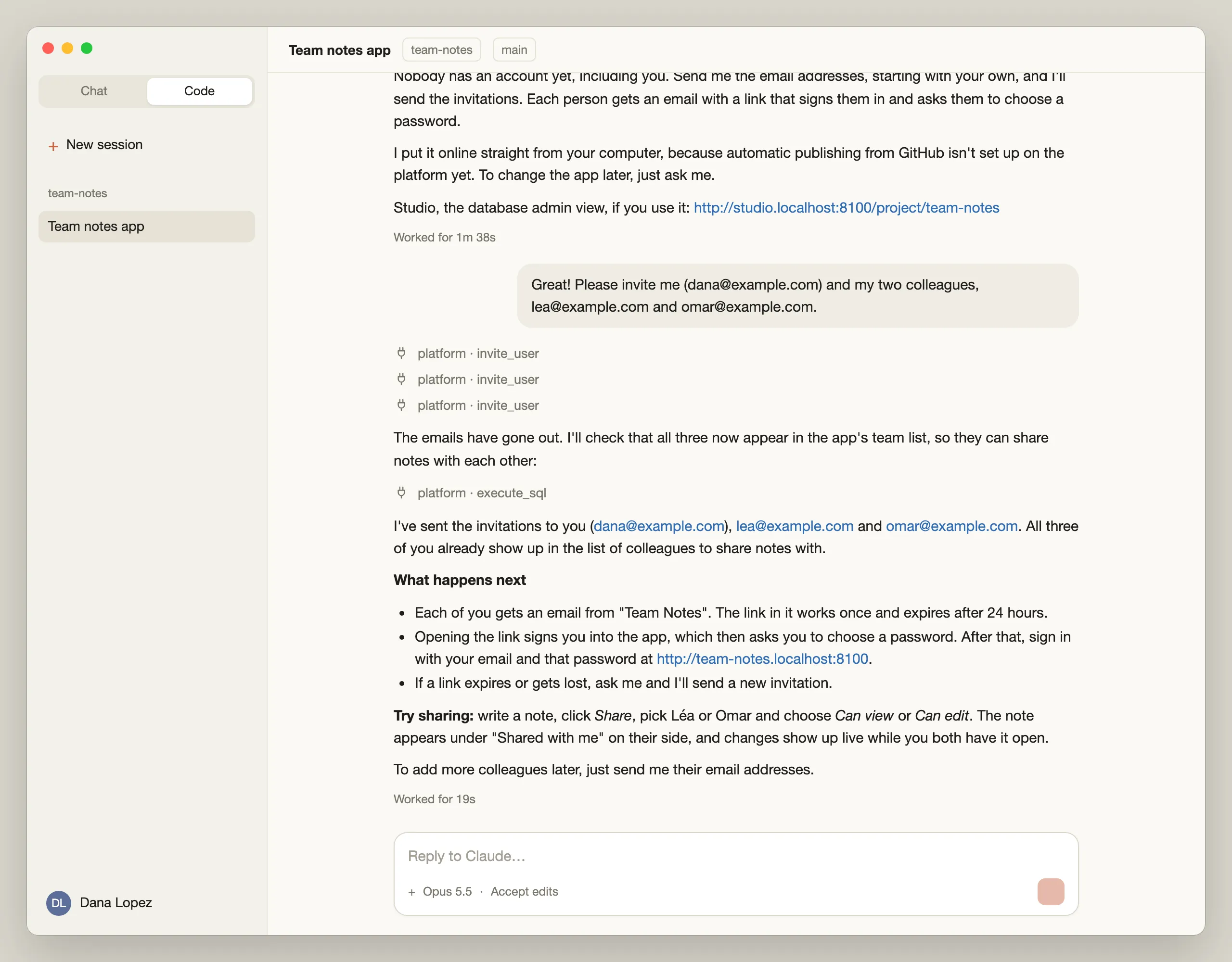
Léa receives an email sent on behalf of “Team Notes”.
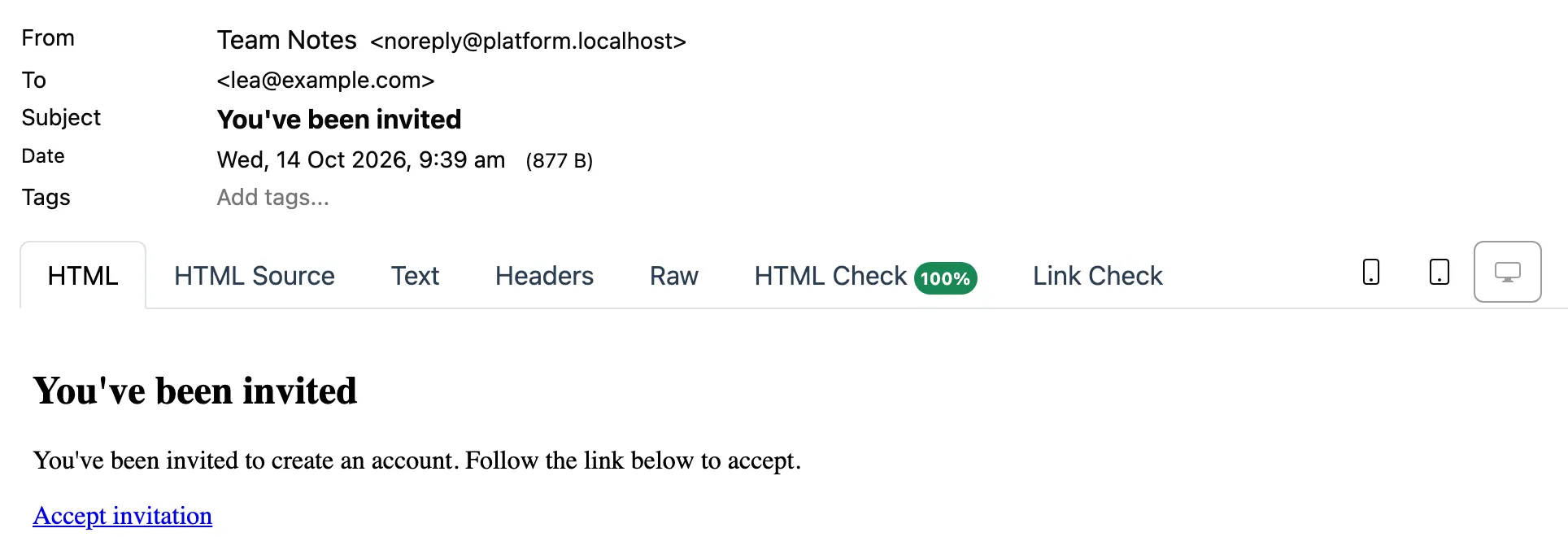
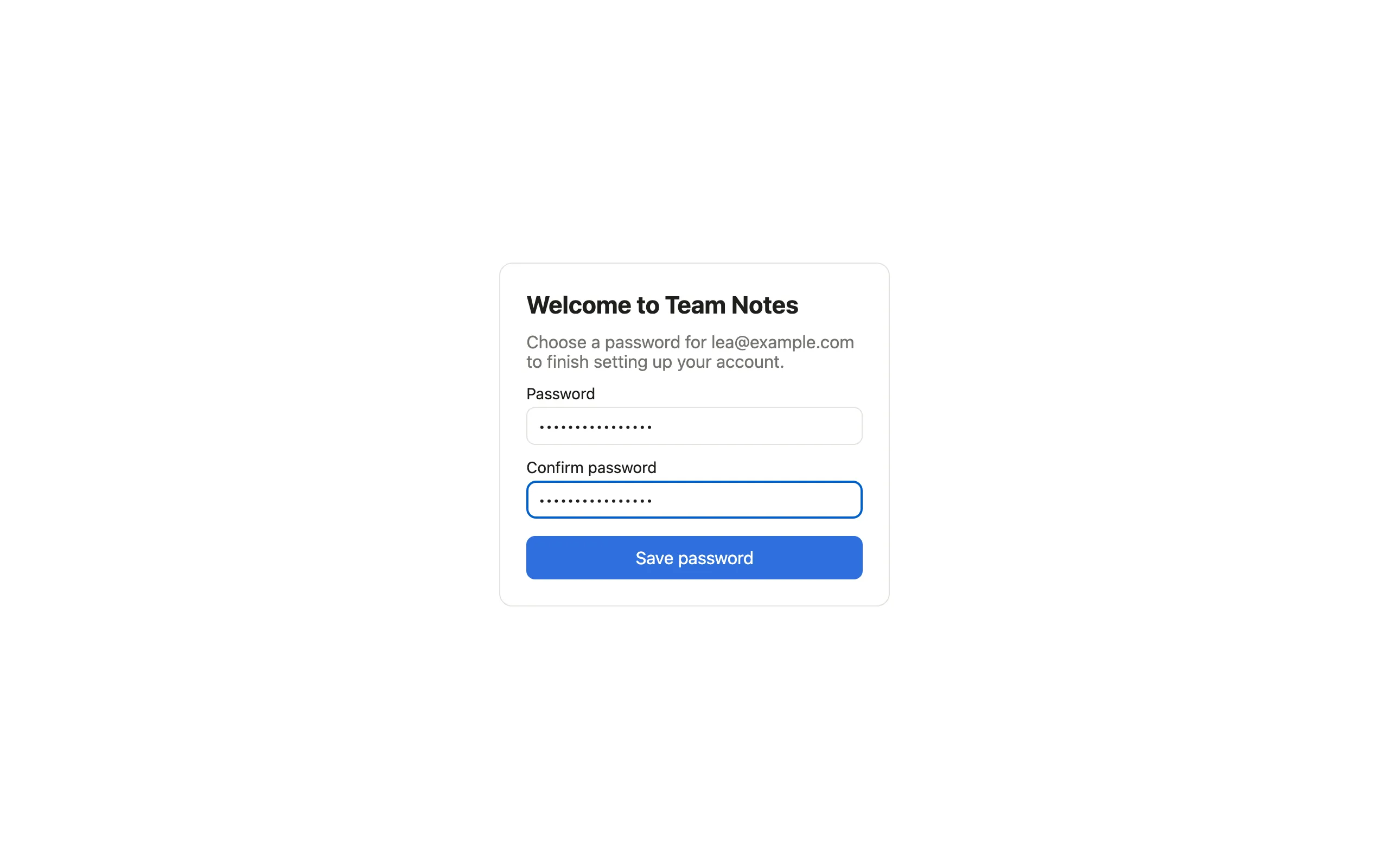
The link signs Léa in and asks for a new password.
Writing and sharing notes
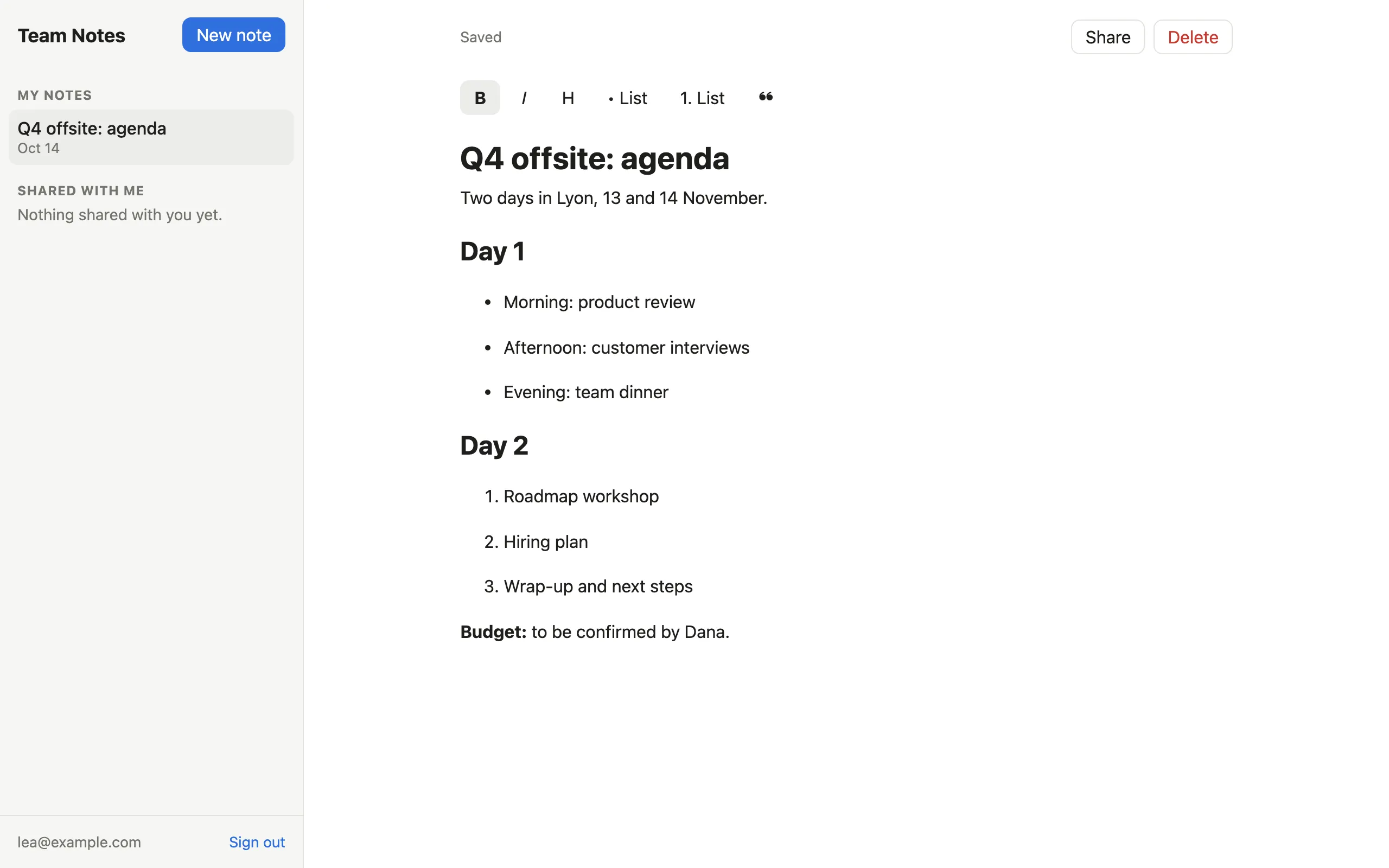
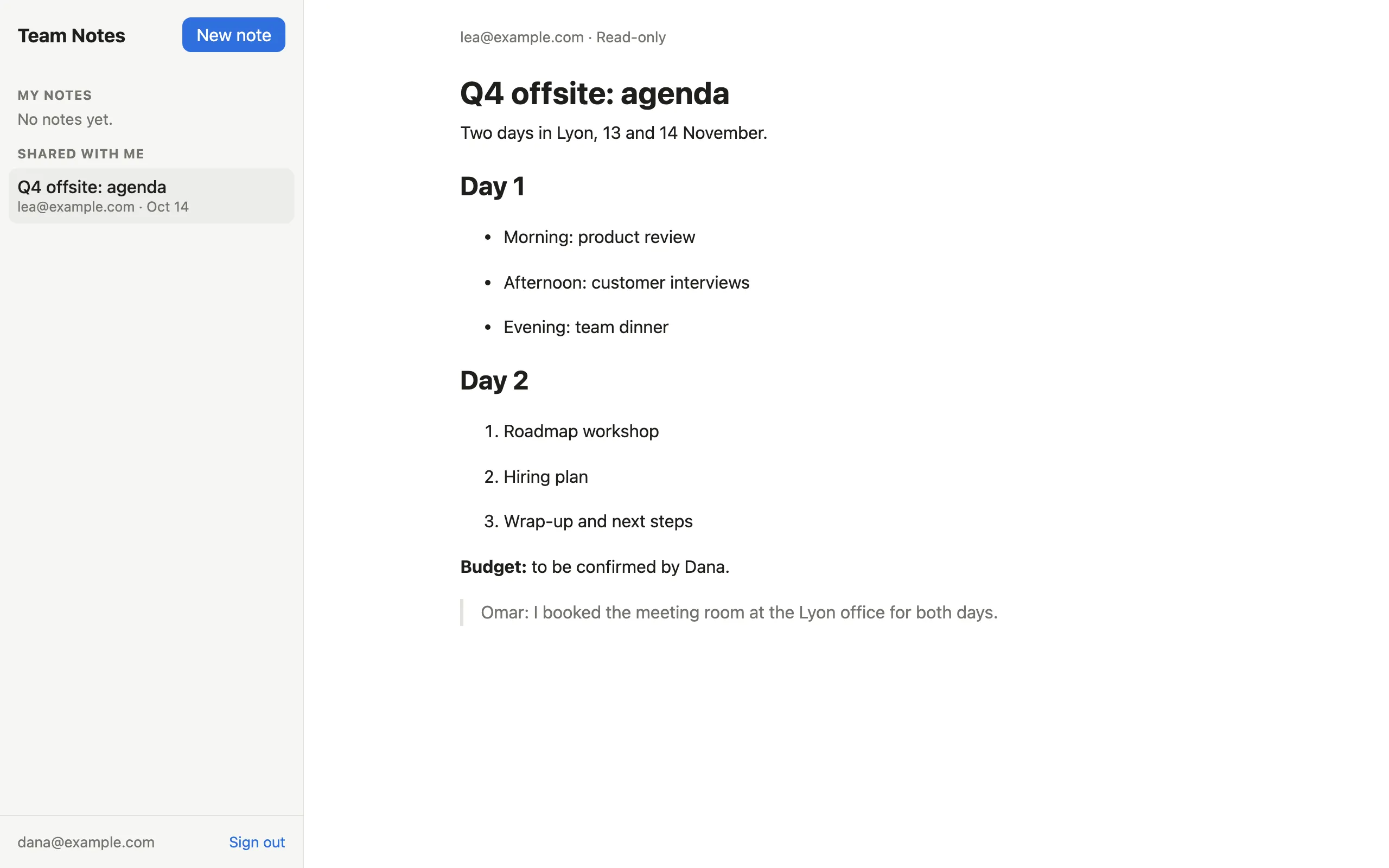
Léa writes the agenda of the team offsite, with headings and lists.
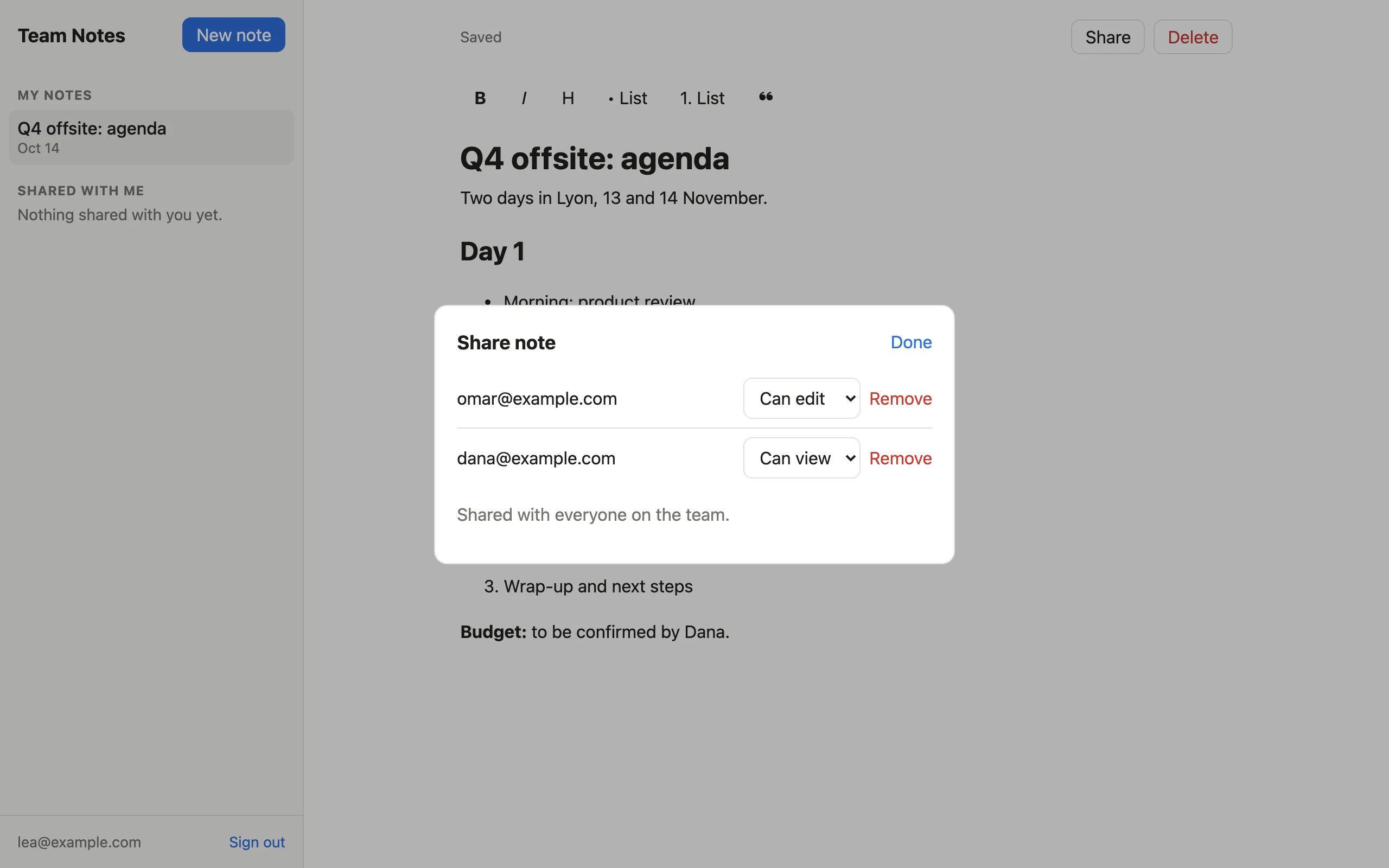
She then shares it: Omar can edit it, Dana can only read it.
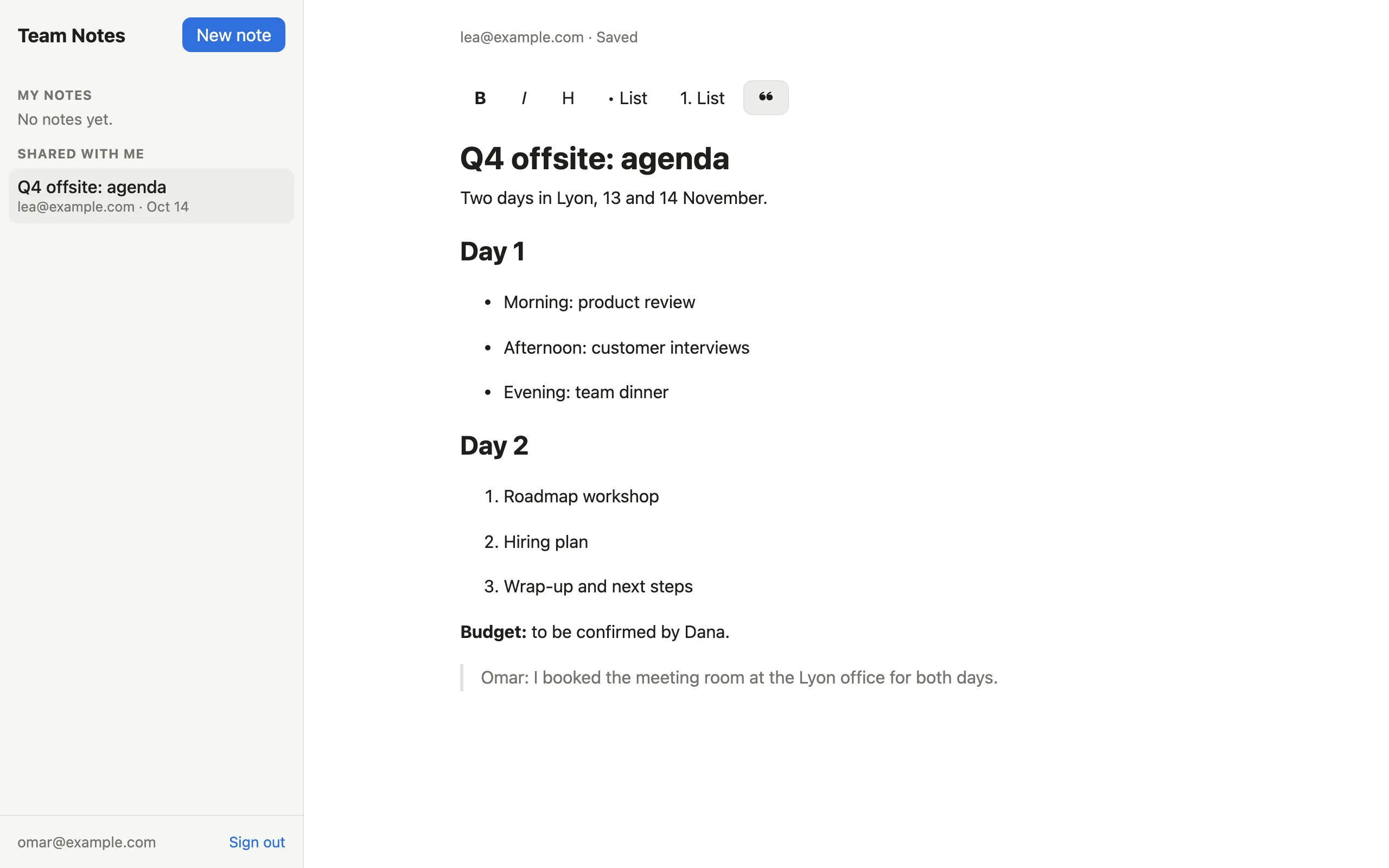
Omar finds the note under “Shared with me” and adds a line.
Dana sees the same note, read-only.
When something goes wrong
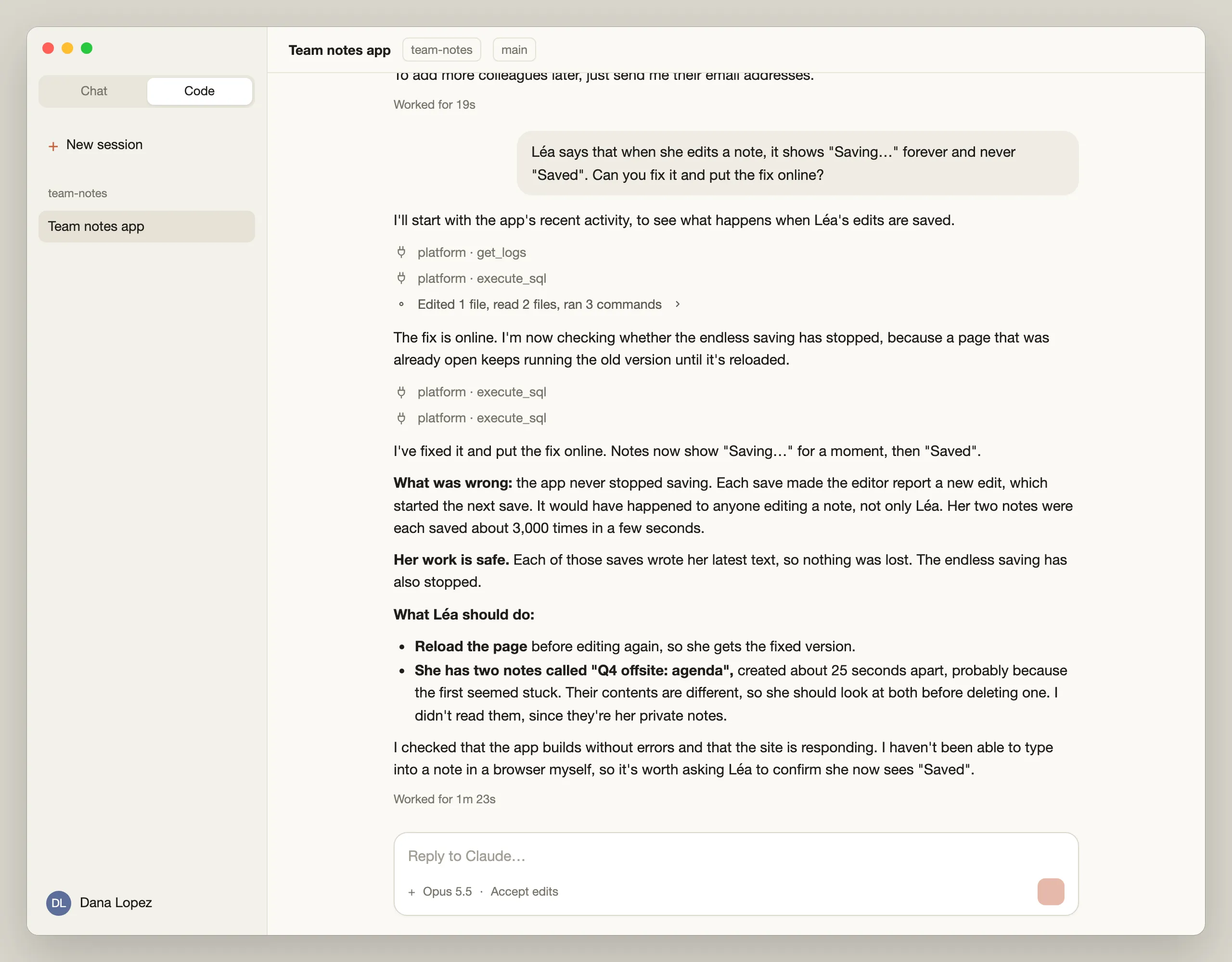
Within minutes, Léa reports a problem: the editor shows “Saving…” forever. Dana passes the complaint on to Claude as is. Claude reads the app’s logs on the platform and finds the cause: the editor kept saving in a loop, about 3,000 times per note in a few seconds. Claude fixes it, deploys the fix and tells Dana what Léa should do.
Helping a user in Studio
Dana can also open the Studio, a web dashboard for managing their apps and data. There, they can see each user’s account, when they were invited and when they last signed in.
Omar is locked out after forgetting the password:
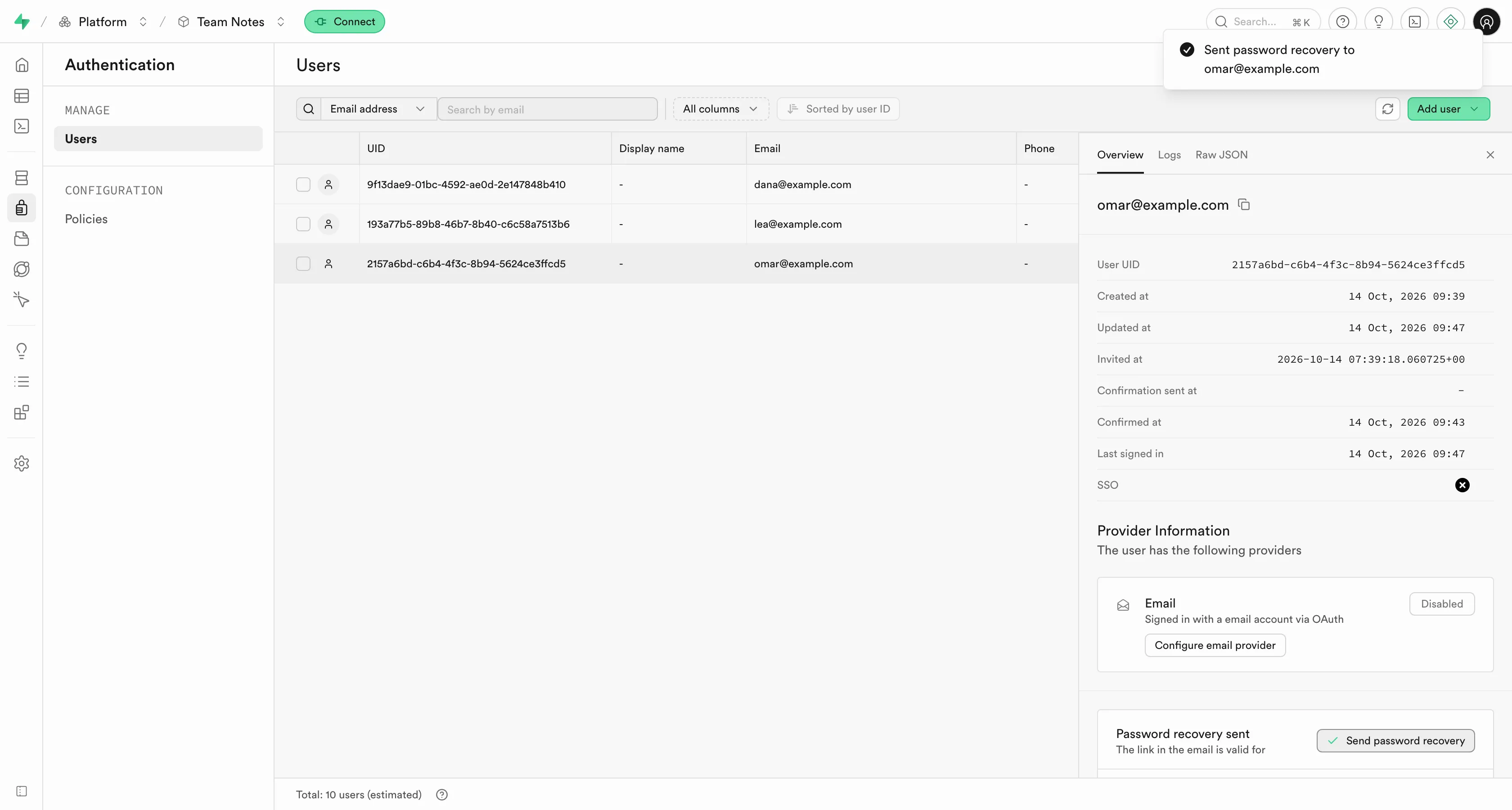
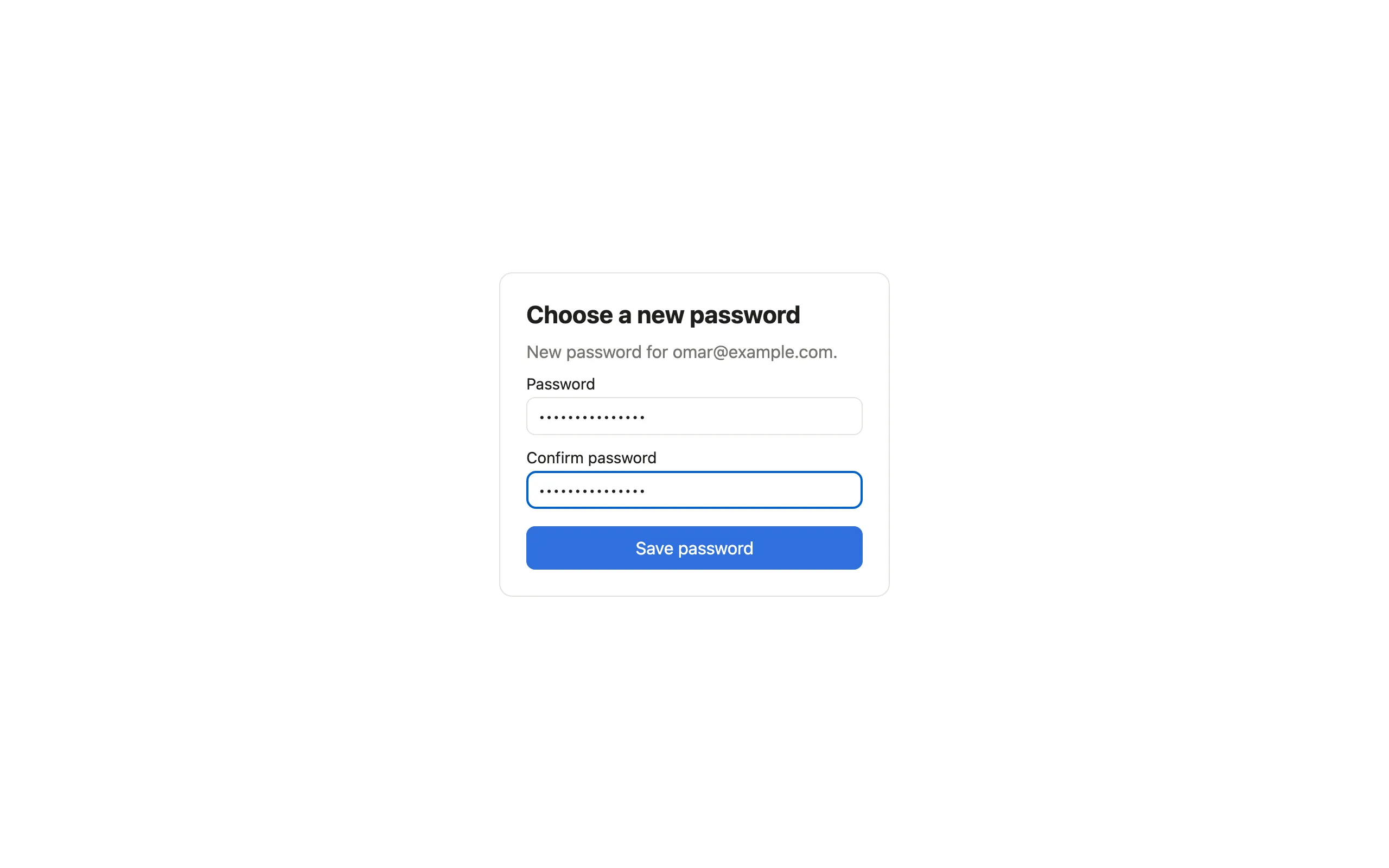
Dana sends a recovery email in one click, and Omar chooses a new password in the app.
Note that Studio gives Dana access to all of the app’s data, including the notes Léa never shared. Row-level security protects users from each other, not from the app’s builders. When an app holds sensitive data, choosing who builds it matters as much as choosing who uses it.
Platform Admins Overseeing Every App
The dashboard
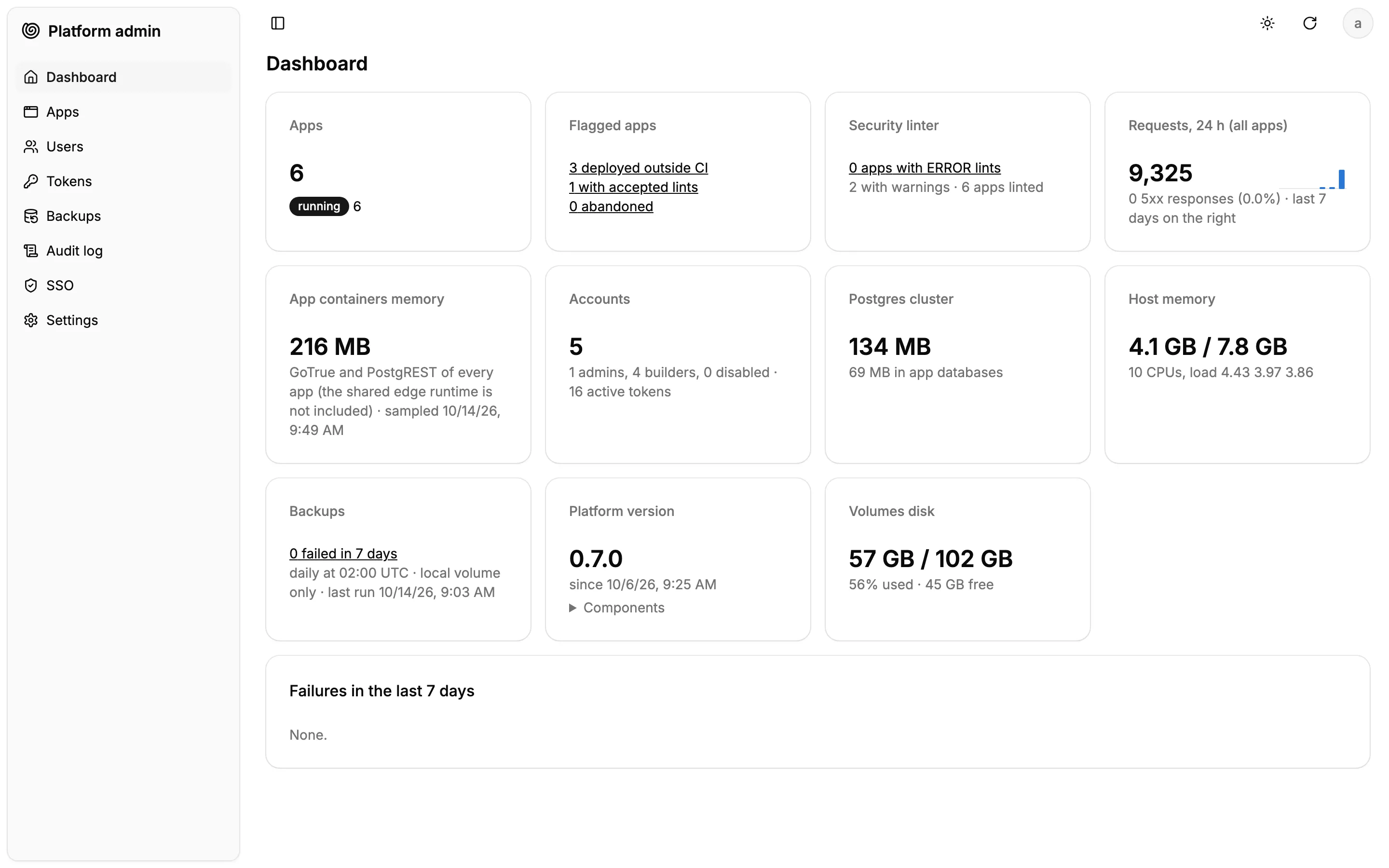
Admins can access a custom dashboard and see every app on the platform at a glance: their status, the flagged ones (deployed outside CI, accepted security warnings, abandoned), the load, the backups, the host’s resources.
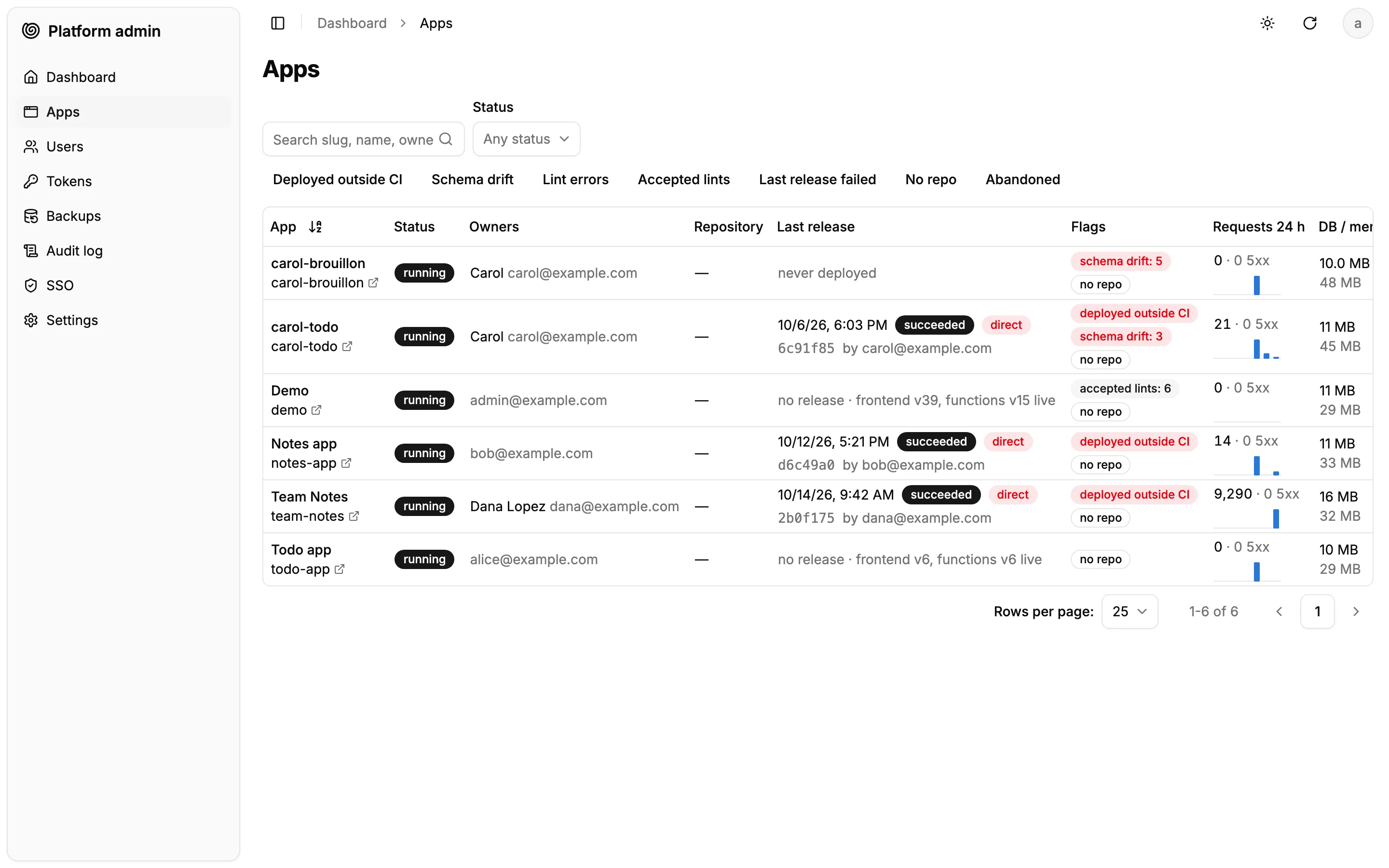
The app list shows each app’s owner, last deployment and traffic. Team Notes stands out: more than 9,000 requests in 24 hours, for three users, and a “deployed outside CI” flag.
Inspecting an app
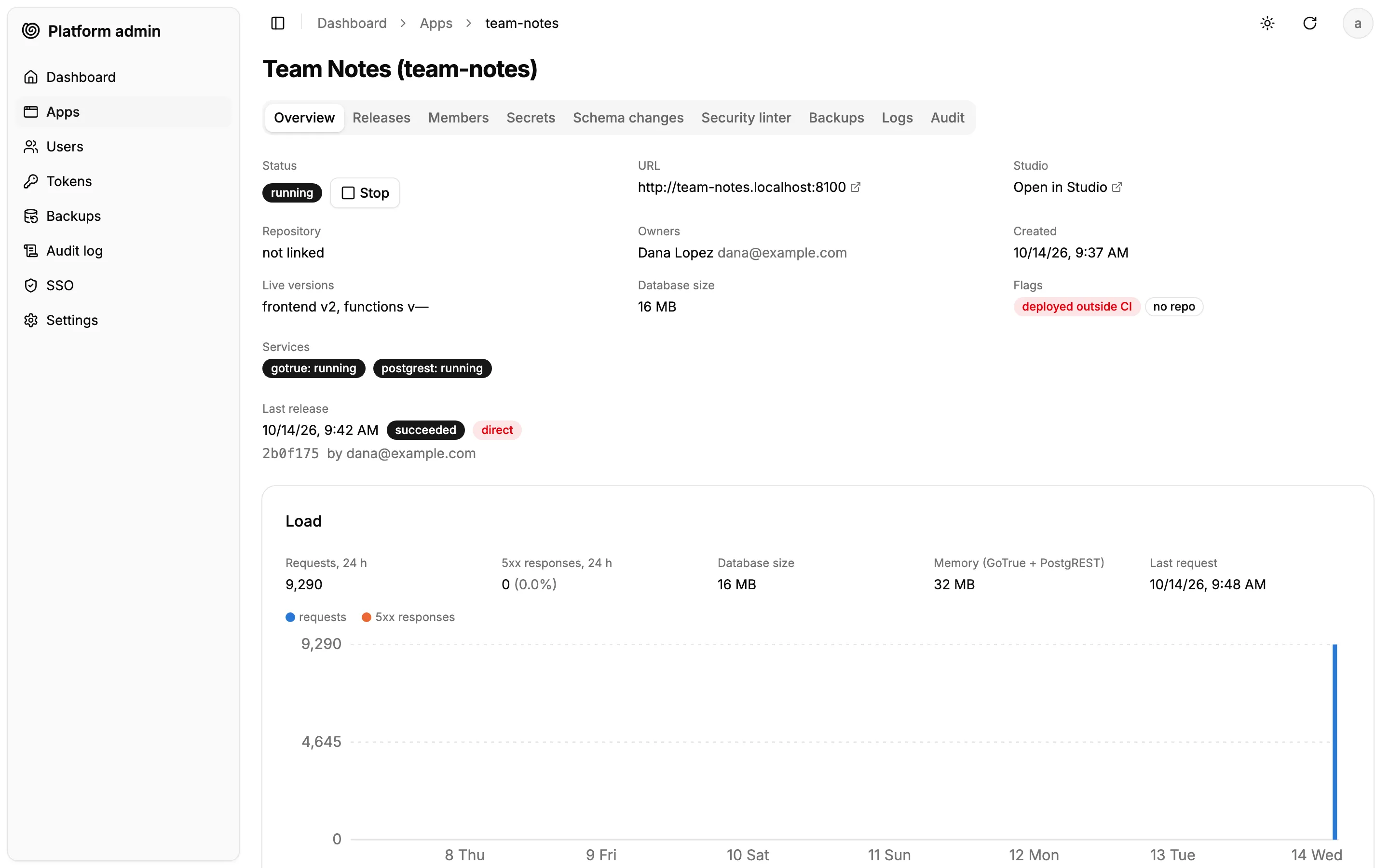
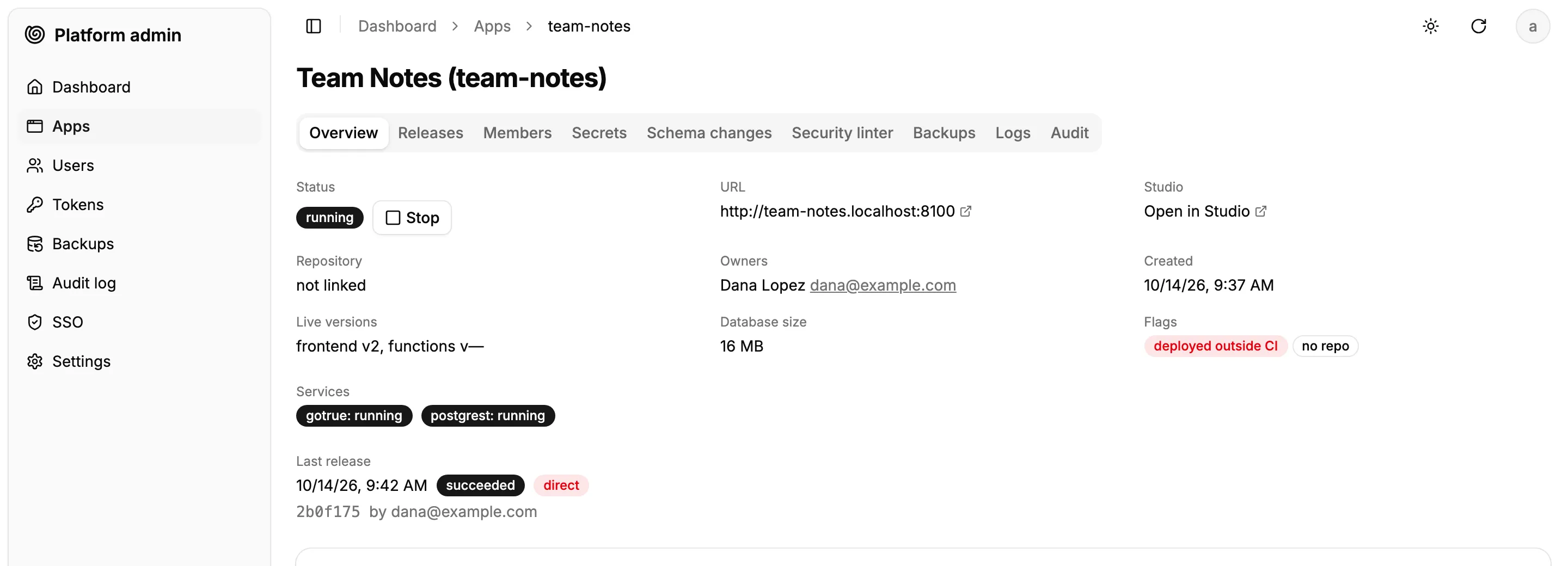
Admins get analytics on traffic, runtime errors, and performance. The app page shows the spike in the load chart, the owner, the live versions and the services.
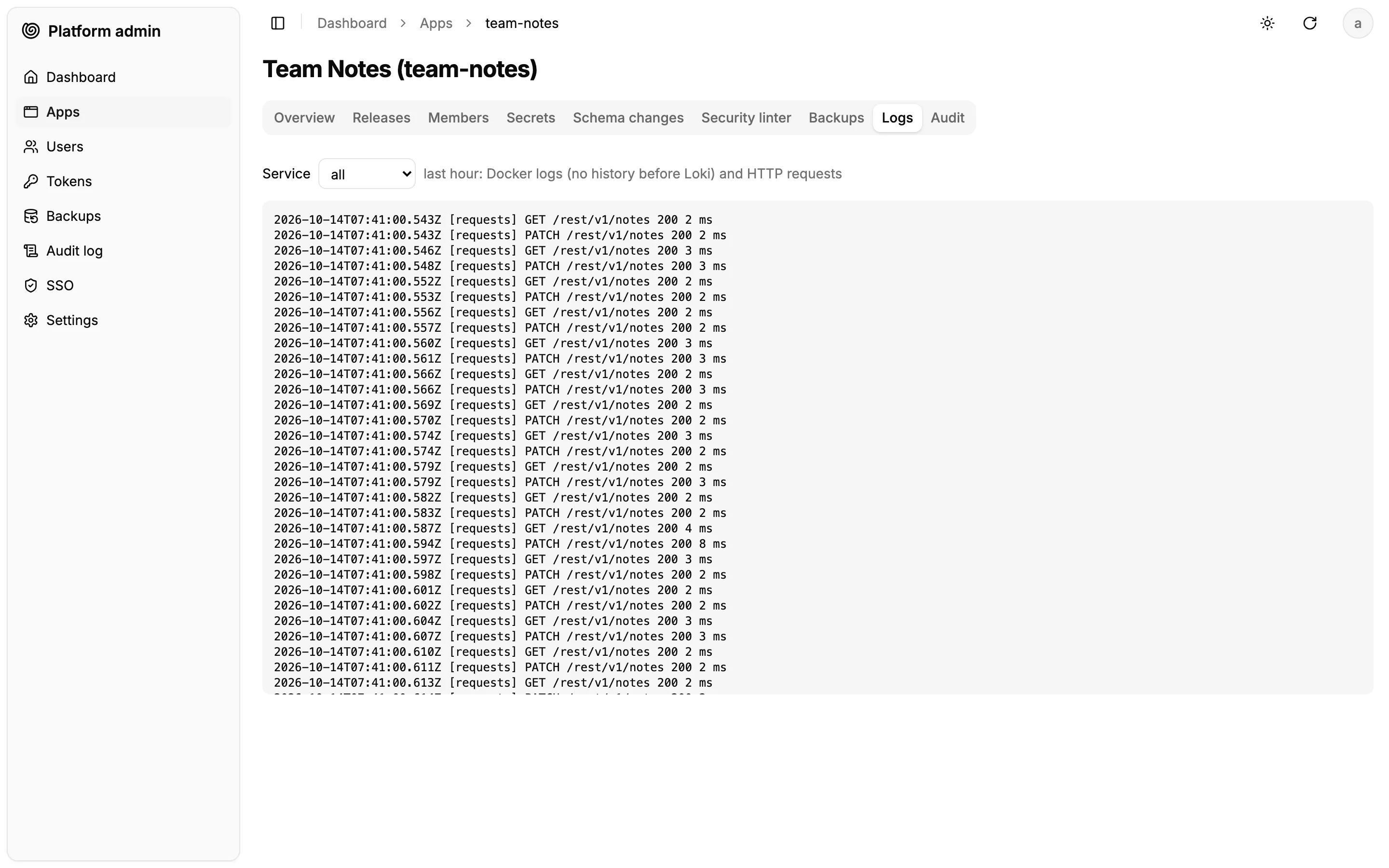
Admins can dig deeper using logs. The logs explain the spike: the same note saved every few milliseconds, the bug Claude already fixed.
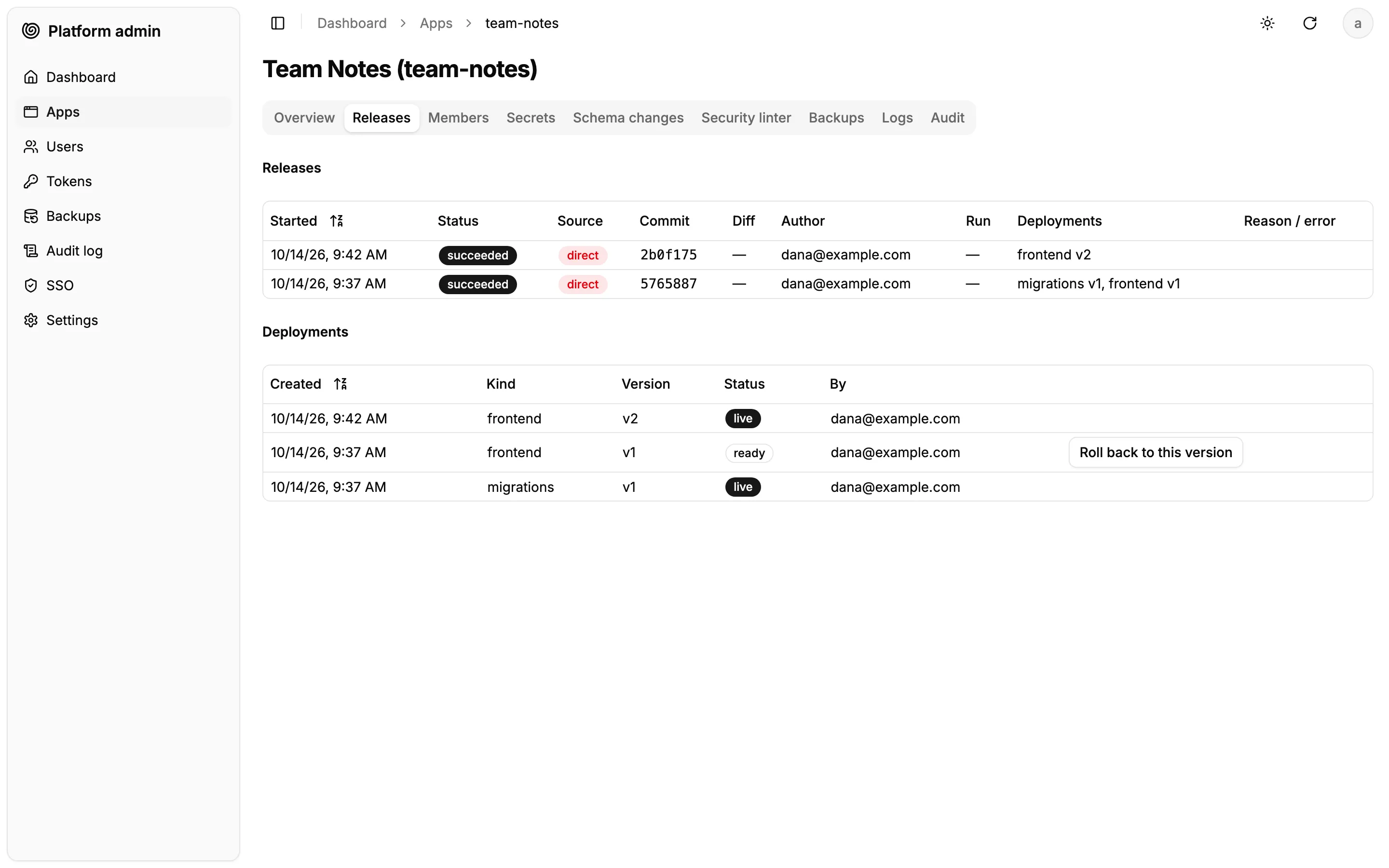
The releases tab confirms it: a second version was deployed five minutes after the first, also from Dana’s computer. Every earlier version stays available for a one-click rollback.
Stopping and restarting an app
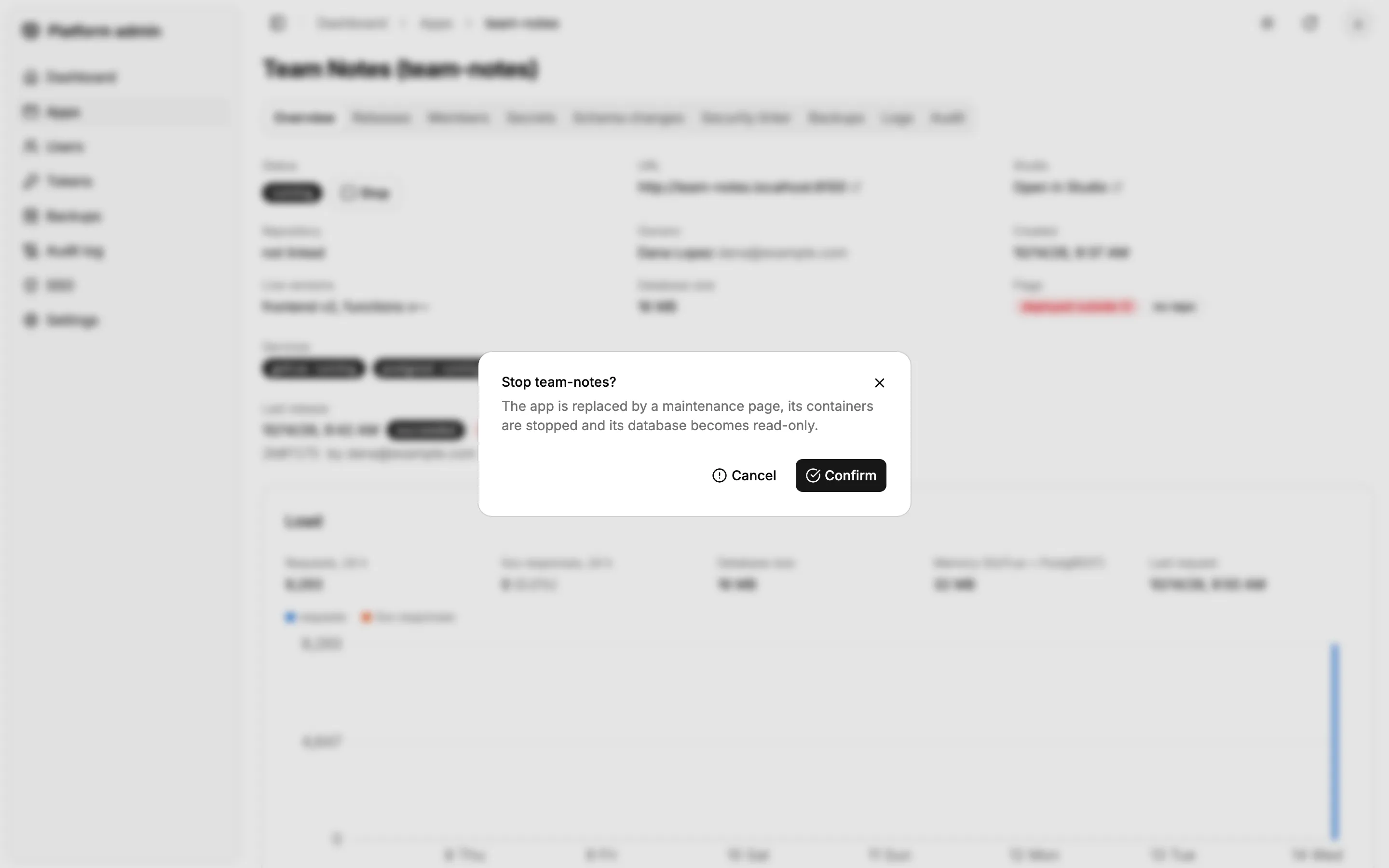
If an app misbehaves, the admin stops it. Its users get a maintenance page and its data becomes read-only until the admin starts it again.

Audit, and the person to talk to
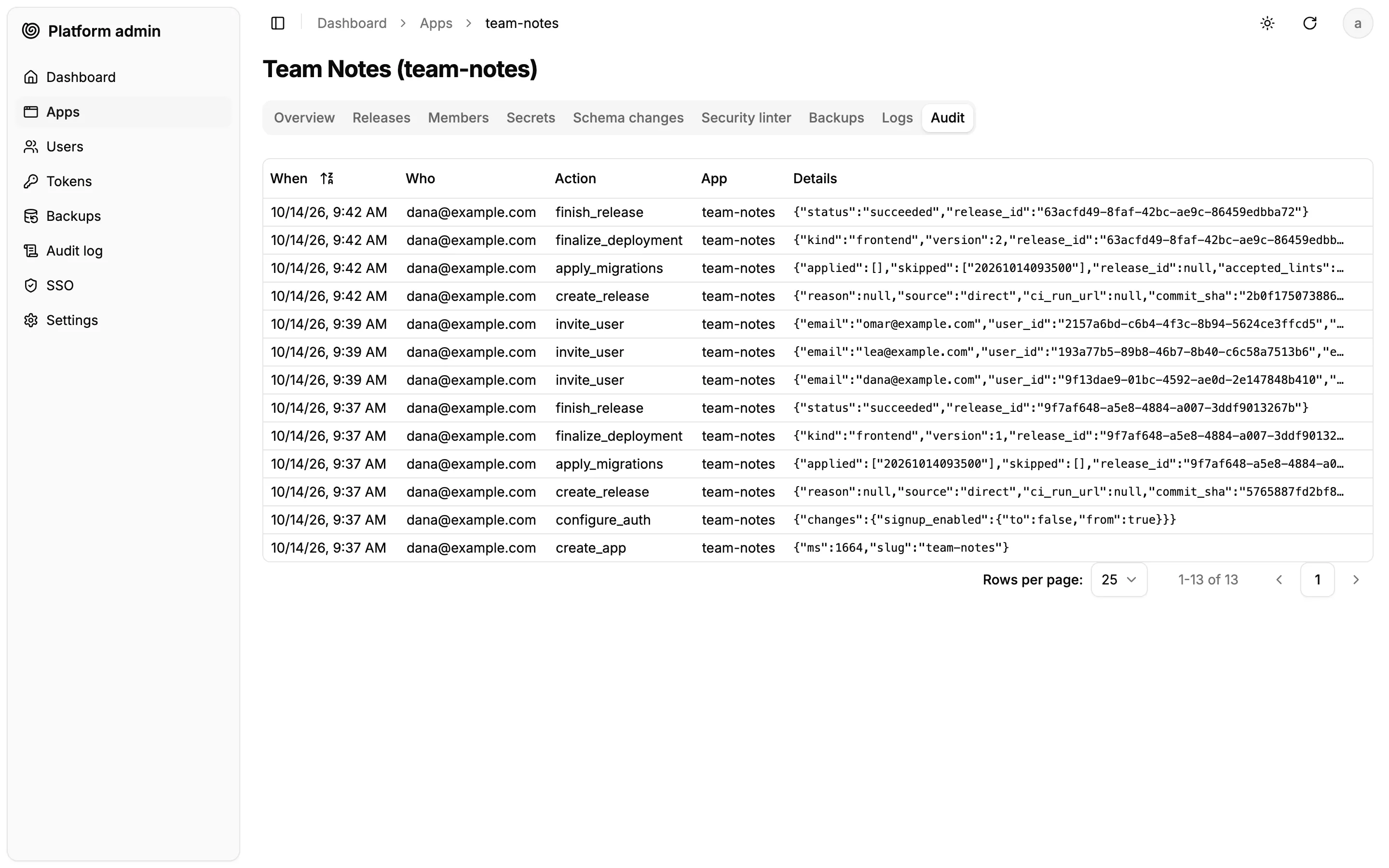
Every action on the app is in the audit log: creation, sign-up policy, deployments, invitations. Each entry says who did it.
The owner’s email, on the app page and in the app list, opens a message to them, with the app named in the subject: the admin knows who to talk to about any app.
How Hard Is It to Build Your Own AI Platform?
To build the AI platform shown above, we mostly worked on the user journeys, the requirements, the architecture, and left the implementation details to Claude Code. Still, we hit quite a few obstacles on the way to a platform that scales, stays secure, and remains seamless for both users and admins:
- Supabase is single-tenant. One Postgres database per app sounds simple, but Postgres roles are global to the cluster. We had to create login roles per app (
app_<id>_authenticator,app_<id>_auth_admin, etc.), revoke cross-database access, and check that Supabase Auth (formerly GoTrue), Storage and the Supabase migrations didn’t assume fixed role names. - Postgres connections run out fast. 50 apps, each with its own pools for the REST API, auth, storage and realtime, exceed
max_connections. We added a PgBouncer in transaction mode in front of PostgREST and Storage. Supabase Auth and Realtime need session-level connections, so they still connect directly. Since PostgREST no longer receives schema change notifications through the pooler, the control plane relays them. - Multi-tenant mode is not battle-tested. Running one Storage and one Realtime container per app would cost around 15 GB of RAM for 50 apps, so we used their multi-tenant mode instead. Realtime needs a superuser to migrate each tenant (we use a temporary one), and its “Broadcast from Database” feature only worked for a single tenant per instance. We had to patch the Realtime image to fix it.
- Edge Functions have no multi-tenant mode at all. We wrote a custom main worker that reads the target app from a header set by the reverse proxy (never from the client request), loads that app’s code, and runs it with the app’s environment and memory limits. Apps are isolated by V8 isolates, not by containers. That’s acceptable for code written by colleagues, but not for untrusted code.
- Supabase Studio only manages one project in self-hosted mode. We used a community fork that handles several projects in a single instance. It works, but it’s young and has a single maintainer. We kept Studio behind a small interface so that we can replace it if needed.
- Deploying through CI must be tamper-proof. A builder could edit the workflow in their repository to skip the security checks. So GitHub Actions authenticates with an OIDC token, and the platform checks its claims: the repository ID, a protected branch, and a reusable workflow on the admin’s allow list. No long-lived deployment secret lives in GitHub.
- Schema changes still happen outside the CI. Studio’s SQL editor and the agent’s
execute_sqltool can alter the schema directly. Forbidding them would make data fixes and emergencies painful, so we allowed them but made them visible. A DDL event trigger records every change, and the platform flags those that don’t belong to a migration transaction it applied itself. An app can’t forge a transaction ID, so the flag can’t be faked. - Agents shouldn’t upload files through MCP. Passing a built frontend as a tool argument would flood the agent’s context. MCP tools return a single-use, short-lived upload URL instead, and the agent sends the archive with
curl. - Operations multiply by the number of apps. Upgrading Supabase Auth means running its migrations on 50 databases, then recycling 50 containers without downtime. Backups have to include each app’s database, files, live frontend versions and encrypted keys, and restoring them needs the master key, which must be stored outside the VM. One app hammering Postgres slows down all the others, which calls for per-role timeouts and monitoring.
None of these problems were visible in the initial plan. We wrote it as a design document for Claude Code, with every risky assumption marked as a spike to validate first. Each spike (tenancy, Studio, Edge Functions, Storage and Realtime) changed the design. Some answers were good news: generic OIDC providers turned out to be supported by Supabase Auth’s admin API. Others forced workarounds, like the patched Realtime image.
Some work remains: SAML, centralized logs with Loki, point-in-time recovery, and a real-world upgrade of the Supabase components on a running platform.
What It Costs
The first version took one developer about two weeks, working with Claude Code from a design document. The result is about 44,000 lines of code, tests and documentation, plus a vendored fork of Supabase Studio. That’s a working platform, not a finished product: we’ve identified about 90 limitations (security hardening, scaling, operations) that still need fixing. Count one or two person-months to reach production grade, and someone part-time afterwards to keep the Supabase components up to date.
Hosting is cheap. The recommended VM for about 50 apps has 8 vCPUs, 16 GB of RAM and 100 GB of disk. That costs from about €20 a month on a budget European host to €300 a month on-demand at a hyperscaler, so less than €10 per app per month in the worst case, plus an S3 bucket for backups. Each app’s Auth and REST containers take 50 to 60 MB of RAM, and the shared Storage and Realtime services a few hundred MB for all apps together.
The builders’ tools cost more than the platform itself. Each builder needs a paid Claude plan to use Claude Code, so with a dozen builders, the AI subscriptions exceed the hosting bill.
Conclusion
Building your own AI platform is possible today, and it doesn’t take a large team. Claude Code wrote most of the code. But the agent didn’t make the hard decisions for us. Deciding what to share between apps, where to put the security boundaries, and what IT must see required a good understanding of Postgres, Supabase internals, GitHub and the company’s constraints.
Supabase proves an excellent foundation: most of its components work unchanged, and supabase-js apps run on the platform without modification. The cost lies in the gaps: multi-tenancy, frontend hosting, governance and operations. That’s where most of our effort went.
If you plan to host vibe-coded apps for your company, have a look at marmelab/platform. Fork it, try it, and tell us what breaks. And if you need help adapting it to your infrastructure, get in touch.
Authors
Marmelab founder and CEO, passionate about web technologies, agile, sustainability, leadership, and open-source. Lead developer of react-admin, founder of GreenFrame.io, and regular speaker at tech conferences.