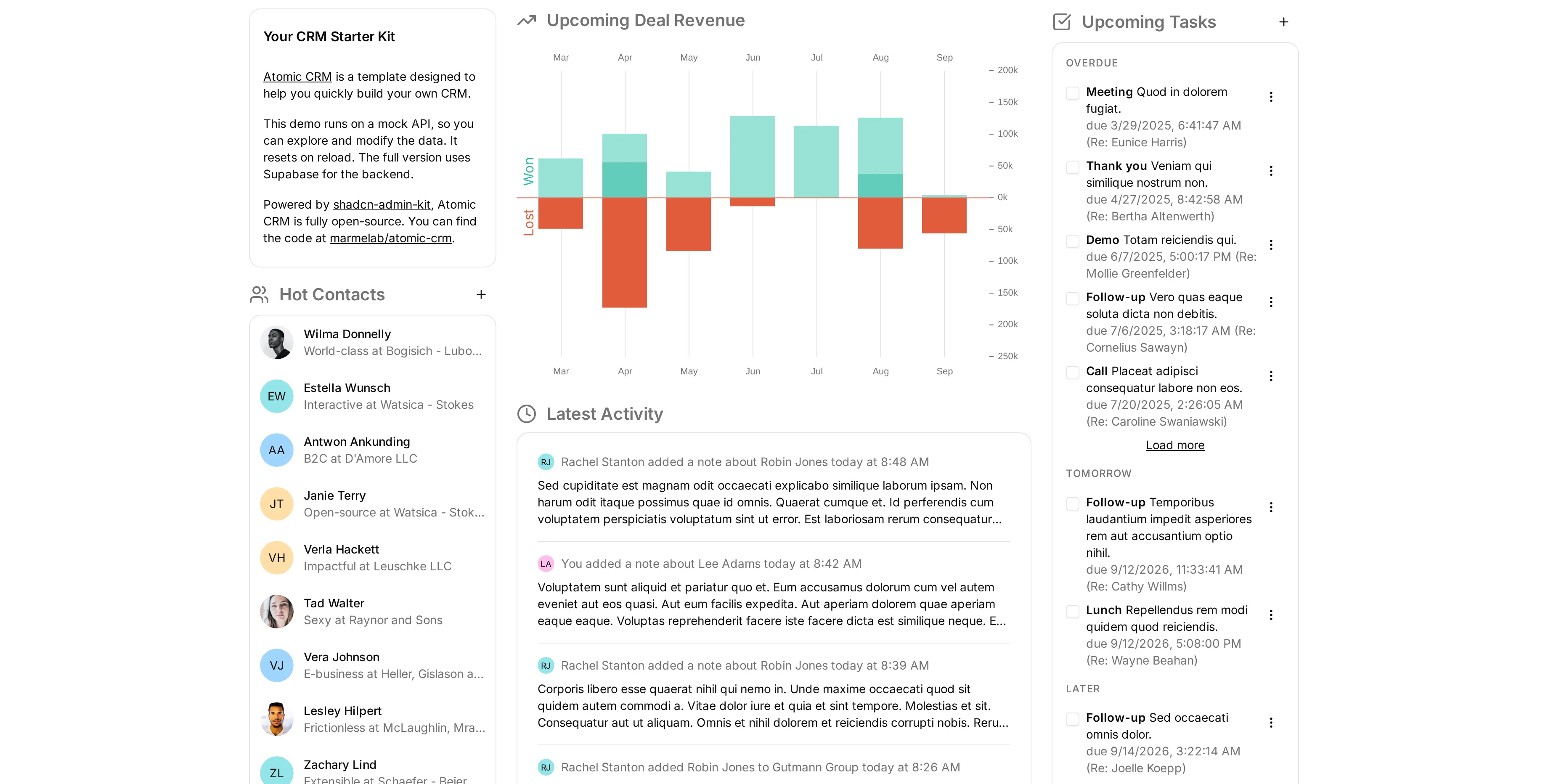
Atomic CRM September 2026 Updates


Atomic CRM 1.6 is out!
Six months after the 1.5 release, Atomic CRM has kept growing: the MCP server is now built into the app and needs no installation, the interface can be translated into any language (French included), and developers get a full agent harness to build features with Claude Code.
Read on to discover all the improvements and new features we’ve recently added to Atomic CRM.
In a Nutshell
- Built-In MCP Server, No Installation Required
- Interactive Answers With MCP Apps
- Any Language, Starting With French
- Import Your Data From CSV
- Configurable Currency
- Change a Contact Status From the Sidebar
- Tag Several Contacts At Once
- Admins Can Filter By Account Manager
- A Faster Activity Log
- A Real Settings Page On Mobile
- Pull To Refresh On Mobile
- An In-App Changelog
- More Legible Typography
- More Reliable Inbound Emails
- Declarative Database Schemas
- Storybook And Browser-Based Integration Tests
- An Agent Harness To Build Features With Claude Code
- Supabase Security Warnings Fixed
- Improved Documentation
Built-In MCP Server, No Installation Required
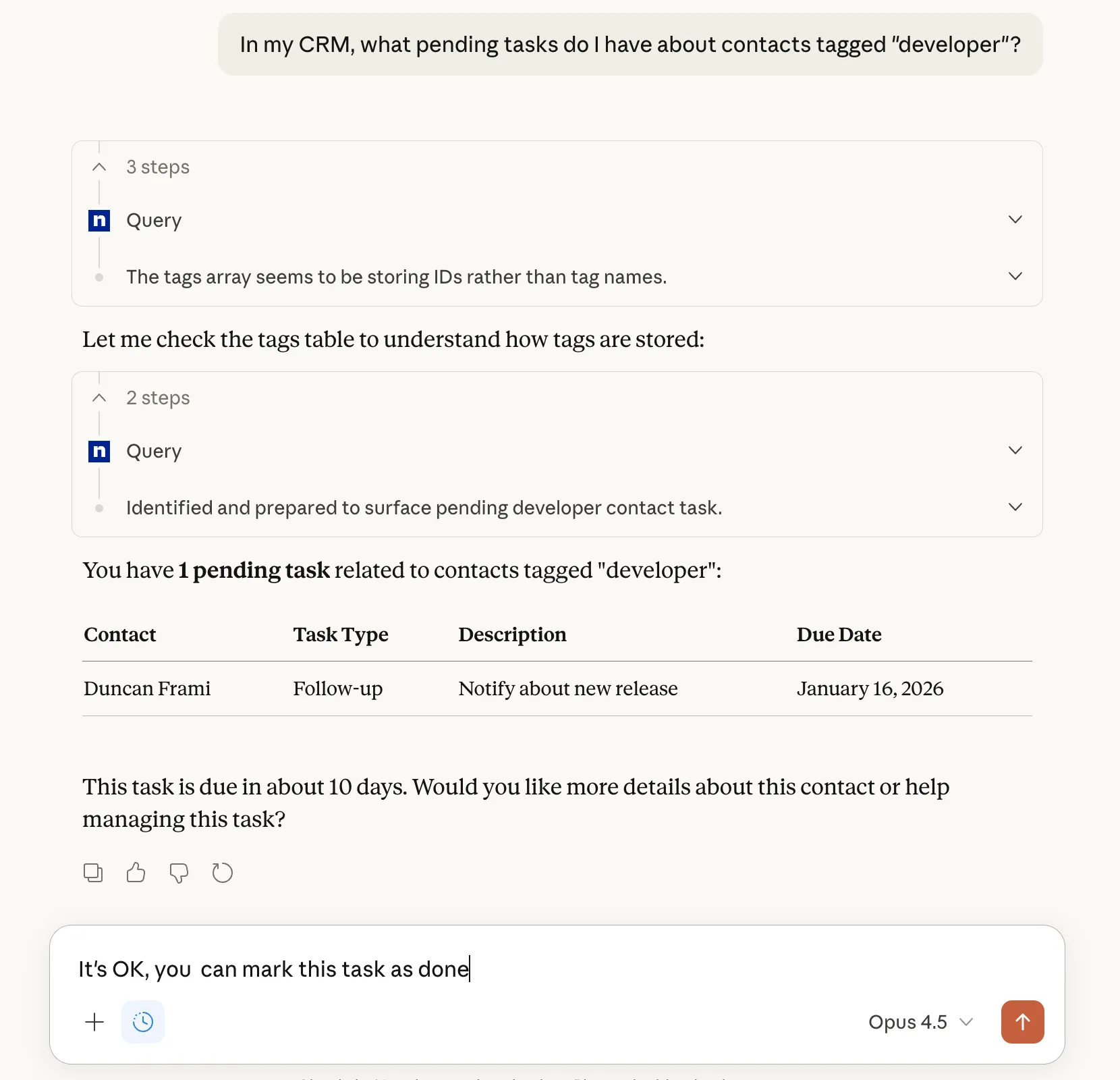
In 1.5, we introduced an MCP server to let AI assistants read and write your CRM data. It was a separate application that you had to install and host yourself.
Not anymore. The MCP server now ships with Atomic CRM. It runs as a Supabase Edge Function, authenticates through Supabase OAuth, and requires no installation at all: if you deploy Atomic CRM, you already have an MCP server.
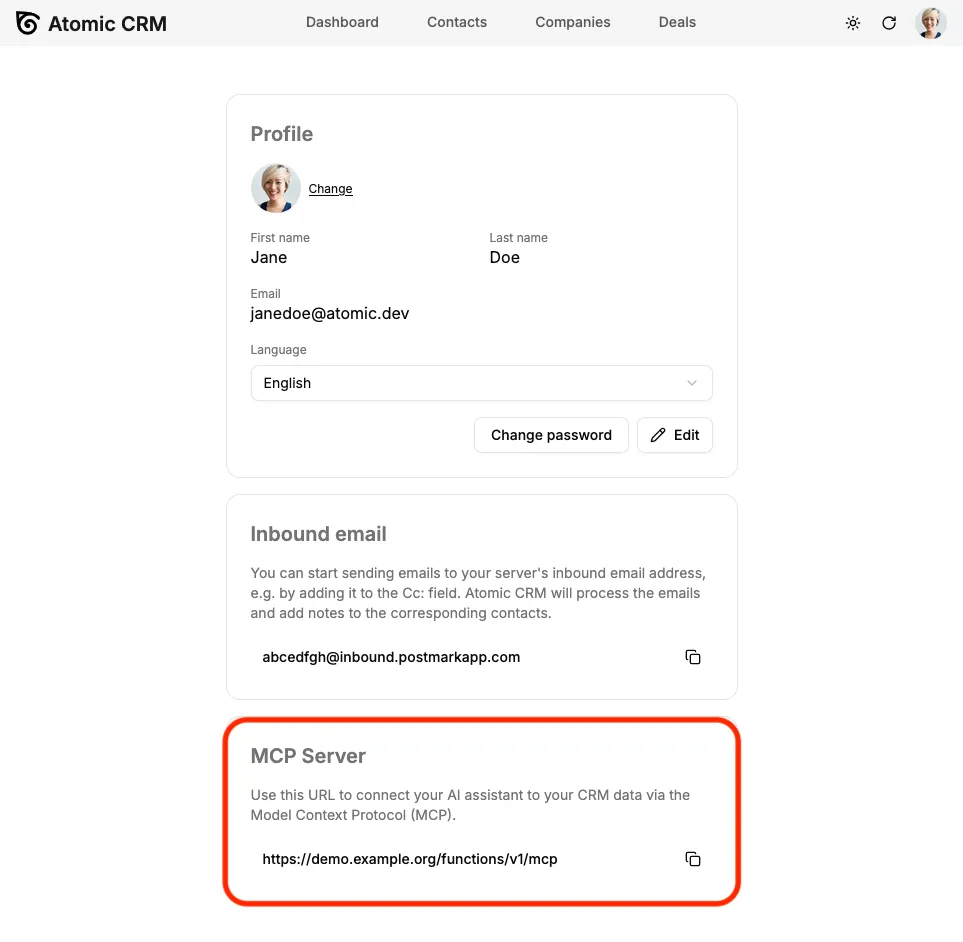
To connect an assistant, open your Profile page, scroll down to the “MCP Server” section, and copy the URL.
The server exposes three tools: one to read the database schema, one to query data, and one to mutate it. Reads and writes are separate tools, so an assistant that only needs to look things up never touches the write path, and the SQL it generates is validated server-side before it reaches the database.
It works with ChatGPT, Claude.ai, Claude Desktop, Claude Code, and Visual Studio Code. Because authentication goes through OAuth, each assistant acts as you: it sees exactly the records your account is allowed to see, and access-control rules still apply.
See the MCP Server documentation for the setup instructions of each assistant.
Interactive Answers With MCP Apps
With a text-only MCP server, ticking one task off takes a full round trip of prose: the assistant lists your tasks, you describe in words which one to complete, it calls a tool, then tells you it worked.
Atomic CRM now implements the MCP Apps standard: when you ask about your tasks, the assistant renders an actual task list component, right inside the conversation. You can tick a task off directly, and each task links back to its contact in the CRM.
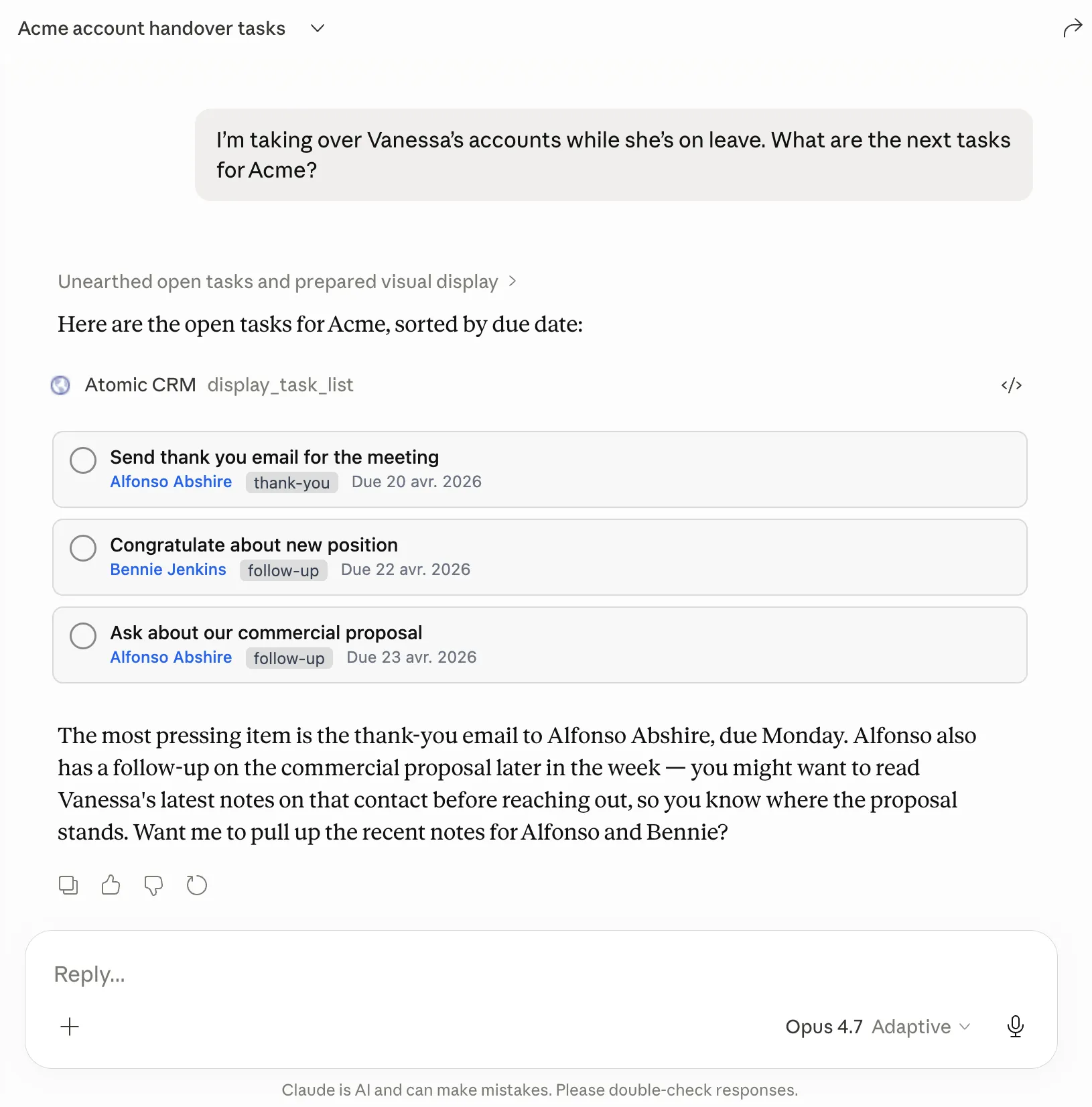
This is the first MCP App in Atomic CRM, and it points at where we are heading: an assistant that shows your CRM instead of narrating it.
Any Language, Starting With French
Atomic CRM is now fully internationalized. Every string in the application goes through a translation catalog, so you can run the CRM in whatever language your team actually works in.
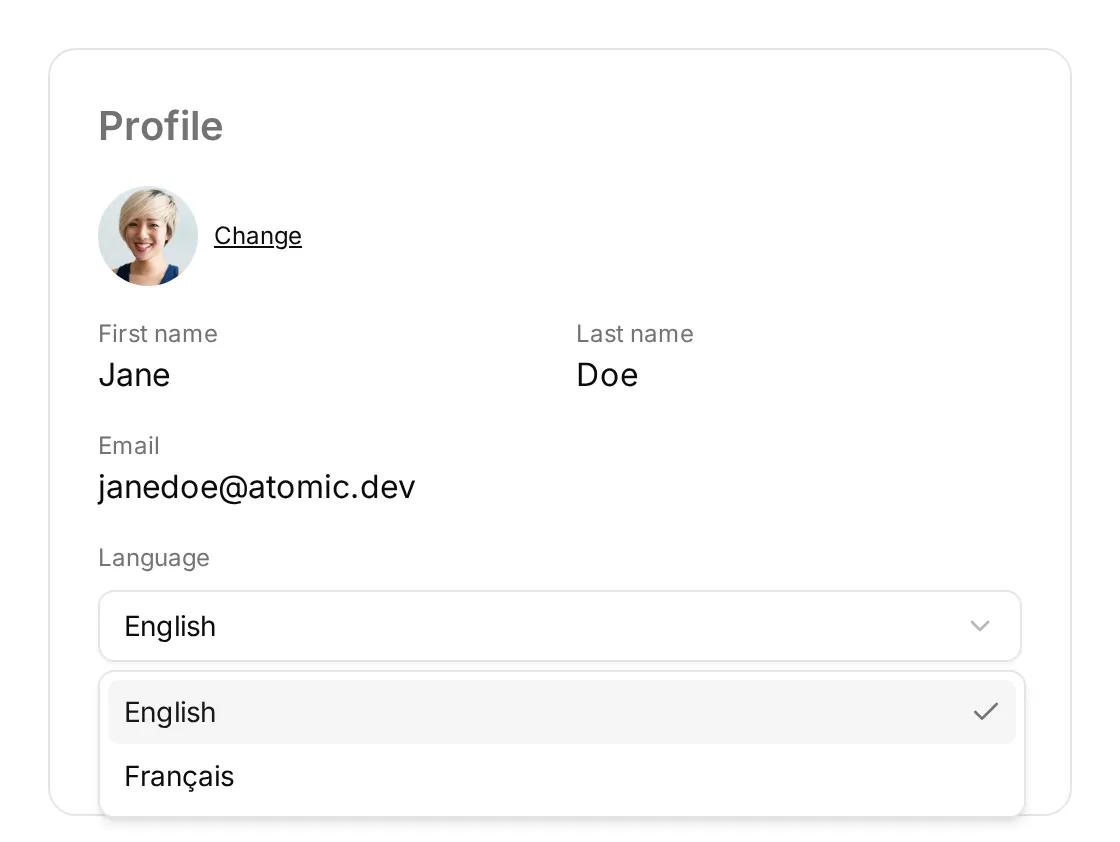
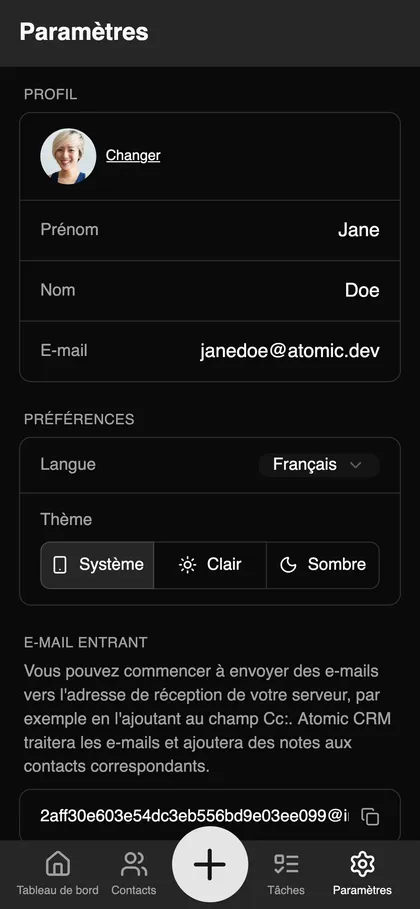
To prove it, 1.6 ships a second language: French. The first time you open the application, the language is guessed from your browser settings and falls back to English. You can then change it at any time from the “Language” selector on your Profile page, which appears as soon as more than one locale is configured. The interface switches immediately, and there is nothing to save.
Adding your own language means writing one catalog. Framework messages (buttons, validation, pagination) come from one of the 35 locales already published for ra-core, and product copy lives in a crm.* catalog of its own that you merge in:
import type { PartialCrmMessages } from './englishCrmMessages';
const polishCrmMessages: PartialCrmMessages = {  crm: {    // translate what you need, the rest falls back to English  },};
Type the catalog as CrmMessages instead of PartialCrmMessages, and a missing key becomes a compile error: that is how the French catalog is kept complete. Configurable labels (company sizes, contact detail types) are translated too, while the labels you define in the Settings page are left untouched.
See the i18n documentation for the full procedure, and the Preferences documentation for the end-user point of view.
Import Your Data From CSV
In 1.5 we added a data import that read a single JSON file. Useful for a one-off migration, less so for the format every other CRM actually exports: CSV.
Atomic CRM now imports contacts, companies and deals from CSV files. Two buttons open the same dialog: “Import data” on the onboarding page, which lets you pick the resource to import into, and “Import CSV” on the contacts, companies and deals pages, which imports into that resource directly.
For each resource, the dialog offers a sample CSV to download, showing the expected columns. Columns the CRM does not know are ignored, and columns you omit are left empty. When importing contacts, companies and tags are matched if they already exist, and created otherwise.
See the Importing and Exporting Data documentation for the expected columns of each resource.
Configurable Currency
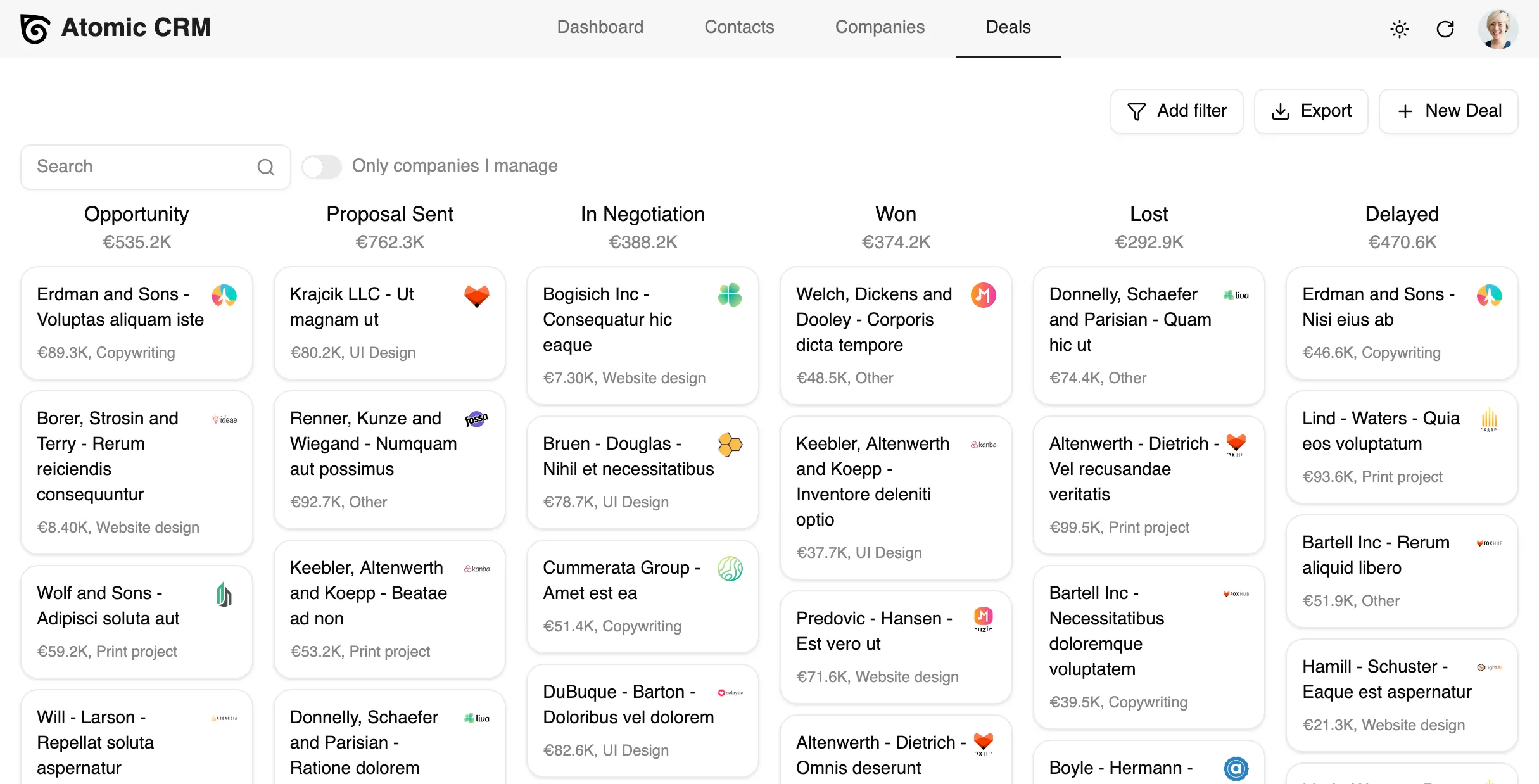
Deal amounts used to be displayed in dollars, whatever your country. You can now set the currency of your CRM, either from the Settings page or with the currency prop of the <CRM> component, using an ISO 4217 code:
<CRM currency="EUR" />Every monetary value in the application, from the deal list to the dashboard, follows that setting.
Change a Contact Status From the Sidebar
Sales could not change a contact’s status without adding a new note. The contact sidebar now has a status dropdown, so warming up a lead takes one click.
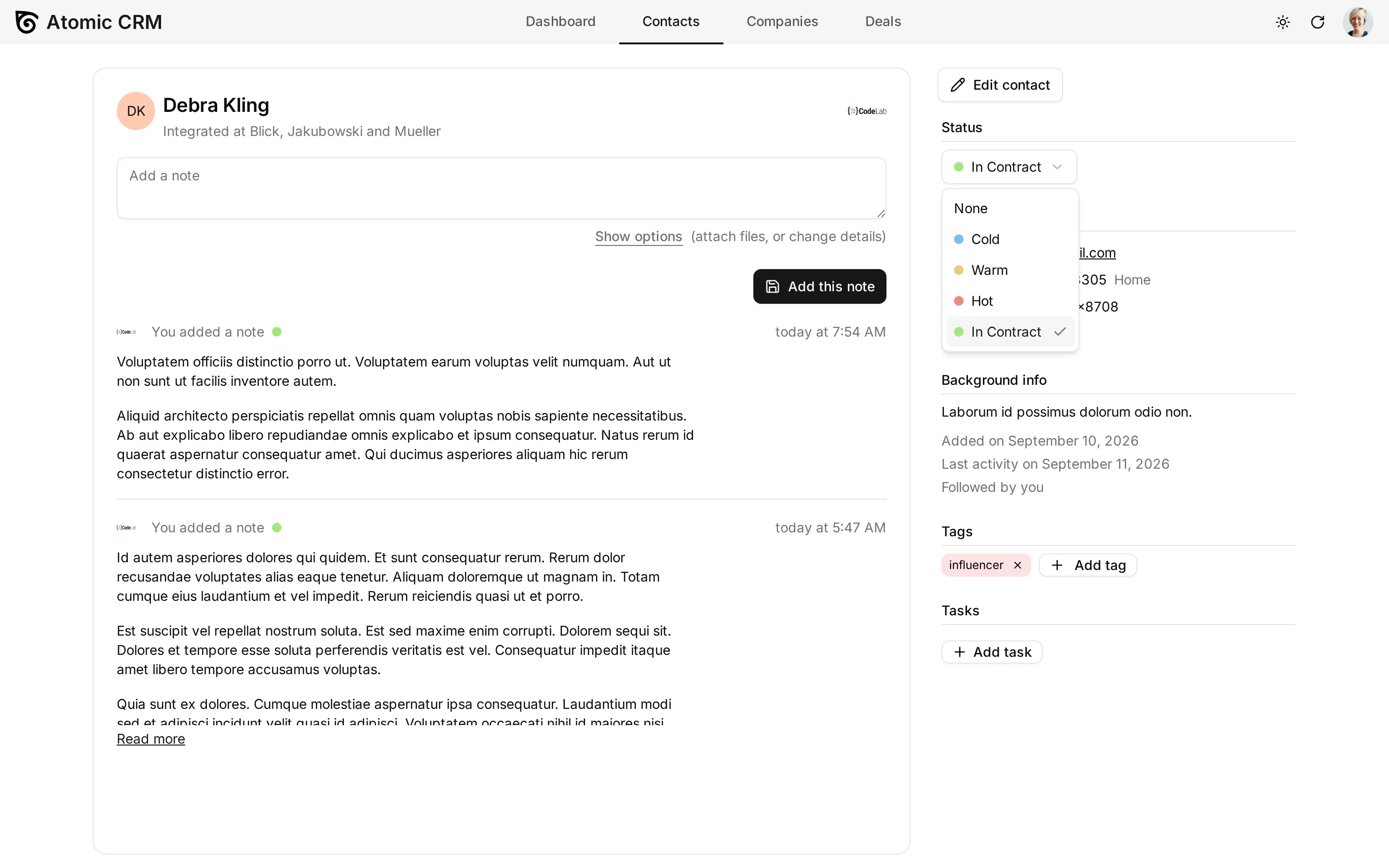
Adding a note also sets the contact’s status, and that field used to default to “warm”: it now starts on the contact’s current status, so a quick note no longer downgrades a hot lead.
Tag Several Contacts At Once
Tagging a list of contacts used to mean opening each of them one by one. Select the contacts you want, and a “Tag” bulk action now applies a tag to all of them in one go. If the tag doesn’t exist yet, you can create it right from the dialog.
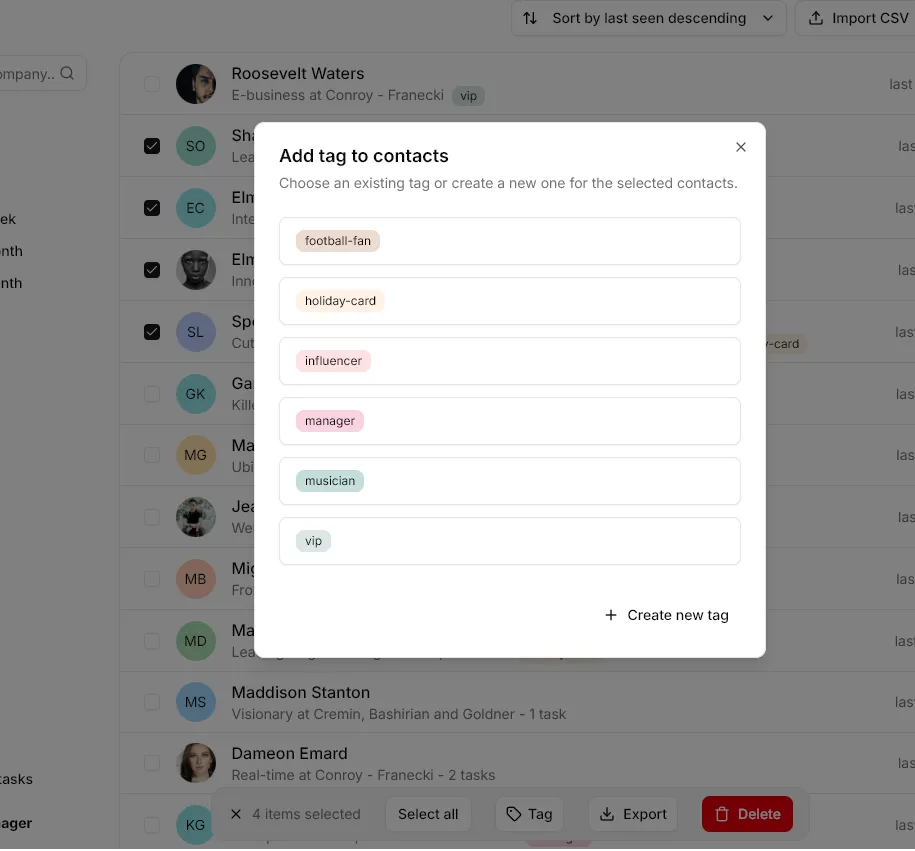
Combined with the range selection introduced in 1.5 (click the first contact, Shift+click the last one), tagging the fifty people you met at a conference is now a ten-second job.
Admins Can Filter By Account Manager
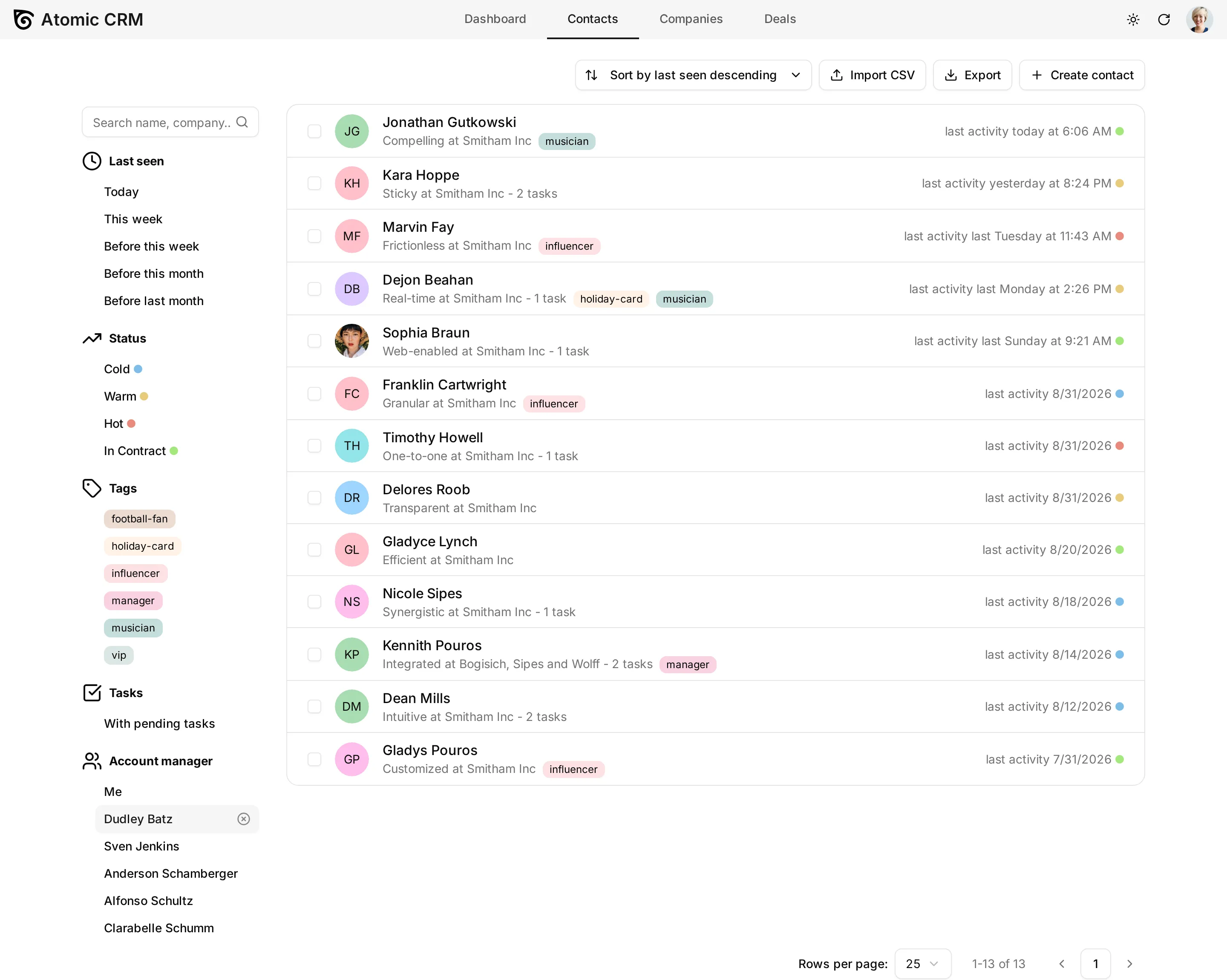
The account manager filter only offered a “Me” toggle: an administrator could see every record, but could not isolate the contacts, companies, or deals of a given salesperson.
Administrators now get a searchable account manager picker, next to the “Me” toggle in the contact and company sidebars, and in place of the only-mine switch on the deal board. It is clearable, works at mobile width through the filter sheet, and non-administrators see no change. No new role, no database change: the picker simply reuses the existing admin-only permission.
A Faster Activity Log
The dashboard activity log used to issue five requests, load far too much data, and refuse to go back more than a few hundred events. It was especially painful on mobile.
The activity log is now backed by a single database view, so it takes one request instead of five, and it uses infinite pagination: scroll down, and older activity keeps loading. Contact and deal notes got the same treatment.
A Real Settings Page On Mobile
On mobile, tapping “Settings” opened a cramped dialog with only a handful of options. It is now a full page, with the same settings as the desktop version and a layout designed for small screens.
Mobile note editing was reworked too: the note input grows as you type, the pagination race that could duplicate notes is fixed, and empty notes are now rejected instead of being silently created.
Pull To Refresh On Mobile
A mobile page used to show whatever data it had loaded when you opened it. To see a note a colleague just forwarded, or a task they just completed, you had to navigate away and back.
You can now pull the page down from the top and release it, as in any other mobile app, or tap the refresh button in the top bar. Both refresh the data of the page you are on.
See the Mobile App documentation for more details.
An In-App Changelog
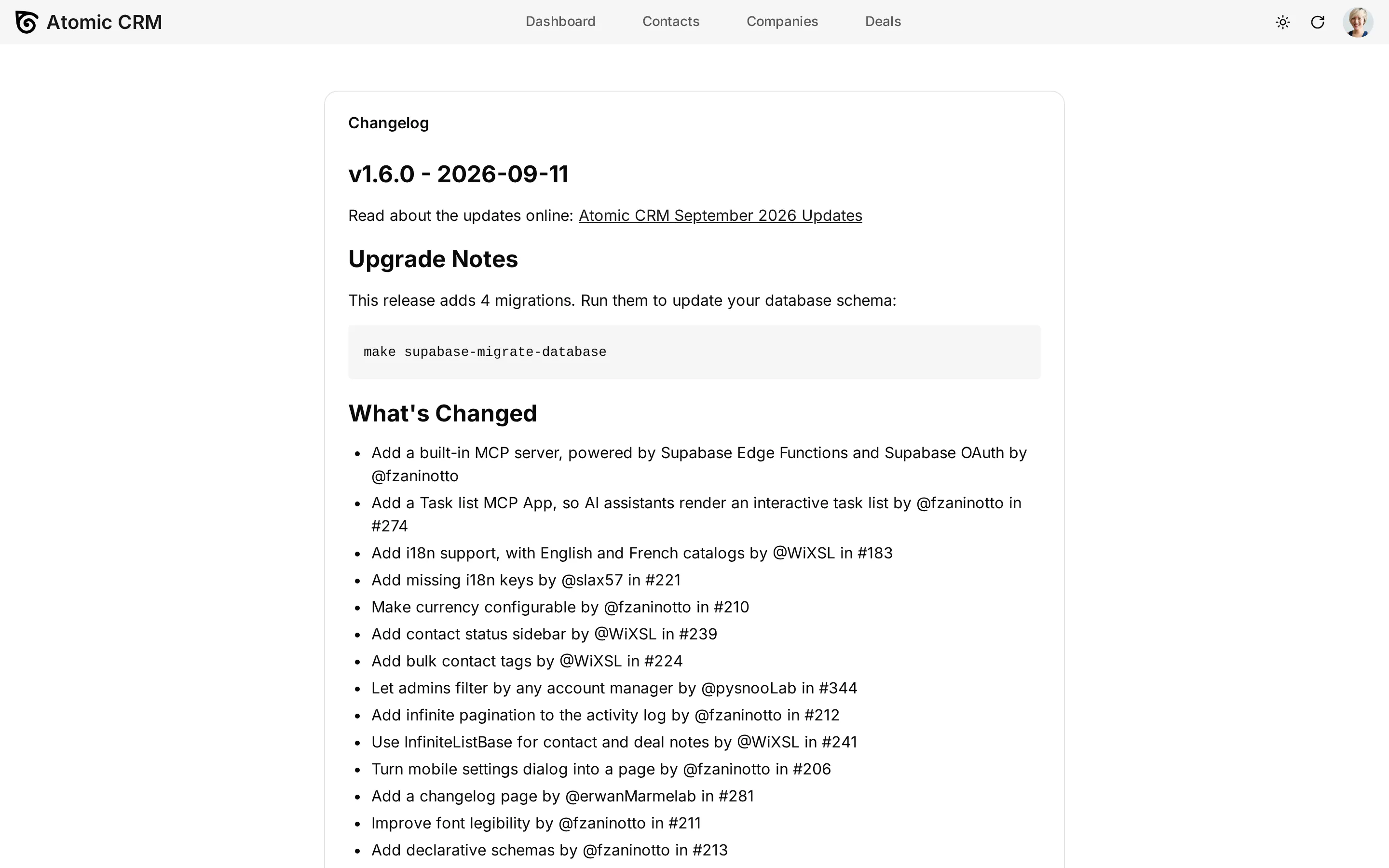
You no longer need to visit GitHub to know what changed in your CRM. A “Changelog” entry in the profile menu opens the release notes directly inside the application, on desktop and on mobile.
More Legible Typography
We revisited the font stack and sizes across the application. Nothing spectacular, but text is noticeably easier to read on long contact lists and dense note pages, and the French translation no longer overflows buttons.
More Reliable Inbound Emails
Put your CRM’s inbound email address in Bcc when you write to a contact, and the message is filed as a note on that contact. Atomic CRM identifies the contact from the recipient’s address, and you from the sender’s. Several things could go wrong; they are fixed:
- Contact lookup is now case-insensitive, so
Gordon.Freeman@blackmesa.commatches the existinggordon.freeman@blackmesa.comcontact instead of creating a duplicate. - Names extracted from email headers are properly capitalized.
- Generic mail providers (gmail.com, outlook.com, and friends) are no longer turned into companies, which used to pollute the company list.
Salespeople rarely have a single email address. You can now declare up to ten secondary addresses on your Profile page, and an email forwarded from any of them is attributed to you, instead of being dropped because the sender did not match your account address.
Declarative Database Schemas
This one is for developers. Until now, the only way to know the shape of the database was to connect to it, and reviewing a pull request that changed a view or a function was nearly impossible: the migration dropped and recreated the object, so there was no readable diff.
Atomic CRM now uses Supabase declarative schemas. The supabase/schemas/ directory is the source of truth: tables, functions, views, triggers, policies, grants, and storage, each in its own file. You edit the schema, and Supabase generates the migration for you:
npx supabase db diff --local -f add_lost_reasonPull requests touching the database are now reviewable line by line.
See the Migrations documentation for more details.
Storybook And Browser-Based Integration Tests
Atomic CRM had a handful of tests, almost all of them on pure functions: the browser test runner was configured, but a single component test used it. It now has Storybook and a real suite of browser-based integration tests, running on a shared test harness that boots a small fake CRM (fake auth, fake configuration, a FakeRest data provider with seeded data) without starting the full app or touching Supabase.
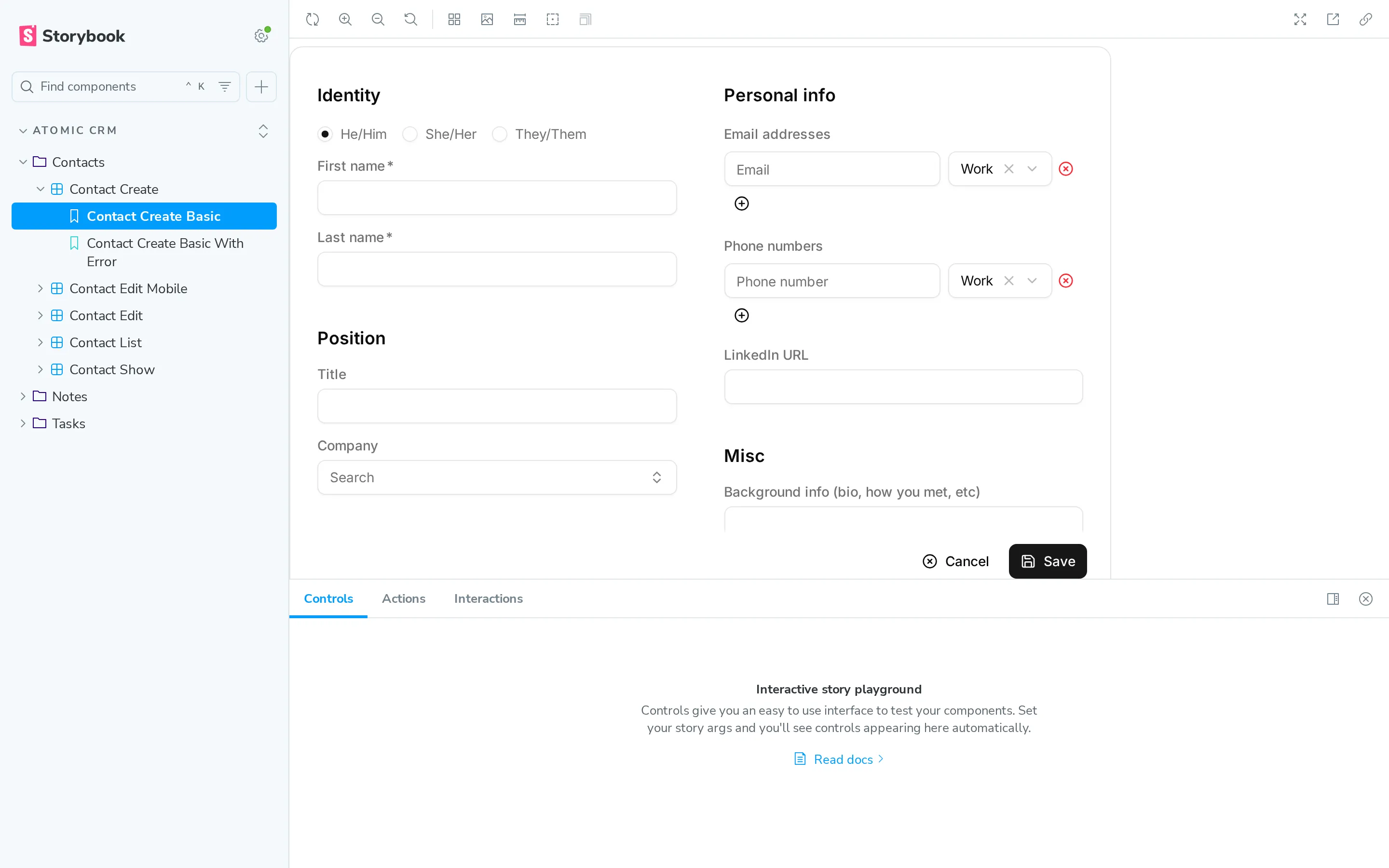
The same harness powers the stories and the tests, so a component you can play with in Storybook is a component you can assert on in a test, at desktop and mobile resolution. On top of that, an end-to-end Playwright suite covers the critical paths: onboarding, task creation, bulk tagging.
An Agent Harness To Build Features With Claude Code
Atomic CRM is a developer-centric CRM, and these days developers work with agents. In 1.5 we added an AGENTS.md and a few skills. In 1.6 we went considerably further.
Atomic CRM now ships an agent harness: a team of specialized Claude Code agents (planner, developer, reviewer, merger, documenter) that turns a plain-English feature request into committed, reviewed code through a deterministic pipeline.
Create a new field for lost deal reasons.The harness classifies the request, plans it into tickets when it deserves planning, implements each ticket in its own git worktree so your checkout stays clean, reviews the diff against the project’s own coding guidelines, runs typecheck, lint, unit tests and end-to-end tests, then merges. It pauses to let you review the plan, and asks before applying a database migration.
Two commands let you stay in control of what it produced:
/harness-diff # what did this session change?/harness-revert # undo itAnd three more let you watch a run in progress:
make watch # live monitor of the most recent sessionmake monitor # one-shot summarymake sessions # list known sessionsThe harness comes with a set of skills the agents load on demand: frontend and backend conventions, migration writing, e2e conventions, Shadcn customization, and a few generators (update-branding to rebrand the CRM, delete-initial-resource to strip out a built-in resource you don’t need).
The whole setup runs in a dev container, with Docker available inside it, so the agents can start Supabase and a browser without polluting your machine.
If you would rather not set any of this up locally, CRM Builder wraps the same harness in a containerized, browser-based environment: a pre-installed toolchain, a live preview of your CRM updated as the agents apply changes, and a dashboard to follow each run.
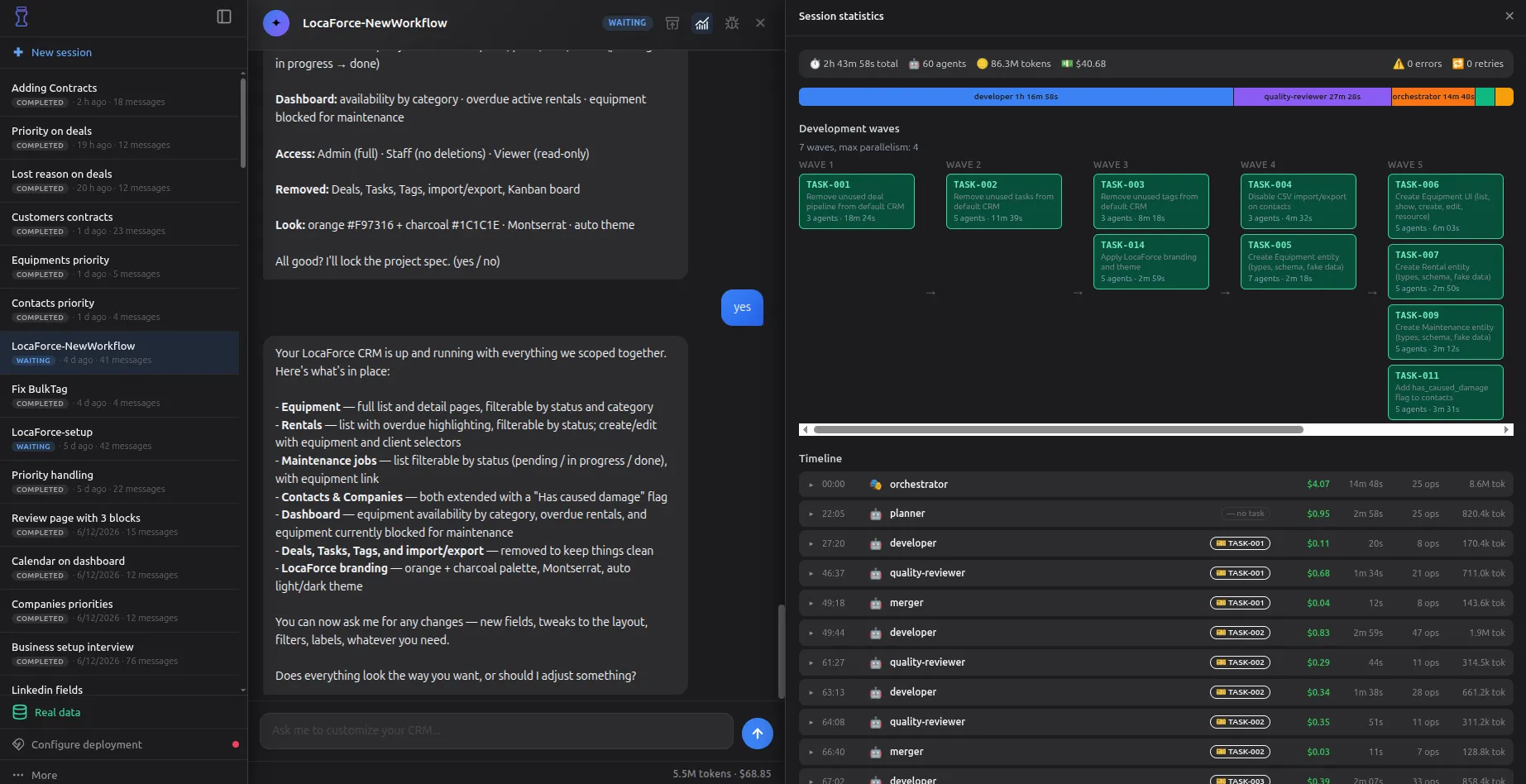
See the Agent Harness documentation for more details.
Supabase Security Warnings Fixed
Supabase’s security advisor used to raise warnings on Atomic CRM’s views and functions. They are all fixed: views no longer bypass row-level security, functions declare an explicit search path, and grants are part of the migrations instead of being applied by hand.
If you run Atomic CRM in production, apply the new migrations of this release:
make supabase-migrate-databaseImproved Documentation
The documentation keeps growing, with new pages for:
- The MCP server, its tools and its setup for each AI assistant
- User preferences: avatar, name, email, language, password
- The agent harness, with asciinema recordings of real sessions
- The Shadcn registry, for users and contributors
- Custom SMTP server configuration
- The Supabase REST API
Remember that the whole documentation is also served in markdown, to save tokens when an agent reads it:
curl https://marmelab.com/atomic-crm/doc/developers/agent-harness/ -H "Accept: text/markdown"See the Atomic CRM documentation for more details.
Conclusion
This release also includes a long tail of bug fixes and dependency updates we haven’t detailed here. The Atomic CRM 1.6 changelog on GitHub lists all of them.
Because Atomic CRM is our company CRM, we use it every day and we keep on improving it. The community keeps growing and contributing, which is amazing. We are very excited about the future of Atomic CRM and we can’t wait to share more updates with you in the coming months. Stay tuned!
Authors
Full-stack web developer at marmelab, Jérôme likes to act and to tinker on his spare time.
Marmelab founder and CEO, passionate about web technologies, agile, sustainability, leadership, and open-source. Lead developer of react-admin, founder of GreenFrame.io, and regular speaker at tech conferences.