
<MarkdownField>
This Enterprise Edition component allows to render Markdown data as HTML.
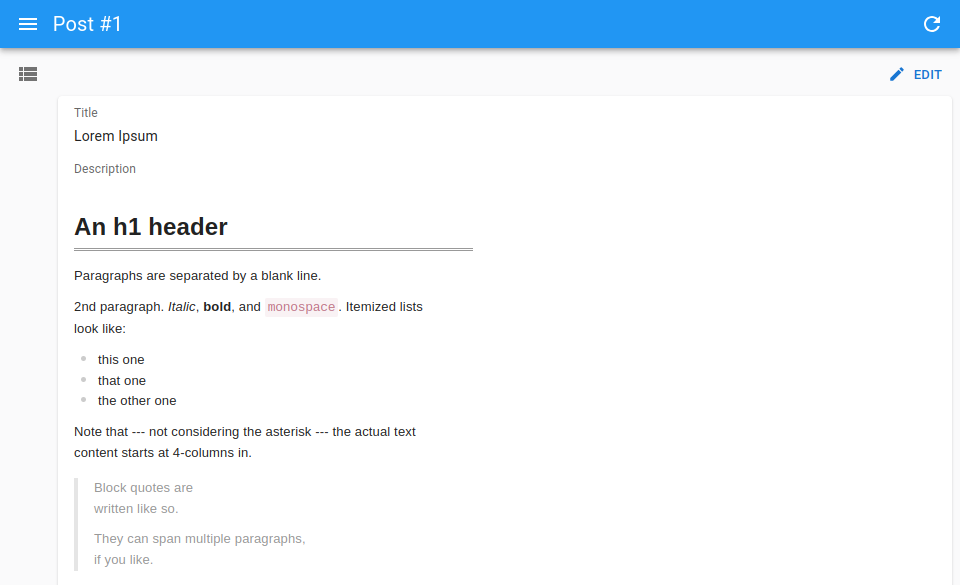
import { Show, SimpleShowLayout, TextField } from 'react-admin';
import { MarkdownField } from '@react-admin/ra-markdown';

const PostShow = () => (
    <Show>
        <SimpleShowLayout>
            <TextField source="title" />
            <MarkdownField source="description" />
        </SimpleShowLayout>
    </Show>
);
The content is rendered with the same styles as in <MarkdownInput>, so that it looks the same in read and edit modes.
Tip: If you want to display raw (unformatted) markdown, use <TextField component="pre"> instead:
import { Show, SimpleShowLayout, TextField } from 'react-admin';

const PostShow = () => (
    <Show>
        <SimpleShowLayout>
            <TextField source="title" />
            <TextField source="description" component="pre" />
        </SimpleShowLayout>
    </Show>
);
Props
| Prop | Required | Type | Default | Description |
|---|---|---|---|---|
source |
Required | string |
The field name in the record. Supports paths, e.g. description.body |
|
className |
Optional | string |
The CSS class of the root element | |
configureMilkdown |
Optional | (crepe: Crepe) => void |
Called before the editor is created. See <MarkdownInput configureMilkdown> |
|
label |
Optional | string |
The label. If not set, the label is inferred from the source |
|
onReady |
Optional | (crepe: Crepe) => void |
Called once the editor is created | |
sx |
Optional | SxProps |
Custom styles |
<MarkdownField> also accepts the common field props.
Check the ra-markdown documentation for more details.